

How to Get a Mobile App for Your Gym (Without Hiring a Developer)
Gym members don't quit because your classes are bad — they drift away. Here's how a mobile app keeps them coming back, and how to get one without a developer.
Inside this article
Most gyms lose 50% of new members within the first six months. It's rarely about the equipment.
The real problem is the gap between visits. A member skips Monday, then Tuesday feels harder, then they've gone two weeks without coming in — and by month three, they've quietly stopped. Your gym didn't fail them. You just weren't present in their phone when it mattered.
A mobile app for your gym puts you on the home screen, in the pocket, and in the moment when a push notification reminds someone that their Tuesday class starts in 45 minutes. That's the retention lever most gyms are missing.
Why Gym Members Drift Away (And What Actually Stops It)
Retention research consistently shows that gym members who visit at least twice a week in their first month are dramatically more likely to stay for a year. The challenge is maintaining that early momentum.
What breaks momentum? Life. Work, stress, minor illness, a missed week that turns into two. Without anything pulling members back, the mental barrier to returning grows quietly until cancellation feels easier than coming back.
Push notifications change that dynamic. A branded gym app can send:
- Class reminders 45–60 minutes before a scheduled session
- "We miss you" messages after 7 days of no check-ins
- New class announcements and schedule changes
- Promotional offers tied to membership renewals
Members who get a timely reminder about a class they almost forgot are far more likely to show up than members who have to remember everything themselves.
What a Mobile App for Gyms Actually Does
A gym membership app is more than a digital loyalty card. The most effective gym apps combine several functions:
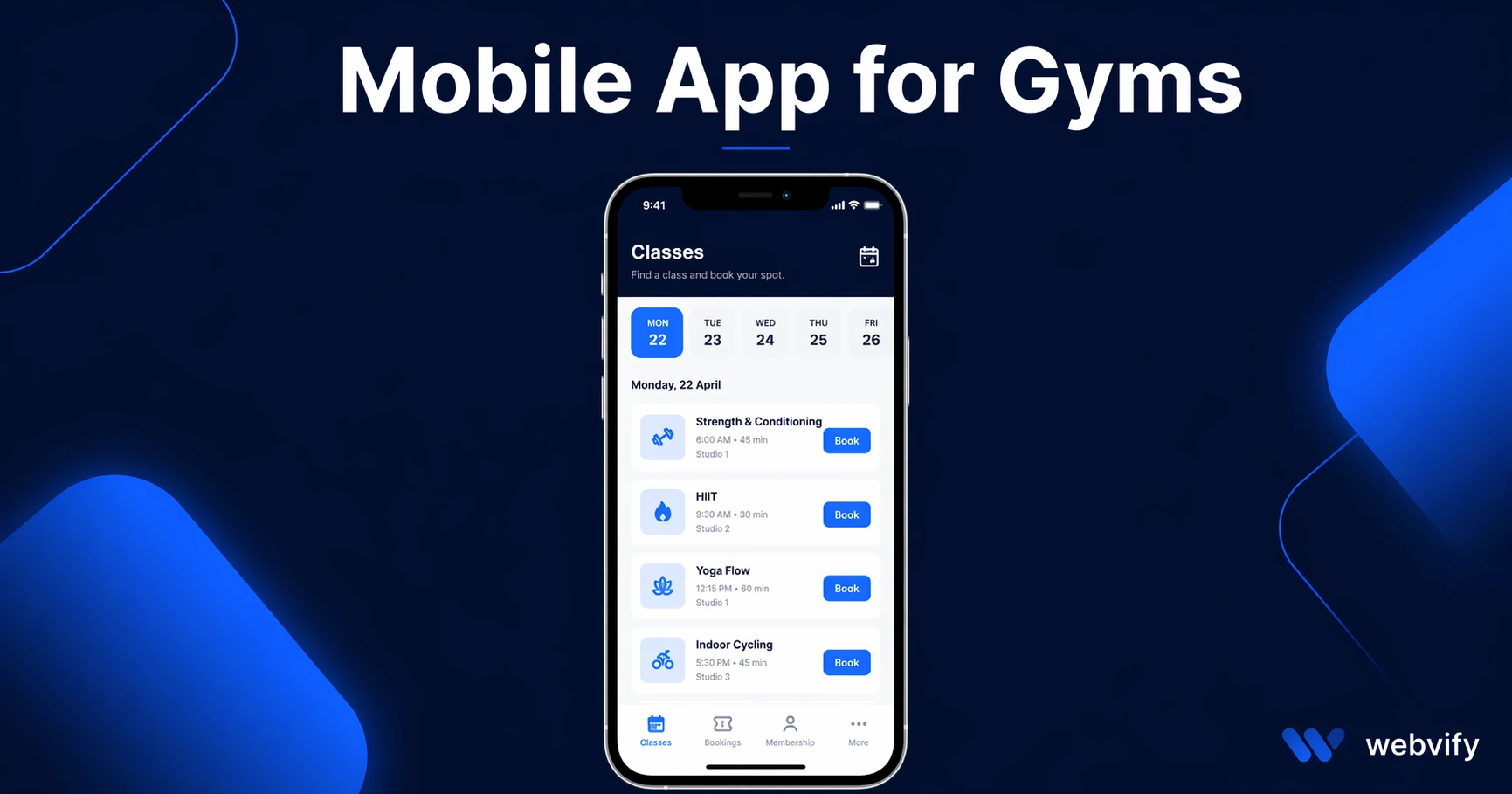
Booking and scheduling — Members can browse class timetables, book spots, and get automatic confirmation. When they can see available slots from their phone, they commit earlier and show up.
Push notifications — The highest-value feature for retention. Direct messages to the member's lock screen, no algorithm, no email inbox to get buried in.
Membership management — Members can check their plan, renewal date, and account status without calling the front desk.
Promotions and announcements — New trainer introductions, equipment upgrades, holiday hours, limited-time offers. Everything broadcast instantly to everyone who has the app installed.
Branded home screen presence — Every time a member unlocks their phone and sees your gym's icon, that's a brand impression that costs you nothing after the app is live.
This isn't about building a complex platform from scratch. If your gym already has a website — even a simple one with a class schedule — you have everything you need to launch a mobile app.
How a Gym App Works Without Rebuilding Anything
The most practical path for most gym owners isn't hiring a mobile developer to build a custom native app. That route typically costs $30,000–$150,000 and takes six to twelve months. Even after launch, you need a developer on retainer for every update.
The alternative is a WebView app: a native app wrapper that displays your existing website inside a fully branded iOS and Android app. Members download it from the App Store and Google Play just like any other app. It gets an icon on the home screen. Push notifications work. It opens instantly.
What you're not doing is rebuilding your class schedule, your booking system, or your membership portal from scratch. Whatever runs on your website runs in the app. The WebView bridge handles the rest.
If your gym already uses an online booking tool like Mindbody, Glofox, or a custom booking page, those features come through in the app automatically. You don't reconfigure anything.
Services like Webvify handle the entire process — building the app, configuring push notifications, and submitting it to both the App Store and Google Play under your own developer account. You don't touch Xcode or the Google Play Console. The app is yours, published under your gym's name.
This is the same approach that's worked for salons and online coaches — any business where repeat visits and client retention are the primary growth lever.
What to Look for in a Gym App Solution
Not all web-to-app services are the same. When evaluating options, ask:
Do they handle App Store submission? Many tools give you the build but leave the App Store submission to you. Navigating Apple's developer portal, provisioning profiles, and review guidelines is a full process on its own. Look for a service that includes submission.
Do they support push notifications? This is non-negotiable for a gym app. Make sure the service you choose has a real push notification system — not just browser notifications.
Is the app published under your account? Some services publish apps under their own Apple developer account. If you ever leave the service, you lose the app and its ratings. Your app should live under your own developer accounts from day one.
What happens when your website updates? With a WebView-based app, updates to your site are reflected in the app automatically. Confirm this is the case before committing.
Is there an admin panel? After launch, you'll want to send push notifications without asking a developer. Look for a simple dashboard you can use yourself.
How to Get Your Gym App Live
The process with a managed service like Webvify looks like this:
- You submit your website URL and brand assets (logo, colors)
- The team builds a custom-branded iOS and Android app from your existing site
- The app is tested, configured with push notifications, and submitted to the App Store and Google Play
- Once approved (typically 1–5 business days for review), you get access to an admin panel to manage notifications and monitor installs
- You promote the app to members — QR code at reception, email announcement, sign at the front desk
The whole process from start to live app is usually under two weeks. That's compared to six to twelve months for custom development, at a fraction of the cost. For more on what app development typically costs at different tiers, see this breakdown of mobile app development costs in 2026.
Frequently Asked Questions
How much does a mobile app for a gym cost?
Custom native apps typically run $30,000–$150,000. WebView-based apps from managed services are significantly more affordable — usually a few hundred to a few thousand dollars as a one-time or annual fee. The cost depends on whether submission is included and what admin features you need.
Do I need a developer account to publish a gym app?
Yes, you need an Apple Developer account ($99/year) and a Google Play Developer account ($25 one-time). A managed service like Webvify handles the submission process itself, so you only need to set up the accounts — they do the rest.
Can my gym app send push notifications to members?
Yes. Push notifications are one of the core features of a gym mobile app. With a WebView-based app, push notifications are configured as part of the setup. You can send notifications from a simple admin panel without any technical knowledge.
Getting a mobile app for your gym no longer requires a developer, a six-month timeline, or a six-figure budget. If you have a website, you can have a branded app on the App Store and Google Play — with push notifications, booking access, and your logo on every member's home screen.