

AI Mobile App Management: How to Use ChatGPT to Run Your App in 2026
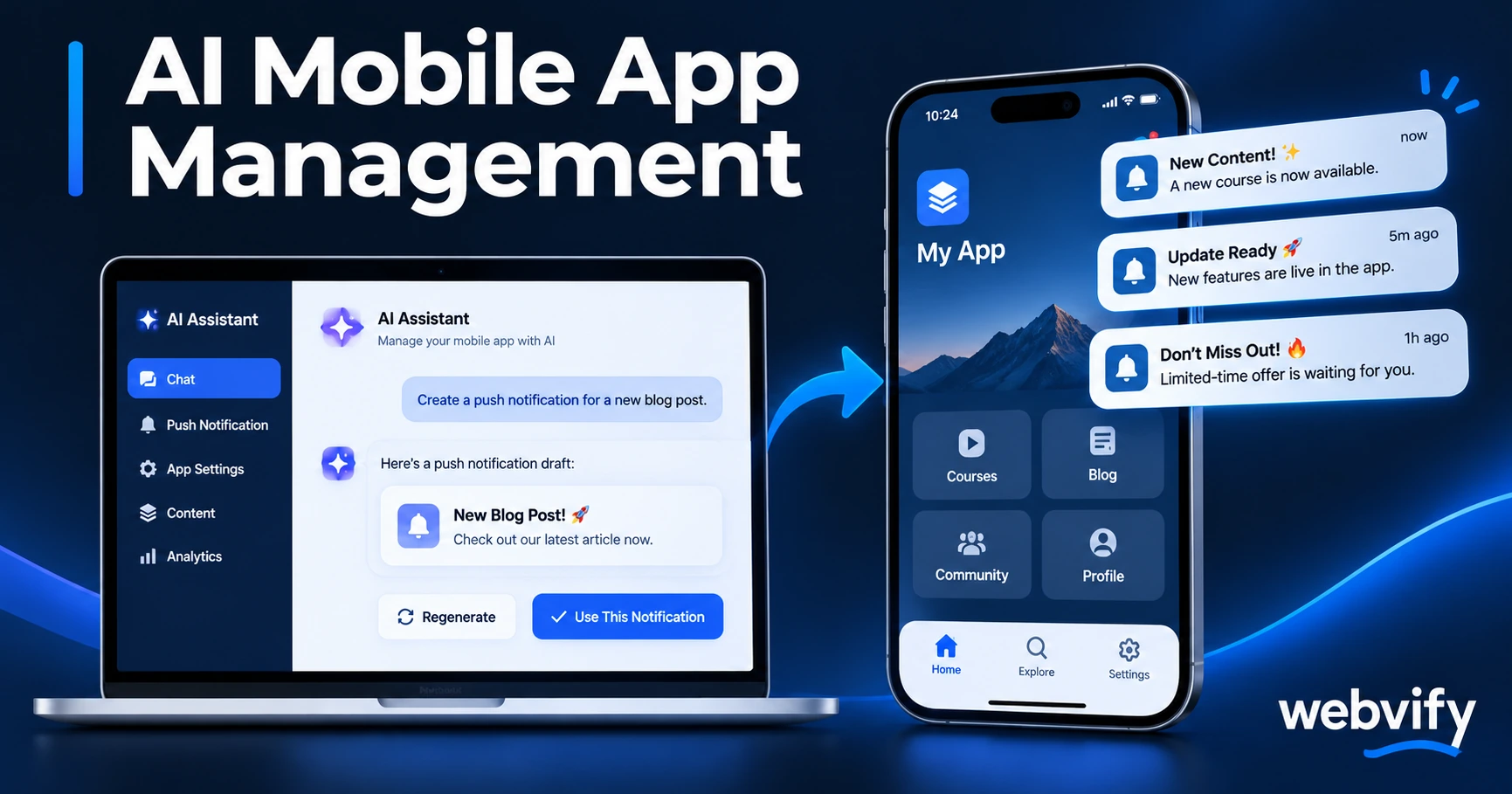
Here's how small business app owners use ChatGPT to write push notifications, optimize their App Store listing, and plan campaigns in less time.
Inside this article
- What AI Mobile App Management Actually Means for Small Businesses
- Using ChatGPT to Write Push Notifications That Get Opened
- How AI Speeds Up App Store Listing Optimization
- Planning Your App Marketing Calendar With AI
- Using ChatGPT to Interpret App Analytics
- What ChatGPT Can't Do for Your App
- Frequently Asked Questions
Managing your mobile app manually is time-consuming. Writing push notification copy, updating your App Store description, planning your content calendar — it adds up fast, especially when you're running a business at the same time.
ChatGPT and AI tools can take a significant chunk of that work off your plate. This guide shows you exactly how to use them for the parts of AI mobile app management that don't require a developer.
What AI Mobile App Management Actually Means for Small Businesses
AI mobile app management isn't about robots running your business. It's about using large language model tools — primarily ChatGPT — to handle the repetitive writing, planning, and analysis tasks that currently eat into your day.
For a small business app owner, the most time-consuming management tasks are:
- Writing push notification campaigns (and second-guessing the copy)
- Keeping your App Store and Google Play listing optimized
- Planning which promotions to push and when
- Making sense of your app analytics
All four are areas where ChatGPT can produce a solid draft in seconds — and you refine it in minutes rather than starting from scratch.
Using ChatGPT to Write Push Notifications That Get Opened
Push notification copy is harder than it looks. You have roughly 40 characters on the first line and 90 on the second. The message has to feel personal, create urgency without being pushy, and match the moment.
ChatGPT is genuinely good at this — especially if you give it the right context. Here's a prompt structure that works:
"Write 3 push notification variations for [your business type]. The goal is [rebooking / seasonal offer / reactivation of a lapsed customer]. Keep each title under 40 characters and the body under 90 characters. Tone: direct and friendly, not salesy."
Run this once, pick the variation that fits, and adjust the specifics. What would take 20 minutes of staring at a blank screen takes 2 minutes with AI.
For more on what to send and when, the push notification copy guide covers the structure behind messages that actually get opened.
Services like Webvify include a push notification tool inside the admin panel — once you have your copy from ChatGPT, sending it takes a few clicks.
How AI Speeds Up App Store Listing Optimization
Your App Store title, subtitle, and keyword field directly affect how many people find your app. Rewriting them is easy to put off — until you notice your download numbers aren't moving.
ChatGPT can audit and rewrite your listing quickly:
"Here's my current App Store description: [paste it]. My app is a [business type] app targeting [customer type] in [location]. Rewrite it to be clearer about the core benefit, include the phrase '[primary keyword]', and stay under 170 words."
The result won't be perfect, but it's a much better starting point than a blank text box. You can also use ChatGPT to generate keyword candidates for the keyword field — just describe what your customers would search for and ask it to brainstorm 20 search terms.
For a full breakdown of what actually moves the needle on App Store discovery, the App Store optimization guide for small businesses is a good companion read.
Planning Your App Marketing Calendar With AI
One of the most underused applications for ChatGPT is campaign planning. Most app owners react to seasons rather than planning ahead — and by the time they think about a Valentine's Day promotion, it's February 10th.
A simple prompt to fix this:
"I run a [business type]. List the 12 highest-value moments in the year for me to run a push notification campaign — include the dates, the goal of each campaign, and a one-line angle for the message."
This gives you a 12-month content skeleton in under two minutes. Plug it into a calendar, then write the actual copy (or use ChatGPT for that too) a week before each one goes out.
The push notification segmentation guide shows how to tailor these campaigns to different customer segments once you have your calendar sorted.
Using ChatGPT to Interpret App Analytics
App Store Connect and Google Play Console both give you performance data — downloads, uninstalls, session length, crash reports. The data is there; reading it and deciding what to do next is the gap.
Paste your monthly stats into ChatGPT with a question:
"Here are my app metrics for October 2026: [paste data]. What do the numbers suggest about where I'm losing users? What should I try first to improve Day-7 retention?"
You won't get a data scientist's analysis, but you'll often get a useful starting point — "Your uninstall rate on Day 3 is high, which usually signals the onboarding experience isn't clear." From there you know what to investigate.
This kind of AI-assisted interpretation lets non-technical business owners have a real conversation with their data without needing to hire an analyst.
What ChatGPT Can't Do for Your App
AI tools have real limits here, and it's worth knowing them before you rely on them:
- Technical fixes. ChatGPT can't update your app binary, fix a crash, or push a new version to the App Store. That's still the developer's — or a managed service like Webvify's — job.
- Personalization at scale. It can write a template, but it can't pull customer data and auto-personalize each notification automatically without additional integrations.
- Judgment about your brand. You'll need to review everything it produces. The tone will be generic until you train it with examples of your specific voice.
Use it as a first-draft engine and a planning assistant — not as a replacement for reviewing what goes out under your business name.
Frequently Asked Questions
Can ChatGPT write push notifications for my mobile app?
Yes. ChatGPT is well-suited to writing push notification copy, especially in the short, action-oriented formats that work best. Give it your business type, campaign goal, and character limits as context — the output will typically be usable after one or two rounds of edits.
Do I need technical skills to use AI for mobile app management?
No. The tasks described here — writing copy, planning campaigns, interpreting analytics text — require nothing beyond typing into ChatGPT. You don't need to code, integrate an API, or configure anything beyond a free account.
How much time can AI tools realistically save on app management?
For the writing and planning tasks covered here, most small business app owners save 2–4 hours per month. The bigger benefit is consistency: campaigns happen on time because there's no blank-page resistance slowing them down.
Build your app, then use the tools available to run it efficiently. Get started with Webvify →