

Webvify vs Vajro: Which Is Right for Your Shopify Store?
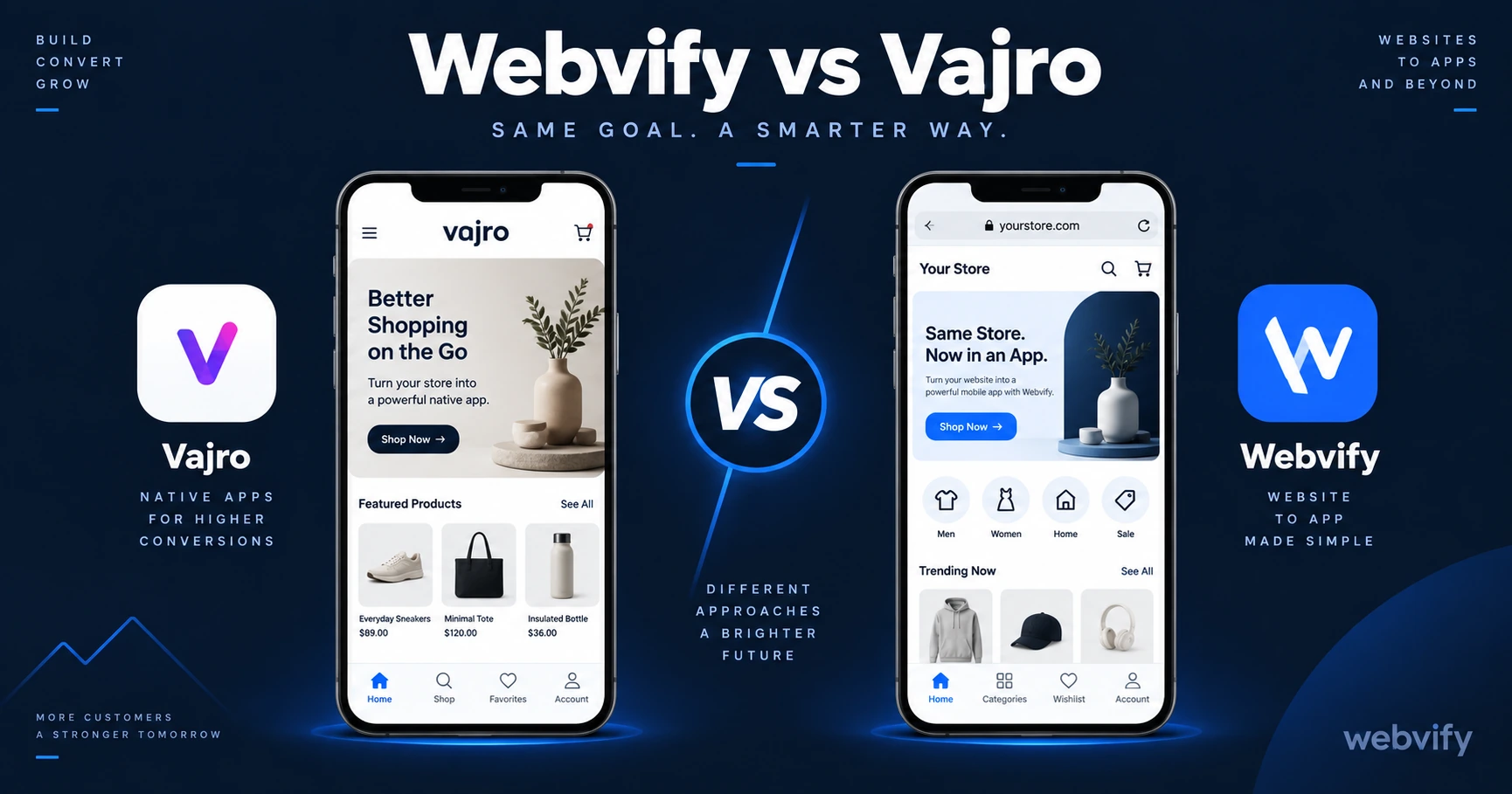
Webvify vs Vajro: both put your Shopify store on the App Store, but through very different approaches. Here's what matters before you choose.
Inside this article
Most Shopify merchants assume all mobile app tools do roughly the same thing. Vajro and Webvify both get your store onto the App Store and Google Play — but the gap in how they do it will determine whether you're managing one system or two.
This Webvify vs Vajro breakdown covers what each service actually does, how they differ on the details that matter, and which one fits your situation.
What Vajro Does
Vajro is a Shopify-specific mobile app builder. It connects to your store via the Shopify API, pulls your products, collections, and store data, and lets you build a native-style app inside its drag-and-drop editor. You design screens — the home tab, product lists, cart, checkout — within Vajro's platform, which then compiles and submits an iOS and Android app.
The result is a React Native app that loads your Shopify data natively, separate from your mobile website. Vajro includes push notifications, live selling features, loyalty integrations, and a content editor you manage independently from your Shopify admin.
Vajro pricing typically starts around $99–$200 per month depending on the plan tier. App Store and Google Play submission is part of the process, though the timeline and support level varies by plan.
What Webvify Does
Webvify takes a fundamentally different approach: instead of rebuilding your Shopify store inside a new platform, it converts your existing Shopify website directly into a WebView mobile app. Your customers interact with the same storefront they see on mobile — wrapped in a native app shell — and the app is submitted to the App Store and Google Play under your own developer accounts.
The entire process is done for you. Webvify builds the WebView app, handles App Store and Google Play submission, and provides an admin panel to manage settings after launch. Nothing is redesigned — your existing Shopify theme, product pages, collections, and checkout work exactly as they do today.
Webvify vs Vajro: Where They Differ
How the app is built
Vajro builds a native-coded app using your Shopify store data. You design the app's screens and layout inside Vajro's editor — separate from your Shopify theme editor. Whenever you want to change the app's home screen layout, featured collections, or banners, you do that inside Vajro, not Shopify.
Webvify wraps your existing Shopify website. When you update your Shopify theme, change a hero banner, or add a new section, the app reflects it automatically. You maintain one storefront, and the app stays in sync without a second content editor.
App Store submission and ownership
Vajro submits your app during the onboarding process. The specifics of who owns the App Store listing and what happens if you cancel your subscription depend on the plan.
Webvify submits the app under your own Apple Developer account and your own Google Play Developer account. You own the App Store listing outright, independent of Webvify's platform. If you ever stop using the service, the listing and the app remain yours.
Setup and time to launch
Vajro requires a design phase. You configure screens, set up navigation tabs, arrange product blocks, and test the in-app experience before submission. For merchants who want a fully custom app UI, this gives you control — but it takes time.
Webvify has no design phase. The existing Shopify site is packaged directly, which means less setup time and a faster path from signup to submission. The process for getting a Shopify store onto the iOS App Store specifically is covered in this guide →
WebView vs native performance
This is the technical trade-off worth understanding. Vajro produces a fully native app — the UI is coded natively and calls the Shopify API directly. Webvify produces a WebView app, meaning the native shell loads your mobile website inside the app.
For most Shopify stores, this distinction matters less than it sounds. Shopify themes are already optimized for fast mobile rendering, and WebView performance on modern iOS and Android is strong. The cases where native outperforms WebView meaningfully are large offline catalogs, heavy animation requirements, or very custom checkout flows — use cases most small and medium stores don't have.
When to Choose Vajro
Vajro is the better fit if:
- You want a custom-designed app UI that looks and behaves differently from your mobile website
- Your store needs native features like live selling, built-in loyalty programs, or deep Shopify Plus integrations
- You're comfortable managing a separate app editor alongside your Shopify admin
- You have the team bandwidth for an app design phase before submission
Vajro makes the most sense for high-volume Shopify stores that want maximum native customization and have the operational capacity to maintain two systems in parallel.
When to Choose Webvify
Webvify is the better fit if:
- Your existing Shopify storefront already performs well on mobile and you want it on the App Store
- You want push notifications and home-screen presence without rebuilding anything
- App Store submission under your own developer accounts is important — you want full ownership of the listing
- You want to launch fast, without a design build-out phase
For Shopify merchants who've already invested in a strong Shopify theme and mobile experience, Webvify's wrap-what-you-have approach avoids duplicating that work inside a new platform. If you're comparing other app tools for Shopify stores, Webvify vs Shopney covers another popular option worth looking at →
The Real Question to Answer First
Before choosing between Vajro and Webvify, answer one question: are you happy with how your Shopify store looks and works on mobile today?
If yes — your theme is clean, checkout works, customers convert — you probably don't need to rebuild that experience inside a new platform. You need to package it and get it live on the App Store. That's the case for Webvify.
If no — you want a fundamentally different in-app experience with native animations, live selling, and a custom UI that doesn't resemble your current mobile site — Vajro gives you the tools to build that.
Both are legitimate paths. The right answer depends on what you already have and how much you want to change it.
How is Webvify different from Vajro?
Vajro builds a native Shopify app from scratch inside its own platform, requiring you to design and manage the app UI separately from your Shopify store. Webvify converts your existing Shopify website into a WebView app and handles everything end-to-end — including App Store and Google Play submission under your own developer accounts — with no separate design phase.
Does Vajro own my App Store listing?
This depends on the plan and terms. With Webvify, the app is always submitted under your own Apple Developer account and Google Play Developer account, so you own the listing outright regardless of your subscription status.
Which is faster to launch — Vajro or Webvify?
Webvify is generally faster because there is no design phase. Your existing Shopify storefront is packaged and submitted directly. Vajro requires configuring the app's screens and UI inside their editor before submission, which takes additional time.
Ready to get your Shopify store on the App Store without rebuilding it? Webvify handles the full process — from packaging your existing site to submitting under your own developer accounts. See how it works at webvify.app