

How to Turn Your Shopify Store Into an iOS App (Without a Developer)
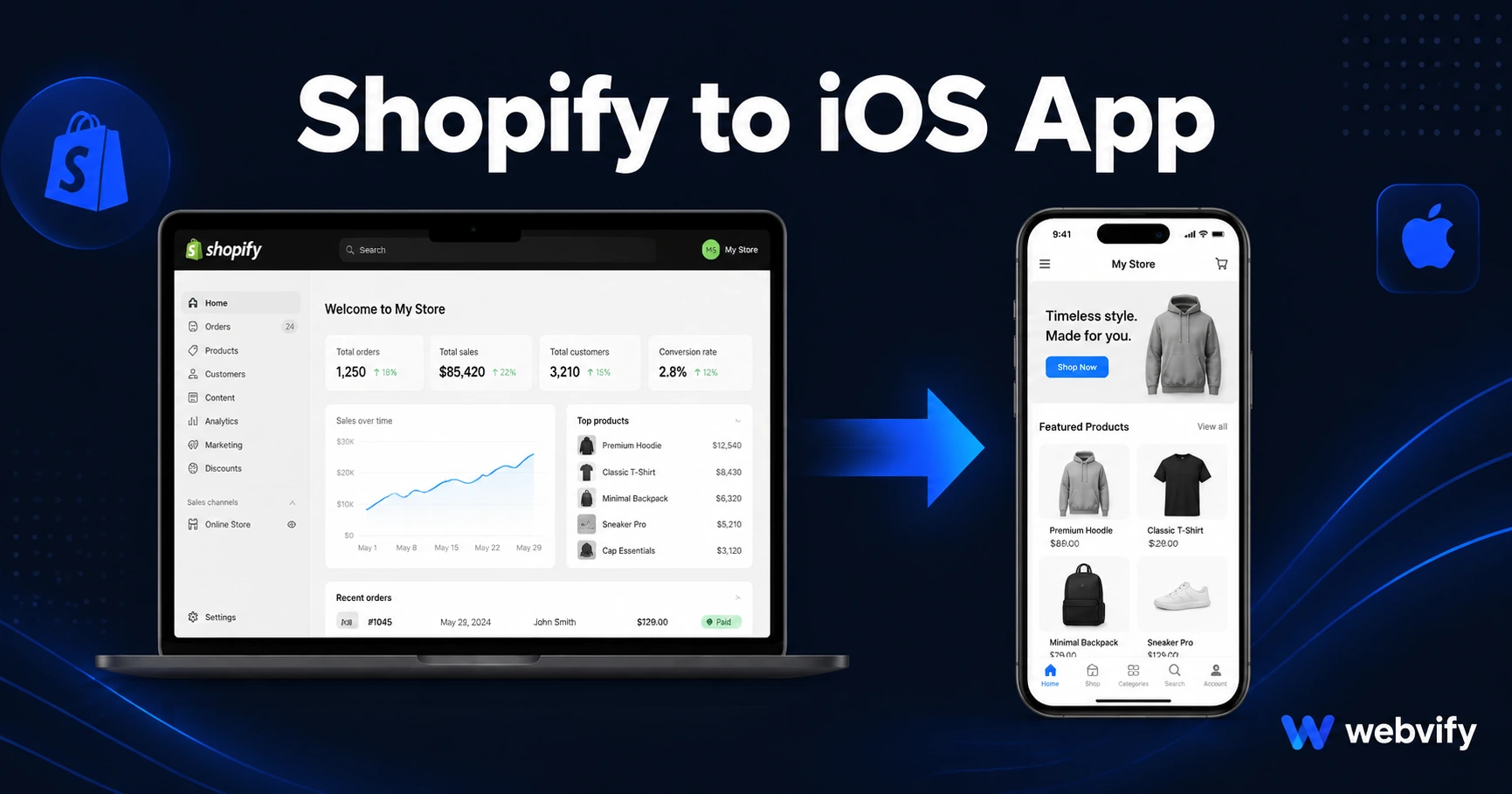
Your Shopify store is ready—now get it on the App Store. Here's how to convert Shopify to an iOS app without coding, in days, not months.
Inside this article
Mobile browsers convert at roughly half the rate of a dedicated app — and your Shopify store is leaving that gap open every day it isn't on the App Store.
Shopify is one of the best-built commerce platforms on the internet. But it does not export an iOS app. There is no Shopify button that generates an App Store-ready binary. If you want your store on a customer's home screen, you need to bridge that gap yourself — and most store owners don't know how.
Why Shopify Doesn't Have a Built-In iOS App Export
Shopify's mobile strategy centers on the merchant-facing Shopify app, not a customer-facing iOS app for your storefront. The storefront itself lives at a URL — your theme renders in a browser.
The App Store requires a native binary: an IPA file that passes Apple's review. A Shopify storefront URL cannot be submitted directly. That's the core bottleneck.
The good news is that a WebView wrapper solves this without rebuilding anything. A WebView app loads your existing Shopify storefront inside a native iOS shell. To your customer, it looks and feels like an app — home screen icon, push notifications, App Store listing, splash screen, your branding. Your Shopify theme, products, checkout, and integrations all remain exactly as they are.
What a Shopify iOS App Actually Looks Like
When you convert your Shopify store to an iOS app using a WebView approach, your customers get:
- A dedicated App Store listing under your brand name
- A home screen icon they download and keep
- Push notifications delivered directly to the lock screen (60–90% open rate, compared to 20–30% for email)
- Your existing Shopify theme, cart, checkout, and product catalog — unchanged
- App Store credibility that signals a serious, established brand
The app is your storefront. Nothing needs to be rebuilt. When you update your Shopify store — new products, new promotions, a redesigned homepage — the app reflects those changes instantly, without resubmitting to Apple.
The Apple Guideline Every Shopify Owner Needs to Know
Two Apple guidelines catch Shopify store owners off guard before their first submission.
Guideline 4.2 — Minimum Functionality. Apple rejects apps that function as "just a website." Your app needs to offer something a browser cannot: push notifications, home screen presence, or app-specific behavior. Most WebView wrappers built for Shopify include push notification infrastructure, which satisfies this requirement.
Guideline 3.1.1 — In-App Purchases. If your Shopify store sells digital goods — downloadable files, subscriptions, or digital-only products — Apple requires those transactions to go through Apple's payment system, which takes a 30% fee. Physical products (clothing, accessories, food, home goods) are exempt and work without any modification. If you sell digital subscriptions or downloads, the fix is to redirect those purchase flows to an external browser — the same approach used by Patreon, Substack, and most subscription platforms on iOS.
Physical product stores typically clear Apple review without any code changes. Digital sellers need this one adjustment before submitting.
How to Turn Your Shopify Store Into an iOS App
The conversion follows four stages:
1. Set up a custom domain. If your store still runs on a Shopify subdomain (yourstore.myshopify.com), you need a custom domain before submitting. Apple's Guideline 2.1 rejects apps that load a platform subdomain. Most Shopify stores already have a custom domain in place.
2. Verify mobile responsiveness. Open your store on a real mobile device and check that every page — product listings, cart, checkout — renders without horizontal scrolling or broken layouts. Shopify's built-in themes are responsive, but custom theme modifications sometimes break mobile views in specific places.
3. Wrap the store and configure push notifications. This is where a service like Webvify handles the technical work: building the native iOS shell, setting up push notification certificates, and ensuring the app meets Apple's review criteria. You don't touch Xcode or any developer tooling.
4. Submit to the App Store. This requires an Apple Developer account ($99/year). Apple's review takes 24–48 hours for most first-time submissions. A done-for-you service handles the submission on your behalf — you approve the listing details, and they manage the review process from there.
For a complete picture of what rejection looks like before you encounter it, the App Store rejection prevention guide covers the four guidelines that catch most WebView apps unprepared.
What Push Notifications Change for Shopify Stores
Push notifications are where the Shopify iOS app delivers its clearest return. Once a customer installs the app, you can reach them with:
- Flash sale alerts that land on the lock screen directly
- Abandoned cart nudges — no email address required
- New arrival announcements to opted-in customers
- Seasonal campaigns when purchase intent is highest
The open rate difference is meaningful. Shopify email campaigns average 20–30% open rates. A push notification to opted-in app users typically reaches 60–90% of recipients. For a store with 500 active app installs, one push campaign reaches far more customers than the same list on email ever would.
For the full mechanics — including specific Shopify push campaign templates — the guide to push notifications for Shopify stores covers what to send and when.
Getting Your Shopify iOS App Live
Timeline from start to App Store approval runs 5–10 business days: a few days for build and configuration, then 24–48 hours for Apple's review.
The App Store listing requires an app name, description, screenshots showing the app in use, a support URL, and a privacy policy. All of this can be prepared in a few hours alongside the build.
Once approved, your store is searchable on the App Store, shareable via a direct install link, and available for customers to download and keep on their home screen indefinitely. Every time they open their phone, your brand is one tap away — not buried in a browser bookmark they may never visit again.
Frequently Asked Questions
Can I submit my Shopify store to the App Store without a developer?
Yes. A WebView wrapper service handles the technical work — building the native iOS binary, configuring App Store certificates, and managing the submission process. You provide your store URL and listing details. No Xcode, no mobile development knowledge, and no developer hire required.
Does my Shopify theme need to change for the iOS app?
No. The app loads your existing Shopify storefront exactly as it is. If your theme is already mobile-responsive — which most Shopify themes are — it works inside the app without modification. The only adjustment needed is for stores selling digital products that require Apple's IAP compliance redirect.
How long does it take to get a Shopify store approved on the App Store?
Apple's review typically takes 24–48 hours after submission. Build and configuration usually takes 3–5 business days before that, depending on the service. Total time from starting to a live App Store listing is generally 5–10 business days.
Ready to get your Shopify store on the App Store? Webvify handles the build, App Store submission, and everything in between — no developer needed. Get started at webvify.app