

Mobile App for Rehabilitation Centers: Keep Patients on Track Between Sessions
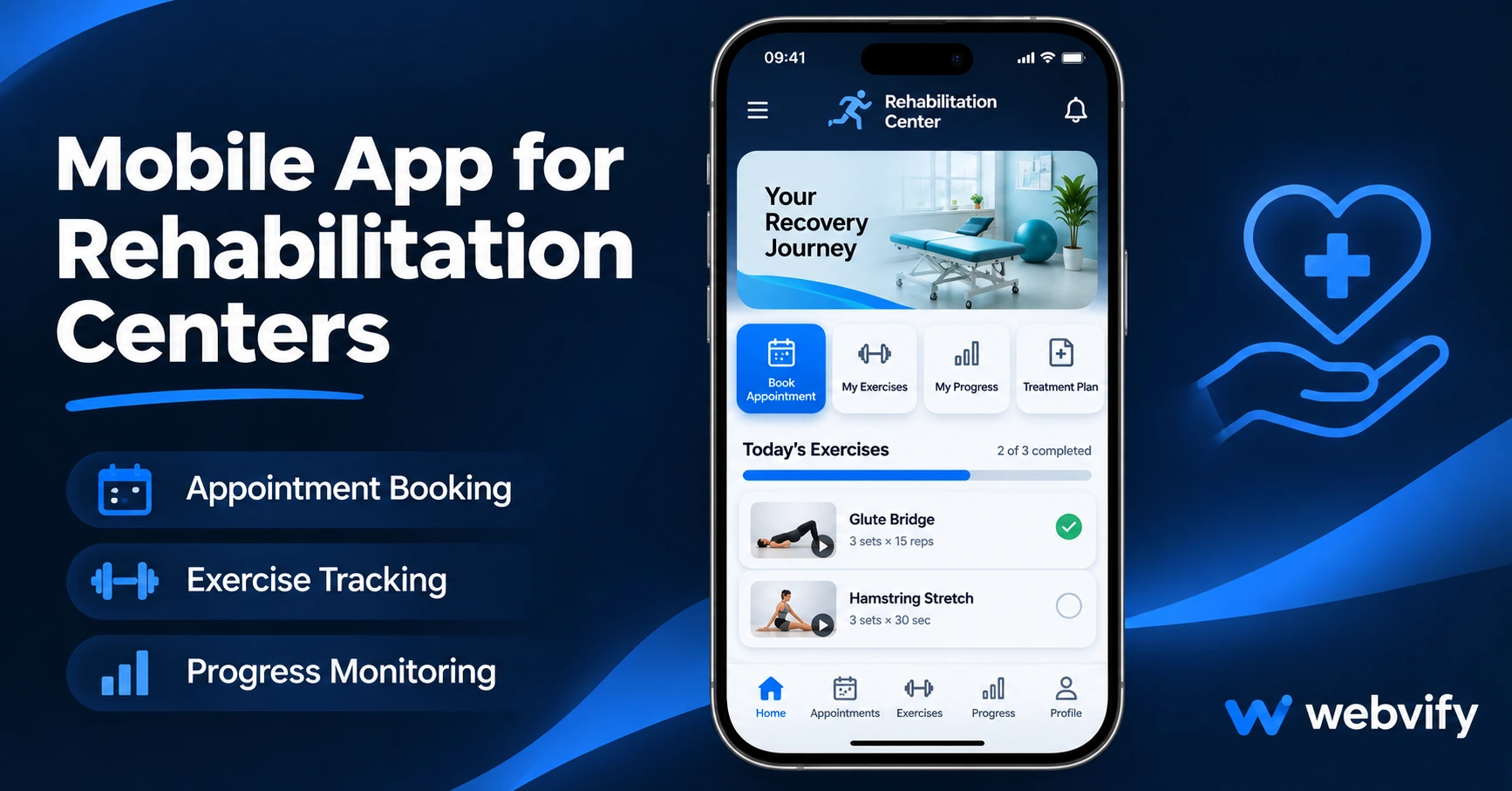
A mobile app for rehabilitation centers puts your clinic on every patient's home screen and closes the adherence gap between sessions — no developer required.
Inside this article
- Why Rehabilitation Centers Lose Patients Between Sessions
- What a Mobile App Actually Does for a Rehab Center
- Three Push Notification Campaigns That Drive Adherence
- How App Store Submission Works for a Rehab Center
- App Store Credibility as a Trust Signal
- What to Look For in a Rehab Center App Solution
- Frequently Asked Questions
Rehabilitation programs don't fail because the clinical work is poor — they fail because patients go silent between sessions. The 6-to-12-week recovery window that determines outcomes is exactly the window when most rehab centers have zero contact with their patients.
Why Rehabilitation Centers Lose Patients Between Sessions
The drop-off pattern is consistent: a patient completes their first two or three appointments, sees early improvement, and then gradually stops showing up. It isn't dissatisfaction. It's the absence of a consistent touchpoint during recovery.
Healthcare email averages a 20–25% open rate. That means three out of four reminders you send never get read. The patient who skipped their home exercises on Tuesday didn't get your follow-up email either. By the time they miss two appointments in a row, re-engaging them takes significantly more effort than a single notification would have.
A mobile app for rehabilitation centers changes this equation by putting your clinic on the patient's home screen — the same place they check messages, set alarms, and track their day.
What a Mobile App Actually Does for a Rehab Center
A branded rehab center app isn't a clinical tool that requires a custom software build. If your clinic already has a website — with appointment booking, a patient portal, or even a simple service page — a WebView app packages that website into a native-feeling iOS and Android application published under your clinic's name on the App Store and Google Play.
The core value is what happens after submission: push notifications.
Unlike email, push notifications appear directly on the lock screen. They don't sit in a filtered inbox or a spam folder. When a patient opens their phone on a Thursday morning, your message is waiting for them. This is why push notification open rates for appointment-based health businesses consistently run between 60–90%, compared to 20–25% for healthcare email.
That gap is the retention lever most rehab centers are leaving unused.
Three Push Notification Campaigns That Drive Adherence
A mobile app for physical rehab becomes most useful when paired with a consistent push notification strategy. Here are three campaigns that move the needle on completion rates:
1. The 72-Hour Exercise Reminder After each session, send a push notification 72 hours later reminding the patient about their home exercise program. Keep it specific: "Your three hip flexor exercises from Tuesday — today's a good day to get them done." Specific is actionable. Generic reminders get dismissed.
2. The 14-Day Rebooking Nudge If a patient hasn't booked their next appointment within 14 days of their last session, send a single prompt. Research on physical therapy adherence shows the first two weeks after a missed appointment are the highest-probability window for reactivation. After 30 days, re-engagement rates drop sharply.
3. The 6-Week Re-Engagement Push Patients who've gone quiet for 42 days need a different message than a simple reminder. A push that acknowledges the gap — "Recovery doesn't have a deadline. Let's pick up where you left off." — tends to outperform generic promotional messages. The tone matters: it removes the implied judgment of a standard "you missed your appointment" prompt.
If you're already exploring push notifications for appointment-based healthcare, this guide on mobile apps for physical therapists and the companion post on mobile apps for chiropractors cover the same adherence mechanics across related practice types.
How App Store Submission Works for a Rehab Center
One concern rehab center owners raise consistently: "We have a website but no developer." Publishing a mobile app doesn't require one. Services like Webvify handle the entire build and submission process end-to-end — from packaging your existing website into a compliant WebView app to navigating Apple's review guidelines and Google Play's data safety requirements.
The two most important compliance checkpoints for rehab center apps:
- Apple Guideline 4.2 (Minimum Functionality): Your app must do more than display a website. Push notifications satisfy this requirement — they're treated as a distinct feature that justifies App Store presence.
- Google Play Data Safety Form: Requires disclosure of what data your app collects. Standard analytics and booking cookies are declared as part of submission. A managed service handles this form on your behalf.
A managed submission service handles both of these without you needing to open Xcode or the Google Play Console.
App Store Credibility as a Trust Signal
Rehabilitation is a trust-sensitive service. Patients commit to a recovery program, often after surgery, injury, or a condition that affects their daily functioning. An App Store listing signals institutional credibility in a way that a Google Maps profile doesn't.
For a rehab center competing with hospital-affiliated clinics or larger physical therapy chains, a branded app listed under your clinic's name on the App Store is a visible differentiator. It signals permanence and a standard of care that extends beyond the appointment room.
A patient searching "rehab center [city]" who sees an App Store listing alongside your website is more likely to book than one who only finds a standard business listing.
What to Look For in a Rehab Center App Solution
Not all patient retention app solutions are built the same. When evaluating options, the key questions are:
| Criteria | What to Check |
|---|---|
| Submission included? | Does the service handle Apple and Google Play submission, or do you do it yourself? |
| Your own developer account? | App submitted under your clinic's name, not the platform's |
| Push notifications built in? | Native push, not web push (web push doesn't work on iOS) |
| No rebuild required? | Wraps your existing website rather than rebuilding from scratch |
A solution that requires you to migrate your content to a new platform creates dual-system overhead — you maintain both your website and the app separately. A WebView wrapper that uses your existing site eliminates that entirely.
Frequently Asked Questions
How much does a mobile app for a rehabilitation center cost?
A WebView app for a rehab center through a managed service typically ranges from $500–$2,000 as a one-time setup fee, with optional monthly management plans from around $99/month. This is a fraction of the $50,000–$150,000 cost of a custom-built healthcare app. The core functionality — appointment booking, portal access, push notifications — is delivered through your existing website, so there is no additional content build.
Do I need a HIPAA-compliant app for my rehab center?
If your app displays only your public website with no protected health information (PHI), HIPAA compliance is not triggered by the app itself. If you plan to include a patient portal with health records or clinical messaging, that portal layer must be HIPAA-compliant at the web level — the app is a container for whatever your website provides. Consult your compliance officer before including PHI in a patient-facing application.
How long does App Store approval take for a rehab center app?
Apple typically reviews and approves WebView apps within 24–48 hours for first submissions, assuming the app meets Guideline 4.2 (Minimum Functionality) and 2.1 (App Completeness). Google Play reviews take 1–3 business days. A managed submission service handles the rejection and resubmission cycle if issues arise, so your clinic doesn't need to navigate the review process directly.
Your rehabilitation center already does the hard clinical work. A mobile app keeps patients connected to that work between sessions — when adherence matters most.
Get started with Webvify — full end-to-end service from build to App Store submission, no developer required.