

Mobile App for Nutritionists: Keep Clients Accountable Between Sessions
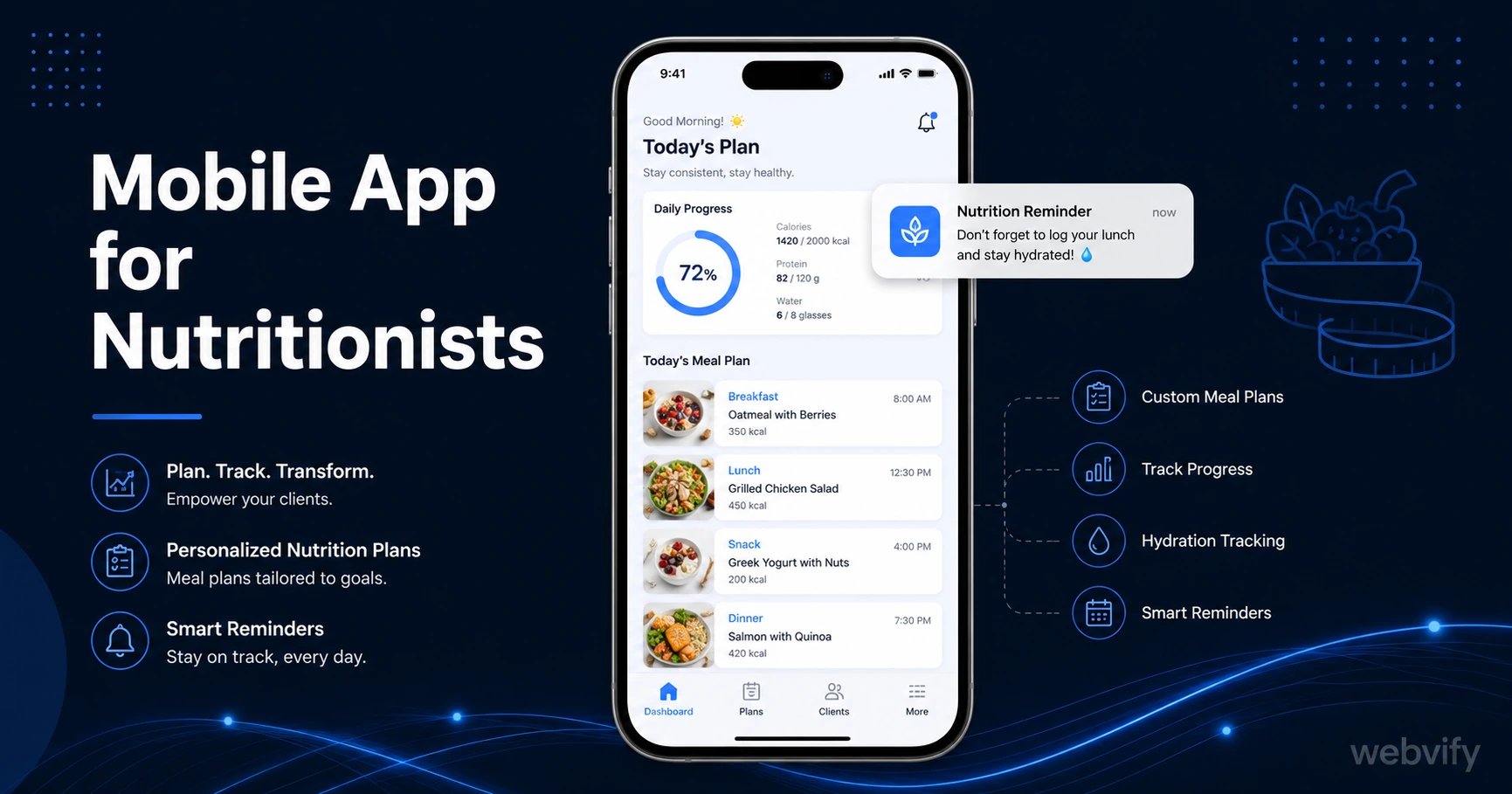
A mobile app for nutritionists keeps clients accountable between sessions via push notifications. Here's how to get one live without hiring a developer.
Inside this article
- Mobile App for Nutritionists: Keep Clients Accountable Between Sessions
- Why Nutrition Clients Drift Away (And What Actually Keeps Them)
- What a Mobile App for Nutritionists Actually Does
- The Push Notification Sequences That Drive Retention
- App Store Credibility in a Trust-Sensitive Profession
- How to Get Your Nutrition App on the App Store
- FAQ
Mobile App for Nutritionists: Keep Clients Accountable Between Sessions
Nutrition clients leave your session motivated. By day four, most have gone quiet.
That gap — between sessions when clients are on their own — is where plans break down. A branded mobile app puts you back in their pocket with push notifications that reach the lock screen at a 60–90% open rate, compared to the 20–25% typical of nutrition practice emails. Here's why that matters, and how to get one live without hiring a developer.
Why Nutrition Clients Drift Away (And What Actually Keeps Them)
The problem isn't the nutrition plan. Most clients understand what to do — they just lose momentum during the stretches between check-ins.
Email newsletters and Facebook groups help, but both rely on the client actively checking them. Push notifications bypass that. When your message shows up on someone's lock screen on Day 3 of their new eating protocol, they don't have to remember to open anything. The nudge arrives.
That's the core mechanic: your branded app on their home screen turns passive clients into active participants without any extra effort on your part.
What a Mobile App for Nutritionists Actually Does
A nutritionist app isn't a meal tracker or an AI calorie counter. For most independent nutrition practices and small clinics, the app is your existing website — wrapped as a native app and published on the App Store and Google Play under your practice's name.
This means your booking system, resources, client portal, and content all work exactly as they do on the web. What changes is the delivery channel.
With your app installed:
- Clients see your icon on their home screen, not a browser bookmark they never click
- You can send targeted push notifications at any time — reminders, check-ins, new content alerts
- New clients can discover you through App Store search in your local area
- Your practice projects a level of credibility that most competitors in your space don't have yet
Services like Webvify handle this end-to-end — they convert your existing website into an App Store-ready app and manage the entire submission process, so you don't need to touch Xcode or Android Studio.
The Push Notification Sequences That Drive Retention
The real power of a nutritionist app is scheduled push notification campaigns. Here are three that consistently reduce dropout:
The 3-Day Meal Check-In Three days after a session, send a short push: "How are the first few days feeling? Tap to log a quick note or book your next check-in." This nudge keeps clients from going silent during the critical first week when habits are still fragile.
The 14-Day Re-engagement If a client hasn't booked a follow-up after two weeks, a single push — "Your 2-week check-in window is open. Same slot as last time?" — recovers a meaningful percentage of bookings that would otherwise drift away quietly.
The Seasonal Reset Campaign January, after Easter, and September are your highest-intent windows. A well-timed push in the first week of each period ("New goals for the next quarter? Let's map it out.") converts dormant clients who are already in a change mindset.
You set these up once in your app's notification panel. They run automatically.
App Store Credibility in a Trust-Sensitive Profession
Nutrition is a profession where clients share sensitive health information and often pay for extended programs upfront. Trust matters at every stage of the decision.
A published app in the App Store signals something that a website alone doesn't: that your practice is established, invested, and professionally run. For a prospective client comparing two nutritionists on their phone, the one with a dedicated app — not just a mobile website — has a visible credibility advantage before a single review is read.
In trust-sensitive service businesses, App Store presence functions as a trust proxy. It's the same dynamic that drives personal trainers and online coaches to prioritize getting their own branded app rather than relying on generic platform apps that carry someone else's branding.
How to Get Your Nutrition App on the App Store
The submission process is the part that stops most practitioners. Apple's developer portal and the binary submission process are designed for software teams, not solo practitioners or small clinics.
The practical path is to use a service that handles this for you. Here's how the process works:
- Your existing website is reviewed for mobile compatibility
- A WebView app is built — your site, wrapped in a native app shell with your practice name, logo, and colors
- The app is submitted to the App Store and Google Play under your own developer accounts
- Once live, you get access to an admin panel where you manage push notifications and content
The cost is a fraction of custom app development, which typically runs $50,000–$150,000 for a native-built app. And because your website remains the source of truth, any updates you make to the site automatically appear in the app — there's no second system to maintain.
FAQ
Does a nutritionist app need to include a built-in meal tracker?
No. Most nutritionist apps that convert existing websites use a WebView approach — your current website loads inside the native app shell. If your website already has a meal log, client portal, or tracking tool, it carries over automatically. There's no need to rebuild features from scratch.
How much does a mobile app for a nutrition practice cost?
Using a WebView conversion service, the cost typically ranges from a few hundred to a few thousand dollars as a one-time fee, depending on the provider. Compare that to custom native development ($50,000–$150,000+) or ongoing platform subscriptions that require recreating your content inside their editor. Apple and Google developer account fees are $99/year and $25 one-time respectively.
Can push notifications work with my existing booking software?
Yes. Push notifications are a feature of the app layer, separate from your booking system. As long as your booking tool — Calendly, Acuity, Practice Better, or similar — is accessible through your website, it works inside the app. Push notifications can link directly to your booking page so clients land in the right place with one tap.
Ready to get your nutrition practice on the App Store? Webvify converts your existing website into a fully branded app — App Store and Google Play submission included, no developer needed.