

How to Get a Mobile App for Your Nonprofit (Without Hiring a Developer)
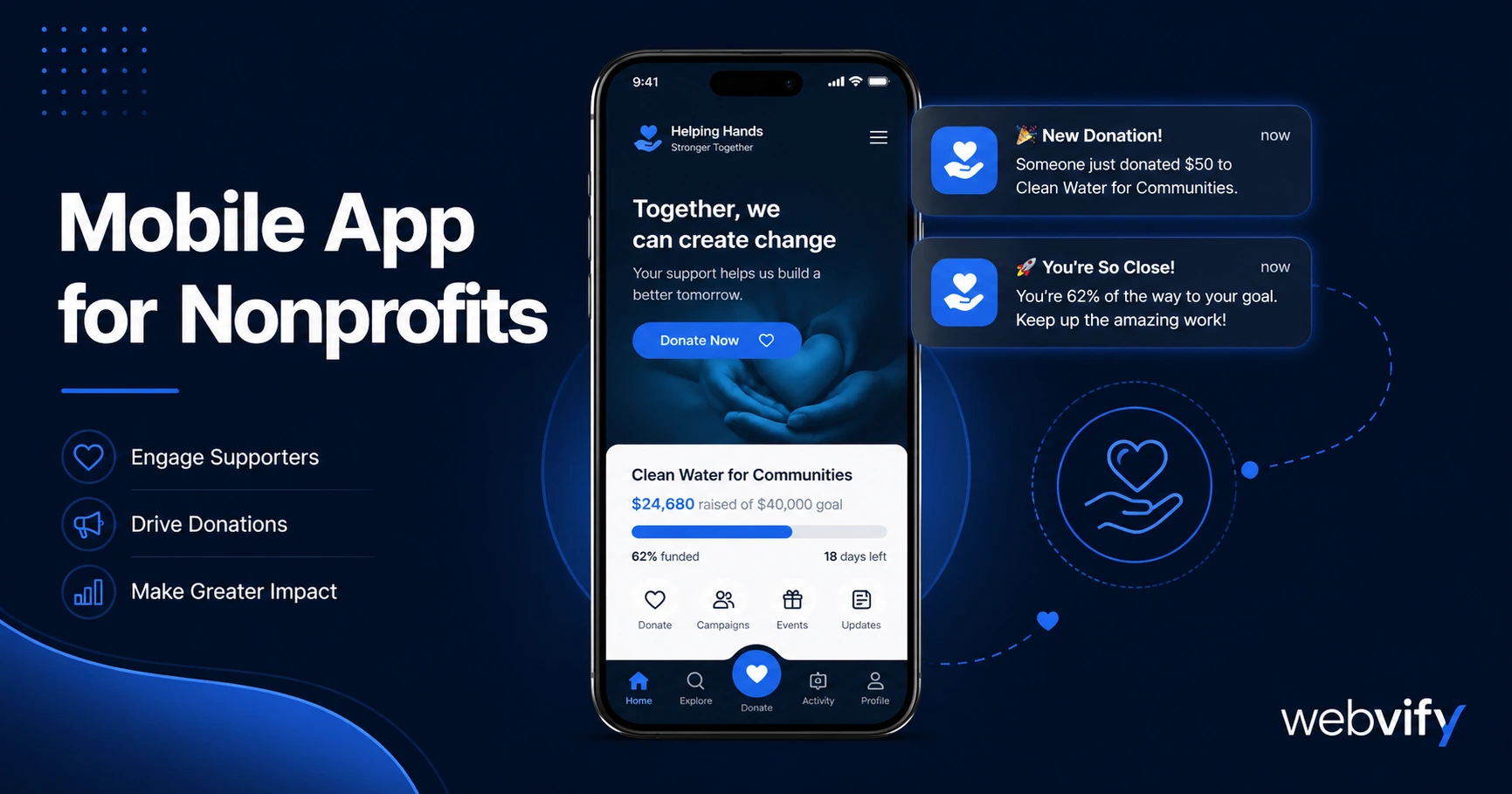
Get a branded mobile app for your nonprofit without a developer. Here's what it costs, how push notifications boost donor retention, and how to launch in days.
Inside this article
Nonprofits lose 60% of first-time donors before a second gift. Most of the time, it's not because they stopped caring — it's because nothing reminded them to stay connected.
A mobile app solves this. Push notifications, home screen presence, and instant event updates keep your donors, volunteers, and members engaged between campaigns. And getting one no longer requires a developer or a six-figure budget.
Here's what a nonprofit mobile app actually does, how to get one, and what it realistically costs.
Why Nonprofit Supporters Lose Touch (And How a Mobile App Fixes It)
Your supporters care about your mission. But caring and staying active are two different things.
Between your annual gala and the next email newsletter, life gets busy. Supporters don't unsubscribe on purpose — they simply forget. Email open rates hover around 20–30% for nonprofits. Browser notifications get blocked. Social media algorithms bury your posts.
A mobile app on your donor's home screen is fundamentally different. It's permanent until removed, visible every time they unlock their phone, and capable of sending push notifications directly to the lock screen — at open rates of 60–90%.
For nonprofits built around recurring giving, volunteer coordination, or event attendance, that visibility gap is the difference between a thriving community and a slowly drifting one.
What a Mobile App for Nonprofits Actually Does
A nonprofit mobile app isn't a separate product you build from scratch. The most practical approach converts your existing website — donation pages, event calendar, volunteer sign-up forms, blog, member portal — into a branded app for both iOS and Android.
This means:
Push notifications. Send targeted messages when a new campaign launches, when a volunteer shift needs filling, or when your end-of-year matching window opens. Supporters see it on their lock screen, not buried in a crowded inbox.
Home screen presence. Your organization's logo lives on your supporters' phones. That constant visibility builds brand recall and makes it easier for them to act when they're ready.
App Store credibility. Being listed on the App Store and Google Play signals permanence. Donors are more likely to trust an organization with a published app than one that exists only through a website link.
Event and campaign updates. Post an update once on your site and it's instantly available to every app user. No separate newsletter required.
If your nonprofit uses a CMS like WordPress, Squarespace, or a custom web platform, your entire existing content is already app-ready — you just need the packaging and submission handled. Services like Webvify wrap your existing website into a fully branded WebView app and handle App Store and Google Play submission end-to-end, without requiring you to manage Xcode or developer accounts yourself.
How to Get a Mobile App for Your Nonprofit Without a Developer
The traditional path — hiring a mobile developer to build a native app from scratch — costs $50,000–$200,000 and takes 6–12 months. That's not viable for most nonprofits.
The practical path is a WebView app: your existing website, wrapped in a native app shell, published under your organization's brand on both stores.
Here's how the process works:
Step 1: Confirm your website is mobile-ready. Your site needs to be responsive and load well on mobile browsers. If it passes a mobile usability test, it's app-ready.
Step 2: Decide what the app experience includes. Identify the most important pages — donation page, event calendar, volunteer portal, prayer requests, news feed. These become the app's core navigation.
Step 3: Choose how to handle subscriptions and digital content. Apple requires in-app purchase processing for any digital subscriptions sold inside the app. If you collect recurring donations or membership fees through your website, the simplest compliance path is directing new sign-ups to your external website — the same pattern used by Patreon and Substack. Existing supporters can still manage everything through your site.
Step 4: Set up Apple and Google developer accounts. Apple charges $99/year per account; Google charges a one-time $25 registration fee. The app can be published under your organization's name. If you use a managed service, they handle this for you.
Step 5: Submit for review. Apple's review typically takes 24–48 hours. Google Play is usually 1–3 business days. If your app passes the minimum functionality and content guidelines (which a well-built WebView app does), it goes live.
The full process with a done-for-you service takes days, not months.
What to Look for in a Nonprofit App Solution
Not all web-to-app tools are equal. When evaluating options, focus on three things:
Who handles App Store submission. Some tools give you the app file and stop there — leaving you to navigate Apple's developer portal, provisioning profiles, and review guidelines alone. If you're non-technical, that's a hard stop. Look for a service that handles submission for you.
Whether the app publishes under your account. Your app should be listed under your nonprofit's Apple and Google developer accounts — not the provider's. If the provider ever closes, your app stays live.
Push notification support. This is the most valuable feature for donor retention and volunteer coordination. Confirm it's included, not an add-on at extra cost.
For comparison, the same criteria apply to faith communities evaluating apps — the retention gap is identical, and the solution is the same.
How Much Does a Nonprofit Mobile App Cost?
A custom-built native app runs $50,000–$300,000. That's not realistic for most nonprofits.
A WebView app via a managed service is a fraction of that. Typical pricing ranges from a one-time fee to a low monthly subscription, with App Store submission included. For a more detailed breakdown of cost factors across different app approaches, see the mobile app development cost guide.
Developer account fees add $99/year (Apple) and $25 one-time (Google). These are unavoidable regardless of which service you use.
The total cost for a nonprofit to get a branded app on both stores — without a developer — is typically well under what a single fundraising email campaign costs to produce.
Frequently Asked Questions
How much does a mobile app for a nonprofit cost?
A custom native app costs $50,000–$300,000. A WebView app using a managed service runs significantly less — often a flat project fee or a low monthly subscription — with App Store submission included. Developer account fees are $99/year (Apple) and $25 one-time (Google).
Do I need a developer to submit a nonprofit app to the App Store?
No. App Store submission requires following Apple's guidelines and setting up a developer account, but neither requires writing code. A managed service like Webvify handles the entire submission process on your behalf, including navigating Apple's review requirements and Google Play's compliance sections.
Can a WebView app work for a nonprofit?
Yes. A WebView app wraps your existing website — donation pages, event calendar, volunteer sign-up forms — into a native app shell published on both stores. As long as your website is responsive and mobile-friendly, it converts directly to an app without rebuilding any content. Push notifications, home screen presence, and App Store credibility all come with it.
Ready to get your nonprofit on the App Store and Google Play? Webvify handles everything end-to-end — from building the app to submitting it under your organization's name — so you can focus on your mission, not your developer account.