

Mobile App for Corporate Training: Keep Employees Learning Between Sessions
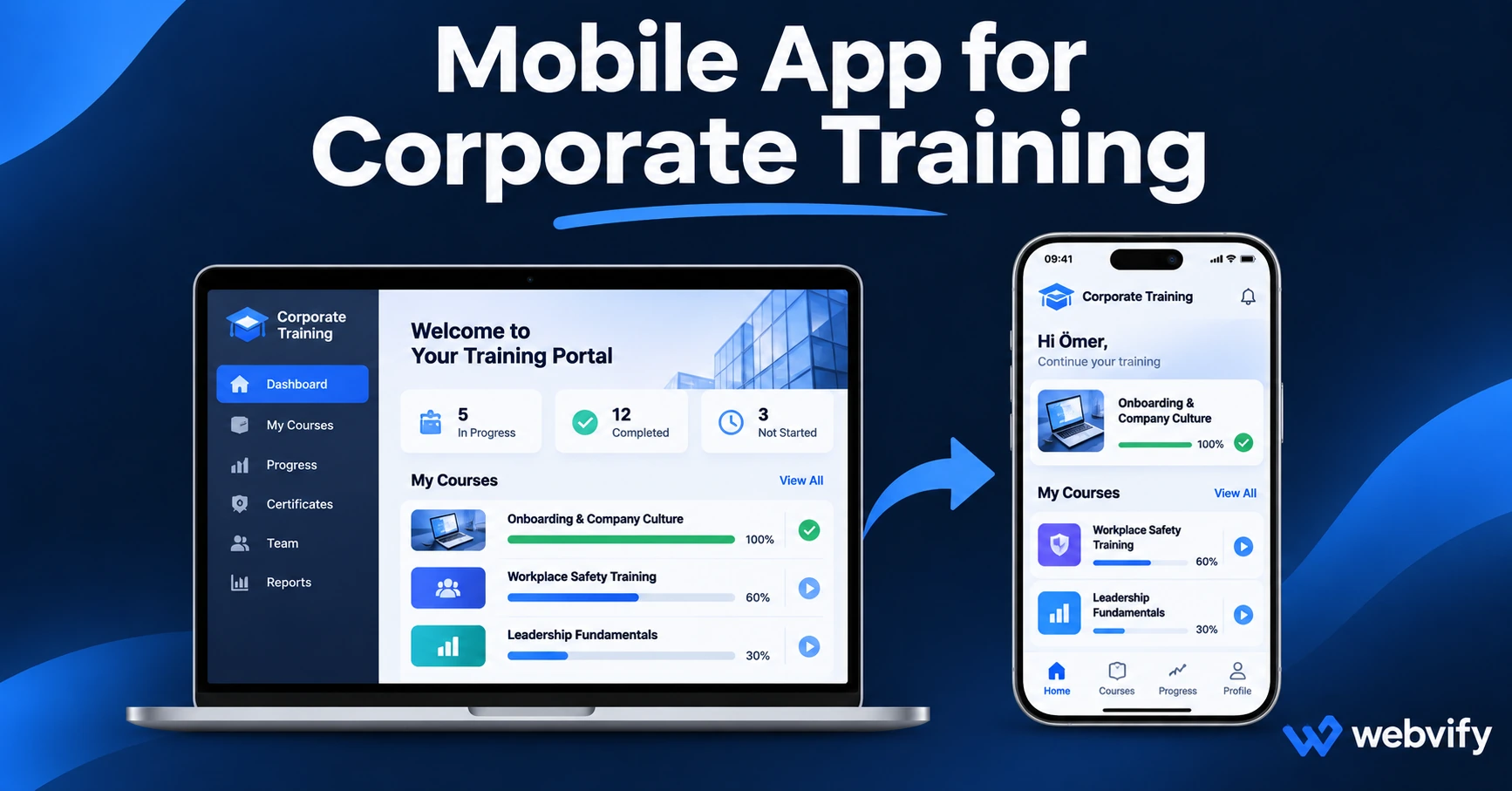
Most corporate training fails not because the content is bad — but because employees forget about it. Here's how a mobile app fixes the completion gap.
Inside this article
The average corporate training completion rate is below 20%. It's not the content — most training programs are well-designed. The real problem is what happens after employees close their browser: no reminders, no home screen presence, and no way to bring them back.
A branded mobile app changes that equation.
Why Corporate Training Completion Rates Stay So Low
Most corporate training runs through a browser-based LMS. Employees log in, complete a module, and close the tab. The next module sits waiting — but nothing prompts them to return.
Email reminders have an average open rate of 25–30%. Many employees never see them, and those who do tend to dismiss them without acting. Push notifications from a mobile app reach the lock screen at 60–90% open rates — three to four times higher.
The gap between sessions is where completion rates collapse. Employees aren't disengaged because the training is bad. They're busy, and without a persistent reminder on their home screen, the program slips to the bottom of the priority list.
A mobile app for corporate training solves this with two things: home screen presence and push notifications that actually get seen.
What a Corporate Training Mobile App Does That Your LMS Can't
An LMS delivers content. A mobile app delivers it to employees — on the device they check 90 times a day.
When your training program lives on an employee's home screen, the barrier to returning drops dramatically. There's no URL to remember, no login page to find, and no browser tab to track down. The app is right there, next to email and Slack.
More importantly, a native mobile app unlocks push notifications that work on iOS. Browser-based push notifications are blocked on iPhone by default. A published App Store app doesn't have that limitation — it reaches every enrolled employee, regardless of their device settings.
If your training runs on an existing LMS, learning portal, or internal platform, Webvify can convert it into a fully branded iOS and Android app without rebuilding anything. Your content, your login flow, your existing structure — all preserved inside a native shell.
For a broader overview of turning learning platforms into mobile apps, the e-learning mobile app guide covers the full range of LMS options and what to watch out for during App Store submission.
How Push Notifications Drive Corporate Training Completion
The most effective corporate training apps use push notifications at three points in the learning journey:
Module reminders (Day 3 and Day 7). When employees complete a module but haven't started the next one after three days, a short push brings them back: "Your next module in [Training Name] is ready — it takes 10 minutes." This single trigger accounts for the largest jump in completion rates across training programs that implement it.
Deadline nudges (5 days and 1 day before). Mandatory training with a certification deadline responds well to a two-step approach. The five-day message is informational: "Your [Training Name] certification expires in 5 days." The one-day message adds urgency: "Complete your safety training today to stay compliant." Both messages are factual — no pressure tactics, just the information employees need to act.
Re-engagement campaigns (Day 14 and Day 30). Employees who haven't opened the app in two weeks get a re-engagement push. At Day 30, lapsed users receive a final message. These two campaigns recover a significant share of employees who would otherwise be counted as non-completers — often the difference between a 15% and a 40% completion rate.
For companies with different employee groups — new starters, tenured staff, separate departments with different requirements — push notification segmentation lets you target each group with the right message at the right time without sending blanket notifications that everyone ignores.
3 Push Notification Templates for Corporate Training
Here are three ready-to-use templates to start with:
| Trigger | Message | Goal |
|---|---|---|
| 3 days since last module | "Your next [Course Name] module is waiting — it takes 10 minutes." | Drive re-entry |
| 5 days before certification deadline | "[Training Name] deadline is in 5 days. You're [X]% complete." | Compliance nudge |
| 30-day inactive user | "It's been a while. Pick up where you left off in [Course Name]." | Lapsed user recovery |
Each of these runs automatically once set up. No manual work per employee, no tracking spreadsheets — the app handles the follow-up.
What to Look for in a Corporate Training Mobile App
Not every mobile app solution is built for training use cases. When evaluating options, prioritize:
App Store and Google Play submission. Your app needs to live on the iOS App Store and Google Play to send native push notifications reliably. Solutions that only provide a web app or PWA can't send lock-screen notifications on iPhone — which is where most employees' attention lives.
Your own developer account. The app should be published under your company's Apple Developer and Google Play accounts, not the vendor's. If the vendor holds the account and you cancel the service, you lose the app listing entirely.
WebView compatibility with your existing platform. Most browser-based LMS platforms — LearnDash, Teachable, Thinkific, TalentLMS, custom portals — work inside a WebView app without any code changes. The key check is whether your login flow uses standard browser cookies (most do) and whether employees purchase digital content inside the app (which triggers Apple's in-app purchase rules and requires a configuration step).
Admin panel for post-launch management. After launch, you need a way to send push notifications, monitor app performance, and update content without filing a new App Store submission every time. A managed service with a built-in admin panel removes that overhead entirely.
FAQ
How long does it take to publish a corporate training app to the App Store?
Apple's review process takes 24–48 hours for most WebView apps. The more common delay is setting up an Apple Developer account and Google Play Developer account, which takes 1–3 business days. With a managed service like Webvify, the full process from brief to live app typically takes a few business days.
Does a corporate training mobile app require rebuilding our LMS or training content?
No. If your training program runs in a browser — through any LMS, internal portal, or learning platform — a WebView app wraps your existing site inside a native iOS and Android shell. Employees get a native app experience. Your content, login system, and structure stay exactly as they are.
What happens when we update training content after the app is live?
Because a WebView app loads your existing website, any content update you make to your LMS reflects immediately in the app without a new App Store submission. This is one of the key practical advantages of a WebView wrapper over a natively rebuilt app — your content team controls updates, not your developer.
A corporate training mobile app doesn't replace your existing program — it removes the friction that prevents employees from completing it.
Home screen presence and push notifications close the gap that browser-based LMS platforms can't address on their own. When employees see the reminder on their lock screen, they act. When they don't, they don't.
Ready to give your training program its own branded app? Launch your corporate training app with Webvify and have it live on iOS and Android in days.