

Employee Onboarding Mobile App: Keep New Hires Engaged From Day One
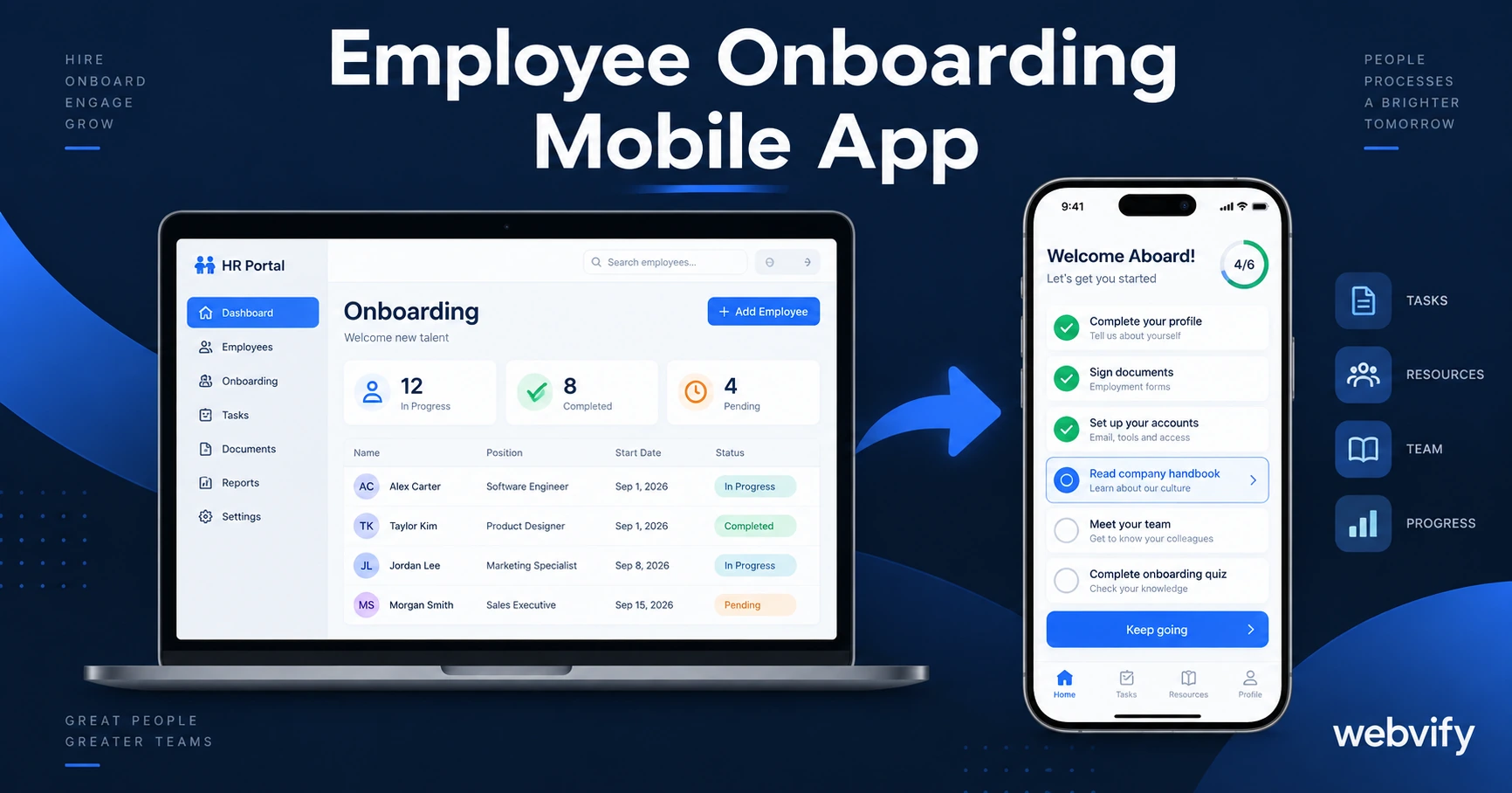
Most onboarding programs lose new hires in the first 30 days. An employee onboarding mobile app with push notifications fixes the engagement gap — without building from scratch.
Inside this article
- The Onboarding Engagement Gap Nobody Talks About
- What an Employee Onboarding Mobile App Actually Does
- How to Turn Your HR Portal Into an Employee Onboarding Mobile App
- Three Push Notification Campaigns That Improve Day-30 Retention
- What to Look for in an Employee Onboarding App
- FAQ: Employee Onboarding Mobile Apps
The Onboarding Engagement Gap Nobody Talks About
Most companies don't lose new hires during the interview. They lose them in the first 30 days — when onboarding materials live inside a desktop portal, buried in email threads, and new employees are left to figure out what comes next on their own.
Sixty-nine percent of employees say they're more likely to stay for at least three years when they experience great onboarding. The problem isn't the onboarding content — it's the delivery. New hires carry smartphones. Email doesn't reach them when it matters. Push notifications do.
What an Employee Onboarding Mobile App Actually Does
An employee onboarding mobile app puts your existing onboarding portal — your HR system, intranet, or training platform — directly on new hires' home screens. Instead of sending a welcome email that gets buried, new employees install an app, get push notifications for each milestone, and access everything they need without opening a laptop.
The core functions:
Task reminders. A push notification on Day 1 ("Complete your benefits enrollment — deadline Friday") has a 60–90% open rate. A welcome email asking the same thing gets 20–25%. That gap is why things slip through the cracks — not because new hires don't care, but because email doesn't reach them at the right moment. For a deeper look at how the two channels compare, see push notifications vs email for small businesses.
Document access. Handbooks, org charts, compliance forms — all accessible from the app, without logging into a VPN or a desktop-only system.
Training module nudges. If your onboarding includes e-learning or video modules, push notifications remind new hires to complete each section on schedule rather than all at once before a deadline.
Team and resource directory. New employees can find their manager's contact, the IT help desk, or the office floor plan without asking HR a dozen times.
Most businesses already have this content on a web portal. An employee onboarding mobile app doesn't rebuild it — it wraps the existing portal and adds push notification access.
How to Turn Your HR Portal Into an Employee Onboarding Mobile App
If you already have a web-based onboarding system — BambooHR, Notion, a custom intranet, or any web portal — you don't need to rebuild it for mobile. A WebView wrapper converts any responsive website into a native-feeling mobile app that runs on iOS and Android.
Here's how it works:
- Your HR portal URL becomes the core of the app
- The app is packaged with your company branding (icon, name, colors)
- It gets submitted to the App Store and Google Play under your company's developer accounts
- Push notifications are configured to fire at the specific onboarding milestones you define
Services like Webvify handle the entire process — from building the WebView app to submitting it to both stores. Your HR team manages the onboarding content on the same web portal they already use. When you update the portal, the app reflects those changes automatically.
The one requirement: your HR portal must be mobile-responsive. Most modern HR platforms — BambooHR, Rippling, Gusto, Notion — are. If yours isn't, that's the first fix before anything else.
Three Push Notification Campaigns That Improve Day-30 Retention
Not all push notifications are equal. The highest-impact campaigns for employee onboarding are timed to the moments where new hires are most likely to disengage.
Day 1 welcome sequence. A push notification 30 minutes before a new hire's first scheduled meeting ("Your kickoff call starts soon — tap to join") sets the tone and confirms the app is useful before day one is over.
Day 5 benefits enrollment nudge. Benefits decisions often have 5–7 day deadlines new hires miss because they didn't see the email. A push notification with a direct link to the enrollment form solves this without HR chasing people down individually.
Day 14 check-in. Two weeks in is when the "new hire honeymoon" fades and uncertainty sets in. A push notification from the manager ("How's your first two weeks going? Tap to share feedback") shows the company is paying attention at exactly the moment it matters.
These three campaigns address the three biggest engagement drop-off points in the first 30 days. They don't require a custom-built app — they require a mobile app that supports push notifications and links to your existing HR portal.
What to Look for in an Employee Onboarding App
If you're evaluating options, here's what matters for a practical deployment:
Works with your existing portal. The app should wrap what you already have, not require you to re-enter content in a new system. Dual content maintenance is the most common reason onboarding apps fail after launch.
Push notifications included. Without push, it's just a mobile-optimized website. Push notifications are the retention mechanism that makes the investment worthwhile.
Submitted under your company accounts. The app should appear in the App Store under your company name. This matters for enterprise credibility and prevents platform dependency — if a third-party platform shuts down, your app isn't affected.
Fast setup. A new hire class can't wait two months for the app to be built. Look for services that deliver a production-ready app in one to two weeks.
If your onboarding portal includes digital training courses or subscription-gated content, the e-learning mobile app guide covers the specific App Store approval requirements for that type of content.
FAQ: Employee Onboarding Mobile Apps
How much does an employee onboarding mobile app cost?
A custom-built native app from a mobile development agency typically costs $30,000–$80,000 and takes 3–6 months. WebView wrapper services that convert your existing HR portal cost significantly less and deliver in 1–2 weeks. The right choice depends on whether you already have a web-based onboarding system. If you do, the WebView approach is almost always faster and cheaper.
Can I publish an employee onboarding app on the App Store if it's for internal use only?
Yes, with some nuance. Apps submitted to the App Store and Google Play must pass a standard review, which means they need to offer enough functionality to be approved as a standalone app. Internal HR portals with login-gated content meet this threshold for most companies. Employees install the app the same way any customer would — through the store or a direct link. Apple's Enterprise Distribution program ($299/year) exists for companies that want to bypass the public App Store entirely, but it's only available to qualifying organizations.
Do I need a mobile developer to submit an employee onboarding app to the stores?
No. Managed services handle packaging, App Store Connect setup, screenshots, privacy policy, and review compliance. You provide the portal URL and your company branding; they deliver a live app on both stores. The App Store review process for WebView apps typically takes 24–48 hours once submitted — no developer required on your end.
Ready to stop losing new hires to email overload and desktop-only portals? Webvify turns your existing HR portal into a branded mobile app in days — no developer needed.