

How to Turn Your Circle.so Community Into a Mobile App (Without a Developer)
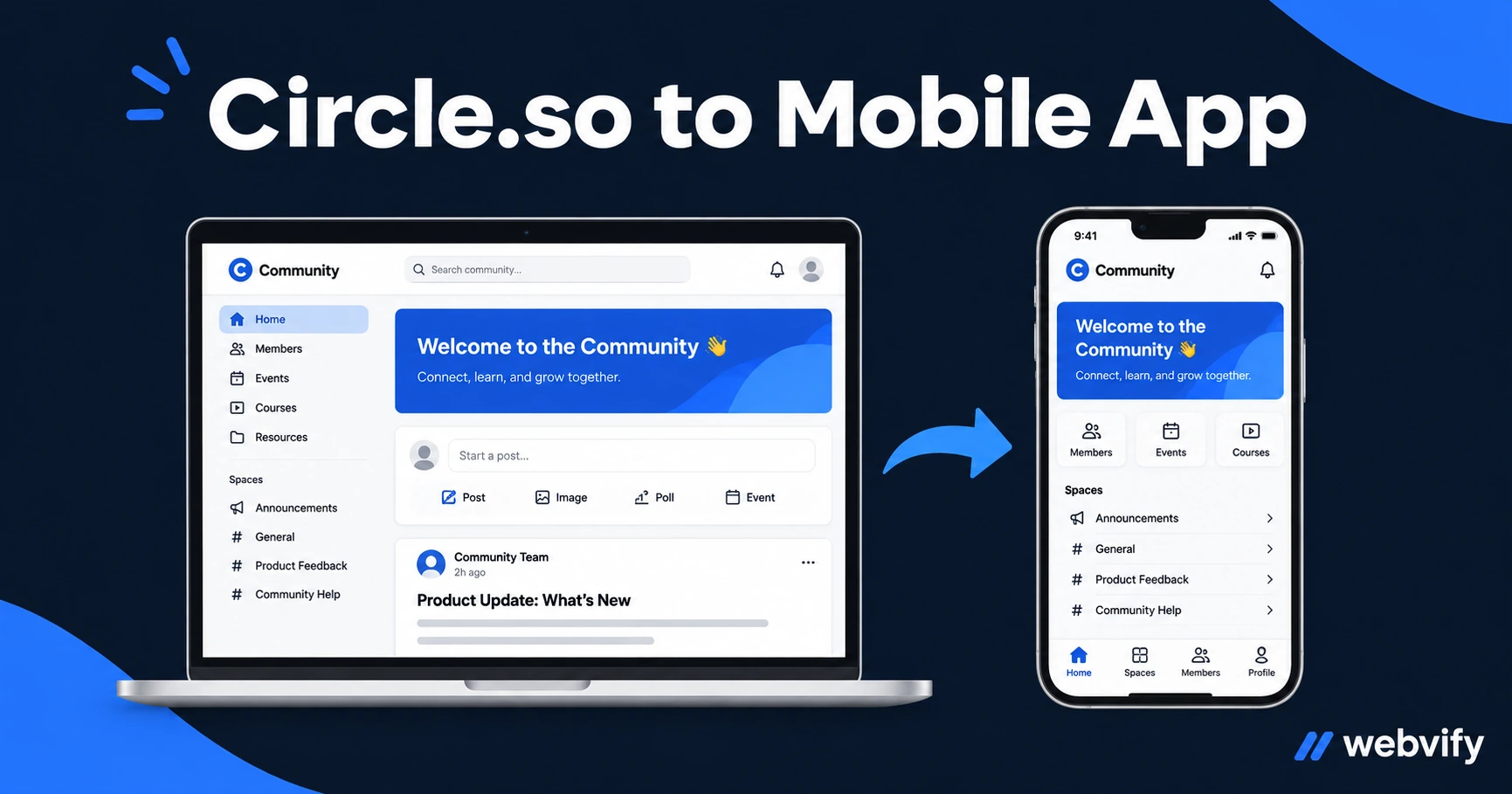
Circle.so has no native app export. Here's how to wrap your community as a branded iOS and Android app — including the IAP trap that gets most apps rejected.
Inside this article
Circle.so is one of the best platforms for running an online community — but every member has to open a browser to access it. There's no native app, no push notifications, and no home screen icon keeping your community top of mind.
That gap has a practical fix: a WebView mobile app wraps your Circle community URL and publishes it on the App Store and Google Play as a standalone branded app. No rebuilding, no duplicate content — your existing Circle setup becomes an app.
Here's how it works, what to watch out for, and how to get it live.
Why Circle Communities Lose Members Without an App
Community engagement has a timing problem. When members have a question or insight, the friction of opening a browser, navigating to your community, and logging in is enough to make them skip it. By the time you send them an email, the moment has passed.
The numbers back this up: app users are 3x more likely to return within 7 days than mobile web users. Push notifications reach 60–90% of recipients directly on the lock screen, compared to 20–30% for email.
Circle communities built entirely on web traffic run at a fraction of their retention potential. Members who might engage daily drift to weekly, then monthly — not because the community failed, but because nothing reminded them it existed.
How a WebView App Works With Circle.so
A WebView app loads your Circle URL inside a native iOS or Android shell. From the user's perspective, it looks and feels like a real app: it installs from the App Store, sits on the home screen, and can receive push notifications.
Your Circle content doesn't move. Posts, member profiles, Spaces, courses, and events all render exactly as they do on the web. The app is a branded window into your existing platform.
The one technical requirement: your Circle community needs to be on a custom domain (e.g., community.yoursite.com). Circle's default .circle.so subdomain won't pass App Store review for a standalone branded app. If you're on a paid Circle plan, custom domains are included.
The One Rejection Trigger to Know About
Apple Guideline 3.1.1 is the most common rejection point for community apps. If your app allows users to sign up for a paid membership and that payment processes through Stripe (Circle's default), Apple requires a 30% cut via in-app purchase — or the transaction must happen in a browser, outside the app.
The fix: Redirect purchase and upgrade flows to an external browser. When a member taps "Upgrade to Pro" inside the app, it opens Safari rather than completing the transaction in-app. This is exactly how Netflix, Spotify, and every major subscription business handles iOS.
Existing paying members can access all paid content inside the app without issue. The restriction only applies to new transactions initiated within the app itself.
If your Circle community is free, or if members sign up on your main website before accessing Circle, you have no IAP issue at all.
For Apple's Guideline 4.2 (Minimum Functionality), push notifications meet the standard clearly. An app that delivers community updates, new post alerts, and event reminders has standalone utility that goes beyond a simple website wrapper.
What Circle Features Work Inside the App
Almost everything in Circle renders correctly in a WebView app:
- Spaces — Discussion, course, event, and member directory Spaces all load normally
- Member feeds and posts — Full read and write access
- Direct messages — Works as expected
- Live streams and recorded video — Standard embed players load in WebView
- Login and session persistence — Cookie-based sessions persist between opens; members stay logged in
- In-app notifications — Circle's bell icon works; push notifications add a native layer on top
The main limitation is third-party embeds using X-Frame-Options: DENY headers — these won't load in WebView. This rarely affects Circle communities. If your community uses Zoom for live sessions, Zoom opens in a separate browser session automatically, which is acceptable under App Store guidelines.
How to Submit Your Circle App to the App Store and Google Play
Getting an app onto the stores requires a few steps that have nothing to do with coding:
- Apple Developer account — $99/year. You need this to publish under your brand name.
- App Store assets — Screenshots (iPhone and iPad sizes), a 1024×1024 app icon, and a short description.
- Privacy policy — Required. Must cover what data the app collects.
- Review submission — Apple's review typically takes 24–48 hours for first-time submissions.
Google Play requires a one-time $25 registration fee and a mandatory 14-day closed testing period with at least 12 testers before a new developer account can publish publicly.
Services like Webvify handle the entire build and submission process end-to-end — you don't touch Xcode or Android Studio. They configure push notifications at the native layer, set up the IAP redirect, and submit to both stores under your developer accounts. Once live, you manage content through Circle exactly as you do now.
For the broader question of whether an app beats a Facebook group for community retention, see: Community App vs Facebook Group: Which One Actually Builds Loyalty?
Managing Your Circle App After Launch
Once live, two things need ongoing attention:
Push notifications: Most WebView app services include an admin panel where you write the notification, pick your audience, and send. No developer required. Use it for new post alerts, event reminders, and re-engagement nudges for members who've gone quiet.
Annual SDK updates: Apple and Google require apps to target the latest SDK versions each year. A managed service handles this automatically. If you built it yourself, you'll rebuild and resubmit once a year — roughly a half-day of work.
Content updates — new Spaces, posts, member data — flow through Circle automatically. No app update or resubmission needed.
If you're also running a Skool community alongside Circle, the same approach applies — here's how the Skool conversion works.
Frequently Asked Questions
Can I get a mobile app for Circle.so without knowing how to code?
Yes. A WebView app wraps your existing Circle URL and submits it to the App Store and Google Play without any coding on your part. The main requirements are a custom domain on your Circle plan and an Apple Developer account ($99/year). End-to-end services like Webvify handle the build, IAP configuration, and store submission for you.
Will my existing Circle members be able to log in through the app?
Yes. Circle uses cookie-based sessions, which WebView apps preserve between opens. Members who are already logged in on the web will stay logged in on the app. New members who sign up via your website can use the app immediately without re-entering credentials.
Does a Circle app get rejected by Apple?
The most common rejection is Apple Guideline 3.1.1: paid membership signups processed through Stripe cannot complete inside the iOS app. The fix is routing payment flows to an external browser instead. Free communities, or communities where members sign up on your main website before accessing Circle, won't encounter this issue at all.
Ready to give your Circle community a home screen?