

How to Add Push Notifications to Your WooCommerce Store With a Mobile App
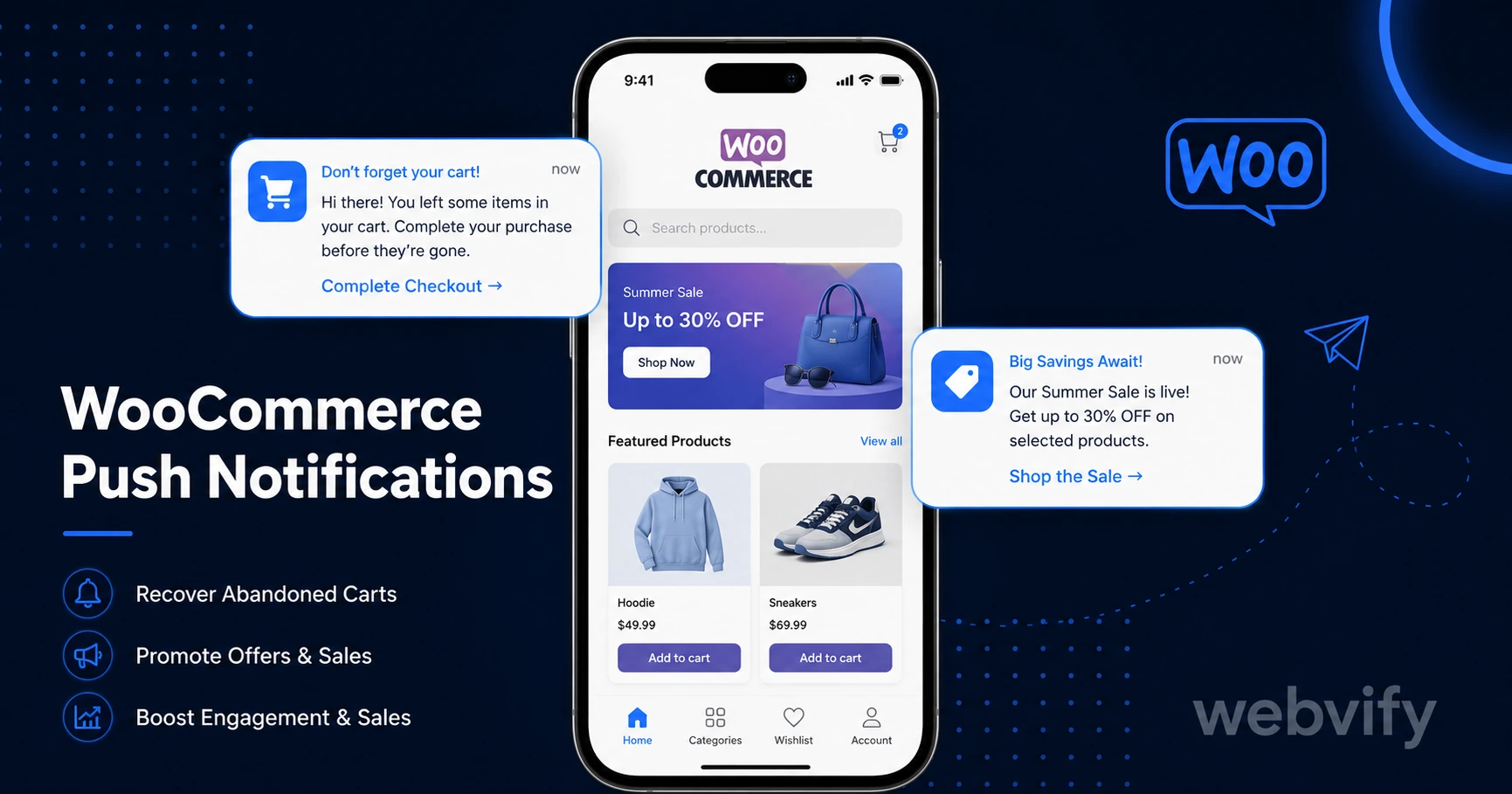
Learn how to add push notifications to your WooCommerce store with a mobile app. Covers abandoned cart alerts, back-in-stock, and App Store submission for store owners.
Inside this article
WooCommerce email open rates average 20–30%. Push notifications from a mobile app reach the lock screen directly — with open rates of 60–90%. That's not a small difference; it's the gap between a customer seeing your message and your message disappearing into a promotions folder.
Getting push notifications on your WooCommerce store doesn't require rebuilding anything. It requires a mobile app.
Why WooCommerce Email Isn't Enough for Retention
Email is the standard channel for WooCommerce — abandoned cart emails, back-in-stock alerts, post-purchase sequences. Most stores use it. Most customers have tuned it out.
The average WooCommerce abandoned cart email recovers 5–15% of lost carts. Push notifications for the same use case recover 10–30%, with response times measured in minutes rather than hours. The difference is delivery: push notifications appear on the lock screen, where the customer is. Email appears in an inbox they check when they feel like it.
Browser push notifications exist too, but they require opt-in permission and don't work on iOS at all for most users. They're a partial solution. A mobile app with native push notifications is the only channel that reaches iOS and Android customers reliably, directly on the device they use most.
What Push Notifications Actually Look Like for a WooCommerce Store
A WooCommerce mobile app with push notifications enables:
Abandoned cart reminders. Send a notification 30–60 minutes after a customer adds to cart and leaves without purchasing. Include the product name and a direct link back to the cart.
Back-in-stock alerts. Notify customers who viewed or wishlisted a sold-out product the moment inventory is restored.
Flash sale announcements. Reach your entire app user base with a time-limited offer. No email list required.
New product launches. Let customers who have the app installed know the moment a new collection or product goes live.
Order status updates. Confirm payment, notify on dispatch, and share tracking updates through the same channel customers use for everything else.
None of these require changes to your WooCommerce store. The app connects to your existing store and delivers notifications through the native system customers already have on their phones.
How a WooCommerce Mobile App Delivers Push Notifications
A WebView mobile app wraps your existing WooCommerce store inside a native app container — the same store your customers already know, packaged to install from the App Store and Google Play. Push notification capability is built into the native container, not your WooCommerce theme or plugins.
This matters because:
- Push notifications work independently of whether the customer is on your website
- They bypass email spam filters entirely
- iOS users in particular cannot receive reliable push notifications from any channel other than a native app
Your product catalog, checkout, account pages, and all WooCommerce functionality remain exactly as they are. You manage the store from your WordPress dashboard as normal. The app just delivers the experience — and your push notification campaigns — through a native channel.
For Shopify store owners who've been down this path, this guide on push notifications for Shopify mobile apps covers the same mechanics in Shopify's context.
Getting Your WooCommerce App on the App Store
Push notifications require a published app. Getting there involves:
- Apple Developer Account — $99/year. Your app is published under your account on the App Store.
- Google Play Developer Account — $25 one-time fee.
- App build — An .ipa for iOS and .aab for Android, configured with your WooCommerce store URL and push notification certificates.
- App Store submission — Screenshots, description, privacy policy, category, review.
The technical barrier isn't the WooCommerce side — it's the App Store packaging and submission. Xcode, code signing, provisioning profiles, and App Store Connect are a real friction point for store owners who've never used them.
Services like Webvify handle this end-to-end. You provide your WooCommerce URL and developer account credentials; they build the app and manage the full submission. After the app is live, you send push notification campaigns from an admin panel without touching code.
One WooCommerce-specific thing to flag: if your store sells digital products, memberships, or subscriptions, Apple's Guideline 3.1.1 requires that those purchases go through Apple's in-app purchase system on iOS. Physical goods are fully exempt, and those stores can submit without any modification to their WooCommerce store.
Managing Push Notifications After Launch
Once your WooCommerce app is live, push notifications should be manageable without a developer. A good admin panel lets you:
- Compose and send broadcast notifications to all app users
- Schedule campaigns in advance
- Segment by last purchase date or product viewed (depending on the service)
- Check delivery and open rate per campaign
What to avoid: services where sending a single push notification requires filing a support ticket or making a code change. The value of push notifications is speed — a flash sale announcement is worth less if it takes 48 hours to get out.
If you're evaluating what all of this actually costs relative to custom app development, this breakdown of mobile app development costs in 2026 covers the real numbers across approaches.
Frequently Asked Questions
Can I add push notifications to my WooCommerce store without a mobile app?
Browser push notifications exist as a partial option, but they don't work on iOS for most users and have significantly lower opt-in rates than native app notifications. For reliable push notification delivery to both iOS and Android WooCommerce customers, a mobile app is the only option that covers the full user base.
Do I need to change my WooCommerce store to add push notifications?
No. A WebView mobile app wraps your existing WooCommerce store without any changes to your site, theme, or plugins. Push notification capability is part of the native app layer, not your WooCommerce configuration.
How much do WooCommerce push notifications cost compared to email?
Email marketing for WooCommerce typically costs $20–$100/month for tools like Klaviyo or Mailchimp at small-to-mid volumes. A WooCommerce mobile app with push notifications replaces and exceeds that — with 60–90% open rates versus email's 20–30%. The app itself is a one-time or annual cost, and push notifications are included.
Want push notifications on your WooCommerce store without rebuilding anything? Webvify converts your existing WooCommerce store into a fully branded mobile app — published on the App Store and Google Play, with a push notification admin panel included.