

Webvify vs Tapcart: Which Is Right for Your Shopify Store?
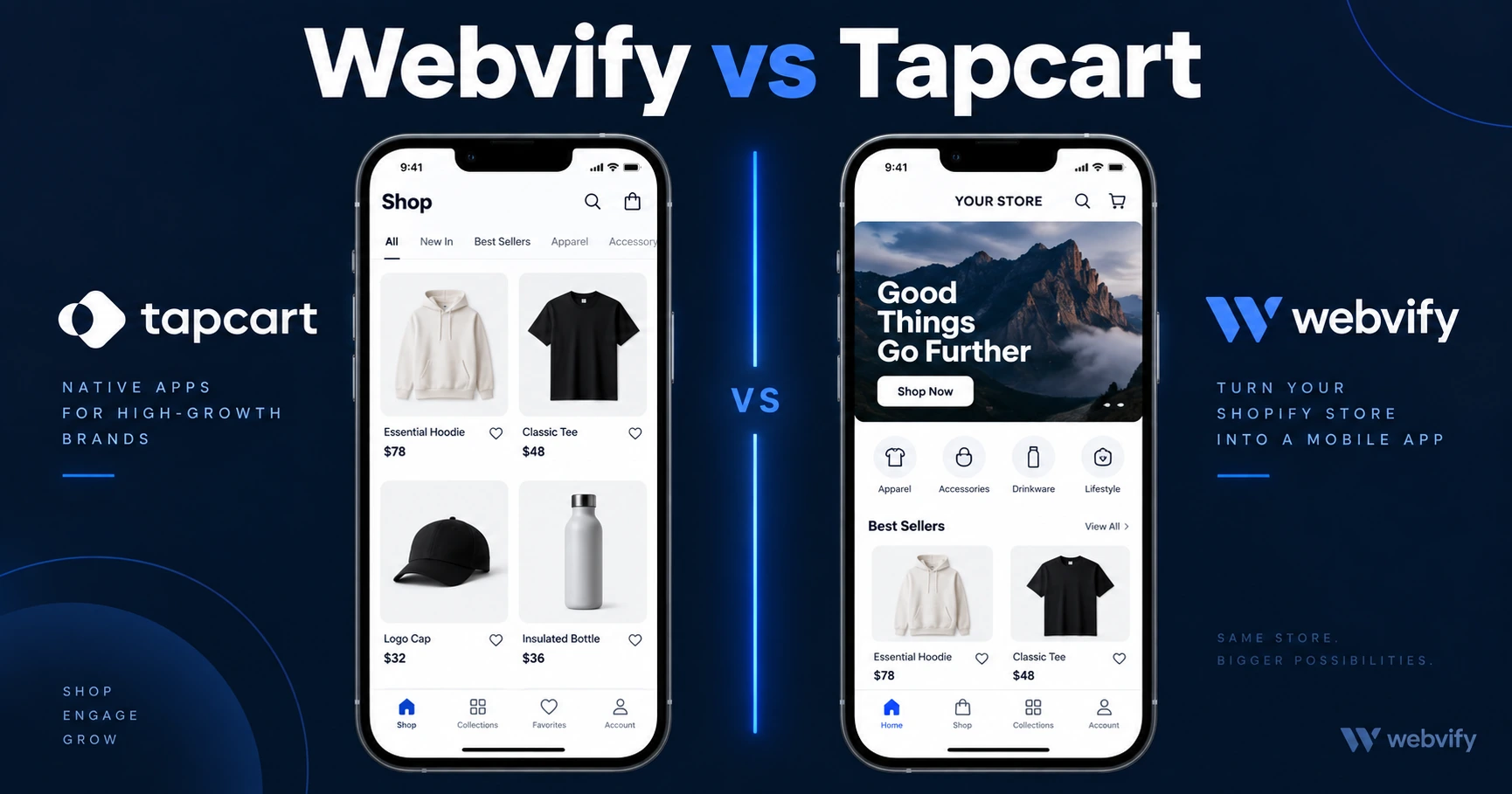
Webvify wraps your existing Shopify site. Tapcart rebuilds it. Here's what that difference means for pricing, features, and your real workload.
Inside this article
Shopify gives you one of the best e-commerce websites on the planet — but it doesn't give you a mobile app. That gap is where Tapcart and Webvify compete, and understanding which one actually fits your store could save you hundreds of dollars a month.
What Is Tapcart?
Tapcart is a Shopify-specific mobile app builder. It connects to your Shopify store via API and generates a native-feeling iOS and Android app with a custom UI. You design the app's layout inside Tapcart's editor, and it syncs product data, collections, and orders from your existing Shopify backend.
The key word is "Shopify-specific." Tapcart does not work with WooCommerce, BigCommerce, or any website that isn't a Shopify store. It's built from the ground up for one platform.
What Is Webvify?
Webvify converts your existing website — Shopify included — into a fully branded mobile app by wrapping it in a native WebView shell. Your website becomes the app. There's no UI rebuild, no second system to maintain, and no Shopify dependency.
Webvify handles the App Store and Google Play submission process end-to-end. You don't touch Xcode or the Apple Developer portal. Once the app is live, you manage it through an admin panel and your existing website continues to drive both desktop and mobile app traffic simultaneously.
Webvify vs Tapcart: How They Differ
The core difference comes down to one question: do you want a new UI, or do you want your existing website on the App Store?
Tapcart builds a new native UI on top of your Shopify data. That means your app looks and feels like a standalone native app — smooth animations, fast product browsing, native checkout. It also means you're now maintaining two front-end experiences: the Shopify storefront for web visitors, and the Tapcart UI for app users. If you change your store layout or add a new section in Shopify, you need to mirror those changes inside Tapcart as well.
Webvify takes a different approach. The app opens your Shopify storefront directly in a native wrapper. Any update you make to your website — new products, new banners, new layout — appears in the app automatically. There's no second system.
This isn't just a workflow difference. It affects what you can actually build. Tapcart's native UI supports deep Shopify integrations like Shopify's native checkout, review widgets, and loyalty programs built for mobile-native rendering. Webvify supports whatever your website already does, which for most Shopify stores means everything the web experience supports — including third-party apps, custom sections, and complex product pages.
Services like Webvify also handle the App Store submission process end-to-end, including compliance reviews, binary packaging, and developer account setup. If you're not technical, that matters. Tapcart also handles submission for you on paid plans, so both cover this base.
Shopify-Specific Consideration: Which Fits Better?
If your entire business runs on Shopify and you want a mobile app experience that feels meaningfully different from your mobile website — with native gestures, full-screen product videos, and a layout built specifically for app browsing — Tapcart is worth serious consideration. It's purpose-built for that outcome.
If you want your existing Shopify storefront on the App Store without rebuilding anything, Webvify is the simpler path. Your conversion flows, your product pages, your third-party apps — they're all already there. You're not duplicating work.
There's also the platform dependency question. Tapcart only works on Shopify. If you ever migrate to WooCommerce, a headless stack, or a custom site, Tapcart can't follow. Webvify works with any website, so a platform migration doesn't touch your app.
If you're evaluating multiple Shopify app options, this comparison of Tapcart alternatives for 2026 covers the broader landscape and what each solution is actually optimized for.
Pricing: What You Actually Pay
Tapcart's pricing starts around $99 per month for basic features and scales to $299+ per month for advanced functionality like push notifications, loyalty integrations, and A/B testing. Annual plans reduce the monthly rate but require upfront commitment. App Store submission is included on most plans.
Webvify uses a one-time setup model combined with an ongoing management fee — pricing depends on the scope of work, but you're not locked into a recurring SaaS subscription that scales with your app's feature list. If your store changes or grows, the underlying website changes, and the app updates automatically.
The practical question isn't which is cheaper in month one. It's what you're actually paying for over 12 months. A Tapcart subscription that requires active UI maintenance has a real ongoing labor cost that doesn't show up on the invoice.
For a deeper look at the Shopify-to-app process without Tapcart, this guide covers converting a Shopify store to a mobile app step by step.
When to Choose Tapcart
Tapcart is a strong choice if:
Your entire business will stay on Shopify long-term, and you want a native app experience that differs meaningfully from your mobile web store. You're willing to maintain a separate UI layer and budget for the ongoing subscription. You want deep Shopify-native integrations like native checkout and Shopify's own loyalty and review ecosystem.
When to Choose Webvify
Webvify is the better fit if:
You want your existing Shopify website on the App Store without rebuilding anything. You don't want to manage a second UI. You might change platforms in the future, or you run non-Shopify properties alongside your store. You want push notifications and App Store presence without committing to a $299 per month subscription.
Frequently Asked Questions
Does Webvify work with Shopify?
Yes. Webvify wraps your existing Shopify storefront — or any website — into a native iOS and Android app. Your product pages, checkout flows, and third-party Shopify apps work in the app exactly as they do on mobile web, without any rebuild.
Can Tapcart handle non-Shopify websites?
No. Tapcart is built exclusively for Shopify stores. It connects via the Shopify API and cannot wrap a WooCommerce, BigCommerce, or custom-built website.
Which is better for push notifications?
Both Webvify and Tapcart support push notifications. Tapcart's push campaigns are built into its native UI and can target Shopify customer segments directly. Webvify's push notifications work through the admin panel and reach all app users regardless of what platform powers your website.
Ready to get your website on the App Store without rebuilding anything? Start with Webvify →