

Webvify vs Plobal Apps: Which Is Right for Your Shopify Store?
Comparing Webvify and Plobal Apps for Shopify? Here's what each builds, who handles App Store submission, and which is cheaper long-term.
Inside this article
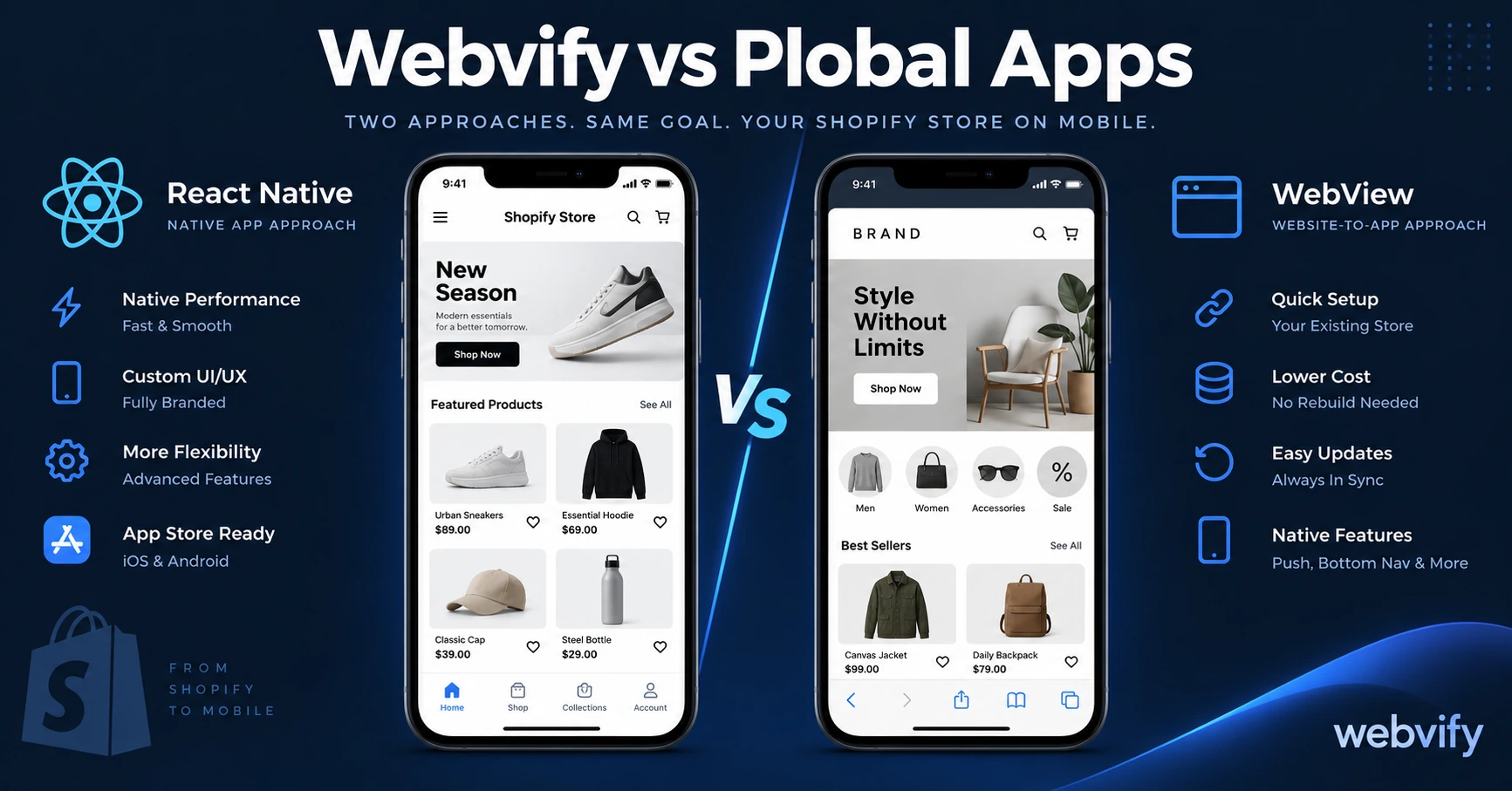
Plobal Apps builds a React Native Shopify app using your store's catalog and API data. Webvify wraps your existing Shopify storefront and submits it to the App Store and Google Play under your own accounts. Both products put an app on the stores — but who owns it, how it handles your theme customizations, and what happens if you cancel are three very different answers.
What Each Tool Actually Builds
Plobal Apps pulls your Shopify catalog, collections, and cart logic through Shopify's Storefront API and renders them inside a separate native interface built inside Plobal's editor. Your products come from Shopify — but the visual layer is its own frontend.
This works cleanly for stores with standard Shopify setups and off-the-shelf themes. It becomes a problem when your store experience is shaped by a heavily customized theme, Shopify app embeds, or specialized checkout scripts. Those live in your Shopify theme and don't automatically transfer to a Plobal-built app. You end up maintaining two separate front-end environments: your Shopify theme and your Plobal app design.
Webvify loads your actual Shopify storefront inside a native shell. Everything a customer sees on mobile web — your custom theme sections, embedded reviews, third-party loyalty app widgets, Shopify Inbox, custom checkout upsells — appears in the app as-is. Theme changes go live in the app immediately without a rebuild.
For stores where the customer experience depends on Shopify app embeds or a customized Liquid theme, Webvify avoids the dual-maintenance problem entirely.
App Store Submission: Who Owns the Listing?
This is the most consequential difference between these two platforms.
Plobal Apps handles App Store and Google Play submission on paid plans. The critical question: which developer account is the listing filed under — yours or Plobal's? If it's submitted under Plobal's account, your App Store page, your ratings, and your download history are tied to their continued operation. Cancel your subscription or if Plobal changes pricing significantly, the App Store listing is at risk.
Webvify submits under your own Apple Developer account and Google Play developer account. The listing is yours permanently. Ratings, reviews, and download history stay with you regardless of what happens with Webvify. The entire submission process — Xcode builds, AAB files, Apple's review guidelines, Google Play's compliance forms — is handled for you without requiring you to navigate it.
Services like Webvify handle this end-to-end, including ongoing updates when Apple or Google change their compliance requirements, so you never get an unexpected rejection without support.
For a broader comparison of submission ownership across multiple platforms, this guide to the best Shopify mobile app builders covers how six tools handle the developer account question.
Push Notifications and Retention
Both platforms include push notifications. Where they differ is in targeting depth.
Plobal Apps offers behavior-based segmentation using Shopify customer data — you can target by purchase history, cart abandonment, browsing behavior, and customer tags. For high-volume Shopify stores running targeted retention campaigns at scale, this Shopify-native data integration is a genuine advantage.
Webvify sends push notifications through its admin panel with platform segmentation (iOS vs. Android) and broadcast campaigns. Cart abandonment notifications work via Shopify's standard integration. For most SMB stores doing fewer than 1,000 orders per month, this covers the full range of retention use cases — the 45-day rebooking nudge, the seasonal promo, the slot filler — without needing behavioral segmentation infrastructure.
Pricing: What You Actually Pay
Plobal Apps offers a limited free plan and paid tiers that scale with order volume, starting around $149/month. As your store grows in orders, your Plobal bill grows with it.
Webvify charges a flat setup fee — which includes both App Store and Google Play submission — plus a monthly subscription for the admin panel. The rate is fixed regardless of order volume. A store doing 50 orders per month pays the same as one doing 5,000.
Run the 12-month comparison before deciding. Stores above 2,000 orders per month on Plobal's mid-tier may find Webvify's flat model significantly cheaper over a full year.
Which One Is Right for Your Shopify Store?
Choose Plobal Apps if:
- Your Shopify setup is clean and standard — no heavy theme customizations or third-party app embeds
- You want behavior-based push segmentation using native Shopify customer data at scale
- Volume-based pricing makes sense for your current order level
Choose Webvify if:
- Your Shopify theme has customizations you want preserved in the app without rebuilding
- You want the App Store listing under your own developer account, not tied to a third party
- You want the full submission and compliance process handled end-to-end
- You run stores on multiple platforms and want a single app infrastructure
For more context on how Webvify compares across other Shopify app builders, the Webvify vs Tapcart comparison covers the same key trade-offs for another major platform.
Frequently Asked Questions
Does Plobal Apps work for non-Shopify stores?
No. Plobal Apps is built specifically for Shopify and uses Shopify's Storefront API. If you run WooCommerce, Wix, Squarespace, or a custom website, you'll need a platform-agnostic solution like Webvify.
Who owns the App Store listing after publishing with Webvify?
Webvify submits your app under your own Apple and Google developer accounts. The listing, ratings, and download history are yours permanently — not tied to Webvify's account or subscription status.
Can Webvify handle my Shopify store's custom checkout?
Yes. Because Webvify wraps your existing Shopify mobile storefront, your checkout loads exactly as it does on mobile web, including third-party checkout apps, Shop Pay, custom upsell flows, and any post-purchase extensions already installed.
Ready to get your Shopify store on the App Store and Google Play — without rebuilding it? Start at webvify.app