

Webvify vs FlutterFlow: Which Is Right for Your Business?
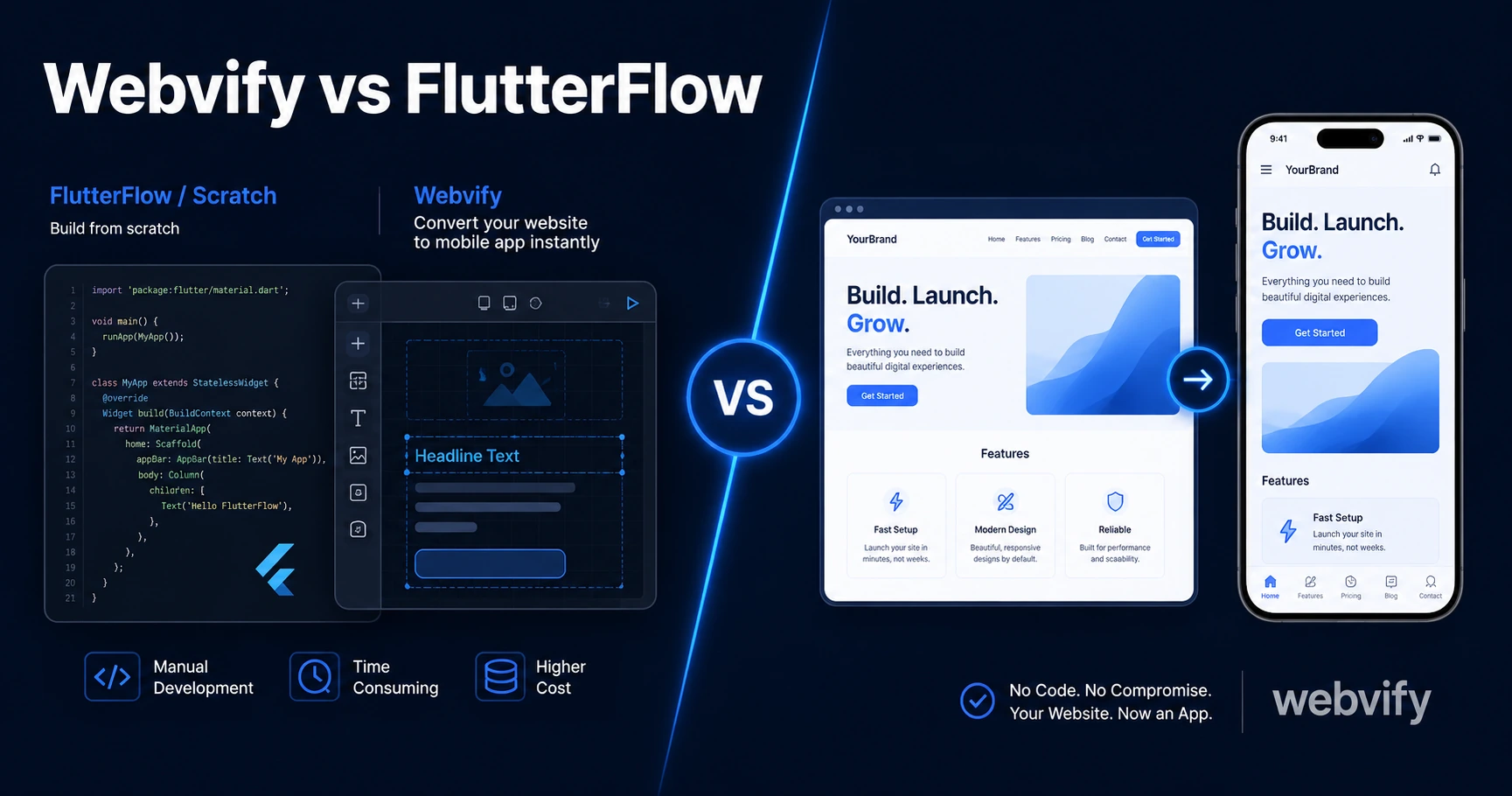
Webvify vs FlutterFlow: which is right for turning your website into a mobile app? See the real difference in approach, timeline, and App Store submission.
Inside this article
FlutterFlow can build a beautiful mobile app. It just can't turn the website you already have into one — and that distinction matters more than any feature comparison.
When business owners search "Webvify vs FlutterFlow," they're usually trying to solve the same problem: get a mobile app on the App Store without hiring a development team. But these two tools take completely different approaches to that problem — and picking the wrong one means weeks of wasted effort.
What FlutterFlow Actually Does
FlutterFlow is a visual development tool that generates real Flutter code. You design screens inside a drag-and-drop interface, connect to a database (Firestore, Supabase, or a REST API), set up authentication flows, and FlutterFlow compiles it all into native iOS and Android binaries.
It's a genuine development platform. Experienced developers use it. Startups use it. But it has a clear target user: someone building a new app from scratch who is comfortable thinking in data models, screen states, and API schemas.
The learning curve is real. Even developers report spending several weeks getting their first FlutterFlow app to App Store submission standards — and that's before Apple's review process.
Here's the part that catches most business owners off guard: if you already have a working website, FlutterFlow doesn't use it. You don't import your website into FlutterFlow. You rebuild your content, your booking flows, your product catalog — all of it — from zero, inside FlutterFlow's environment.
What Webvify Does
Webvify takes your existing website and converts it into a fully branded mobile app for iOS and Android. Your website stays exactly as it is. Webvify wraps it in a native app shell, handles the App Store and Google Play submission process end-to-end, and gives you an admin panel to manage push notifications and app settings after launch.
No code. No Xcode. No rebuilding the content you already have.
If you've already explored the FlutterFlow to mobile app path, you'll recognize immediately that Webvify is solving a fundamentally different problem: how to get an existing website into the App Store without starting over.
Services like Webvify handle the entire submission process — developer account setup, screenshots, metadata compliance, and resubmission if Apple or Google asks for changes. You own the app under your own developer accounts after launch.
Webvify vs FlutterFlow: The Core Difference
The cleanest way to frame this Webvify vs FlutterFlow comparison is this:
FlutterFlow is for building a new mobile app when you don't have a website yet (or when your website can't serve as the app). Webvify is for business owners who already have a working website and want a mobile app version of it — without duplicating all that work.
The "rebuild tax" is what nobody talks about in these comparisons. Your website is working. Your SEO is compounding. Your booking system or product catalog is live. FlutterFlow asks you to recreate all of that logic inside a proprietary environment you have to learn first. That's not a feature difference — it's a different starting point.
For most small and medium businesses, the starting point is "we already have a website." That makes Webvify the right category, not FlutterFlow.
Who Should Use FlutterFlow
FlutterFlow is the right choice when you are:
- Building a brand-new app that doesn't correspond to an existing website
- A developer or technical founder comfortable with data modeling and state management
- Building functionality that requires deep native features (offline sync, device sensors, biometric authentication wired to your own backend)
- Willing to invest 4–12 weeks in the build phase before submitting to the App Store
If that describes your project, FlutterFlow is a legitimate and powerful tool. The apps it produces are real native apps — not web-wrapped experiences.
Who Should Use Webvify
Webvify is the right choice when you are:
- A business owner with a working website who wants an app version of it
- Looking to get on the App Store and Google Play without a development team
- Wanting push notifications and home screen presence without rebuilding your content
- On a timeline measured in days rather than months
The conversion process is quick because there's no rebuild step. Your website content, your booking tool, your e-commerce store — it all comes through exactly as it is on the web.
If you're also evaluating other no-code platforms, our Webvify vs Bubble comparison covers the same category question: scratch-builder vs. website converter.
How Webvify vs FlutterFlow Handle App Store Submission
Both paths eventually require getting through Apple and Google's review process. The difference is who handles it.
With FlutterFlow, App Store submission is entirely your responsibility. You manage your Apple Developer account, prepare screenshots, fill out the compliance questionnaires, respond to rejection notices, and resubmit. FlutterFlow provides the app binary — everything after that is up to you.
With Webvify, the submission is part of the service. Developer account setup, screenshot production, metadata, compliance, and resubmissions are all handled. For non-technical business owners who've never touched App Store Connect, that difference alone often decides the question.
The typical timeline with Webvify is 7–14 days from start to App Store approval. With FlutterFlow, the build phase alone commonly runs 4–12 weeks — before the submission process even begins.
FAQ
Can FlutterFlow convert my existing website into a mobile app?
No. FlutterFlow builds apps from scratch using its own visual interface and data layer. It does not import or wrap existing websites. If you want to convert your current website into a mobile app without rebuilding it, a WebView-based service like Webvify is designed for that specific problem.
Is FlutterFlow free to use?
FlutterFlow has a free tier, but publishing to the App Store or Google Play requires a paid plan (currently starting at $30/month). You also need an Apple Developer account ($99/year) and a Google Play account ($25 one-time fee). App Store submission is handled by you, not by FlutterFlow.
How long does it take to get on the App Store with Webvify vs FlutterFlow?
With Webvify, the typical timeline from onboarding to App Store approval is 7–14 days — the service handles build, submission, and compliance. With FlutterFlow, the build phase alone commonly takes 4–12 weeks depending on complexity, followed by Apple's review process. The difference is primarily the rebuild step: Webvify wraps your existing website; FlutterFlow starts from zero.
Your website is already doing the work — don't rebuild it to get an app. Webvify converts it into a fully published iOS and Android app and handles App Store submission end-to-end. Start at webvify.app.