

How to Get a Mobile App for Your Tutoring Center (Without Hiring a Developer)
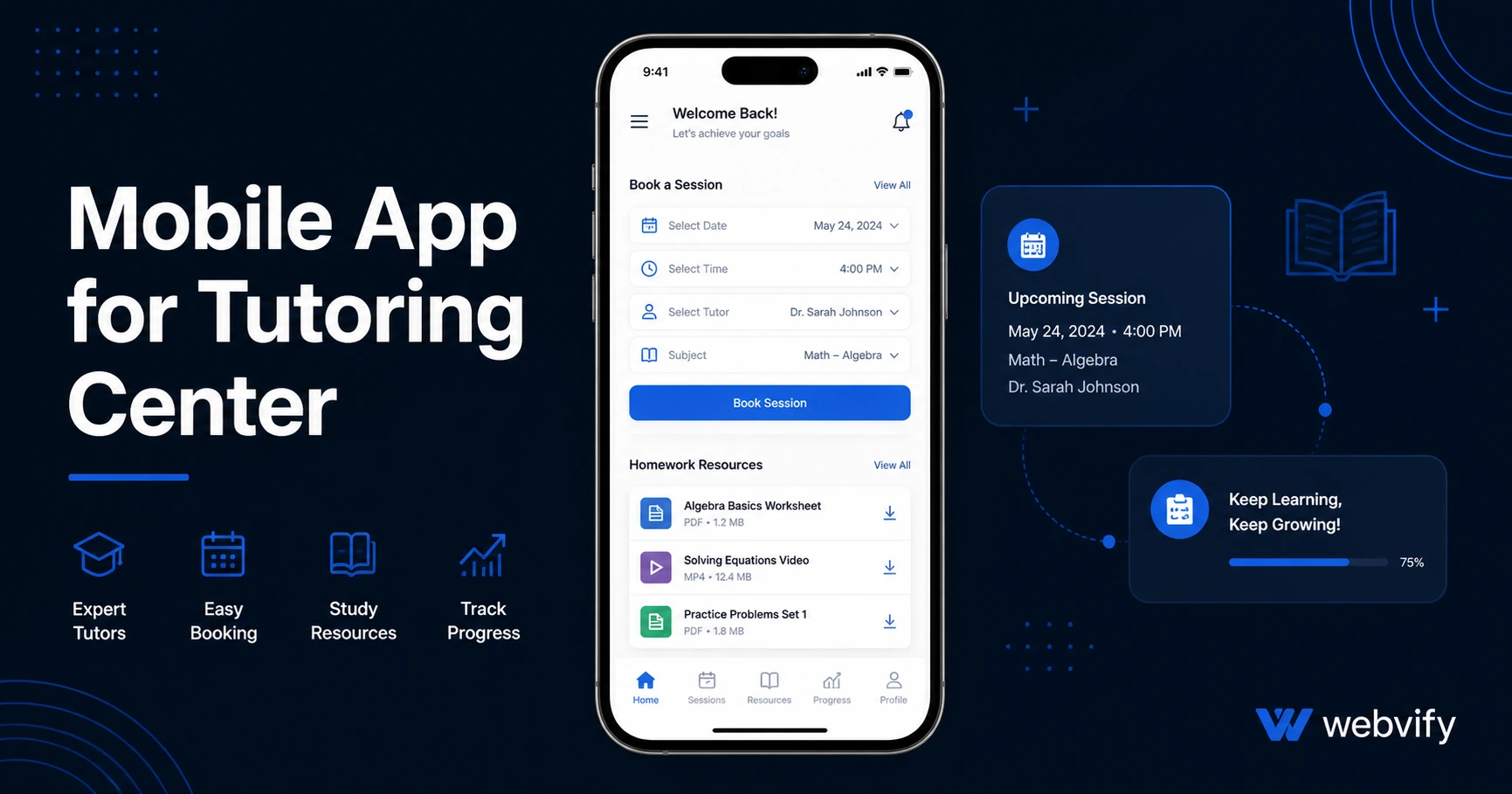
Get a mobile app for your tutoring center without a developer. Here's what it costs, what to avoid, and how to launch it in days — not months.
Inside this article
- Why Tutoring Centers Lose Students (And What a Mobile App Changes)
- What a Mobile App for Your Tutoring Center Actually Does
- Push Notifications: The Retention Tool Most Tutoring Centers Skip
- What to Look for in a Mobile App Solution for Tutoring Centers
- How to Get Your Tutoring Center App Live on the App Store
- Frequently Asked Questions
- Get Your Tutoring Center App Live
Most tutoring center students don't quit because the tutoring isn't working. They quit because they forget to come back. A mobile app for your tutoring center puts your brand on their home screen — and keeps it there between sessions.
This guide covers what a tutoring center app actually does, what it costs, and how to get one live on the App Store and Google Play without hiring a developer.
Why Tutoring Centers Lose Students (And What a Mobile App Changes)
The dropout pattern at most tutoring centers looks the same: a student starts strong, misses a session, then drifts. The tutor-student relationship is strong in the room. Outside it, there's no touchpoint.
Email open rates for education businesses average around 25–30%. That means roughly 70% of your session reminders, schedule updates, and exam-prep alerts go unseen. Push notifications delivered through a dedicated mobile app hit the lock screen directly — and open rates for push are typically 60–90%.
That's not a small difference. That's the gap between a student who comes back for six months and one who cancels after three weeks.
A tutoring center app gives you a direct channel to students and parents that doesn't depend on them checking their inbox.
What a Mobile App for Your Tutoring Center Actually Does
A mobile app for a tutoring center isn't a separate system you have to rebuild from scratch. If you already have a website — even a basic one with a booking form — you can wrap that website into a fully branded iOS and Android app.
Here's what that looks like in practice:
- Session scheduling: Students and parents book through the same form they already use on your website. The app just makes it easier to access on mobile.
- Push notifications: Send reminders 24 hours before a session, announcements for exam prep workshops, or back-to-school enrollment alerts — directly to students' phones.
- Resources and homework: Any content you post on your website (practice tests, study guides, progress reports) appears inside the app automatically.
- Home screen presence: Your logo lives on their phone. Between sessions, your brand stays visible.
The key insight is that most of what a tutoring center needs from a mobile app is already on its website. The app is the packaging — and the push notification channel.
Push Notifications: The Retention Tool Most Tutoring Centers Skip
If you're running a tutoring center, your competition is mostly word of mouth and local search. But retaining the students you already have is cheaper than acquiring new ones, and push notifications are the highest-leverage tool available for that.
Think about the moments that drive churn at a tutoring center:
- A student's schedule changes and they don't rebook
- SAT season ends and families don't think to continue
- Summer hits and engagement drops off
A well-timed push notification — "Don't lose your progress over the break — summer sessions available" — brings back students who would otherwise quietly disappear.
Services like Webvify include a push notification admin panel after your app is live, so you can send targeted alerts without any technical setup. No developer required.
What to Look for in a Mobile App Solution for Tutoring Centers
Not every mobile app builder is designed for businesses that already have a website. Some require you to rebuild all your content inside their platform — a process that takes weeks and creates a second system to maintain alongside your site.
For a tutoring center, look for a solution that:
Wraps your existing website. Your booking system, resource library, and contact forms should work inside the app without rebuilding them. A WebView-based app converts your existing site directly.
Handles App Store and Google Play submission. Getting approved on both platforms requires navigating Apple's developer account, review guidelines, and Google's content rating questionnaire. If you don't have a developer on your team, you need a service that handles this for you.
Provides a post-launch admin panel. Sending push notifications and managing the app should not require a technical person. If you have to open a code editor to send a session reminder, the tool isn't right for your business.
Publishes under your name. The app should appear in the App Store and Google Play under your tutoring center's name and brand — not inside a shared platform app.
If you want to understand the full cost breakdown before committing, this mobile app development cost guide covers what custom, no-code, and done-for-you solutions actually cost in 2026.
How to Get Your Tutoring Center App Live on the App Store
The technical process is simpler than most tutoring center owners expect. Here's what it typically involves:
1. You provide your website URL. The app is built around your existing site — same content, same booking form, same login if you have one.
2. The app is built and reviewed. A WebView wrapper turns your site into a native-feeling iOS and Android app. This typically takes a few days.
3. App Store and Google Play submission. This is where most DIY attempts stall — Apple and Google have specific requirements around content ratings, privacy policies, and app functionality. A done-for-you service handles the full submission under your own developer accounts.
4. Your app goes live. Once approved (typically 24–48 hours for Apple, 24 hours for Google), students can download it from the App Store and Google Play.
5. You manage it through an admin panel. Send push notifications, track installs, and update session schedules — all without touching the underlying code.
For a step-by-step look at the submission process specifically, this App Store submission guide covers what Apple reviewers look for and how to avoid common rejection reasons.
Frequently Asked Questions
How much does a mobile app for a tutoring center cost?
Done-for-you WebView app services typically range from $500 to $2,000 as a one-time or annual fee — far less than the $20,000–$100,000 cost of custom native app development. You also need an Apple Developer account ($99/year) and a Google Play Developer account ($25 one-time). Most tutoring centers can get a fully branded app live on both stores for under $2,500 total.
Do I need a developer to get a tutoring center app on the App Store?
No. If your tutoring center already has a website, a WebView-based app service can convert it into an iOS and Android app without any coding. The App Store submission — which is the part most people find technical — is handled by the service, not you. You don't need to open Xcode or navigate Apple's developer portal.
What features should a tutoring center mobile app have?
The most valuable features for a tutoring center app are push notifications (for session reminders and enrollment alerts), easy access to your booking form, and a home screen presence that keeps your brand visible between sessions. Most of this is available through a WebView app that wraps your existing website — no separate app platform or content rebuild needed.
Get Your Tutoring Center App Live
A mobile app for your tutoring center isn't a project for when you have more time or a bigger budget. It's the fastest way to close the gap between sessions and reduce the quiet churn that shrinks your student list every semester.
Webvify handles the full process — from building the app to submitting it to the App Store and Google Play — and gives you a push notification admin panel to manage it after launch. No developer. No technical setup.