

How to Get a Mobile App for Your Spa (Without Hiring a Developer)
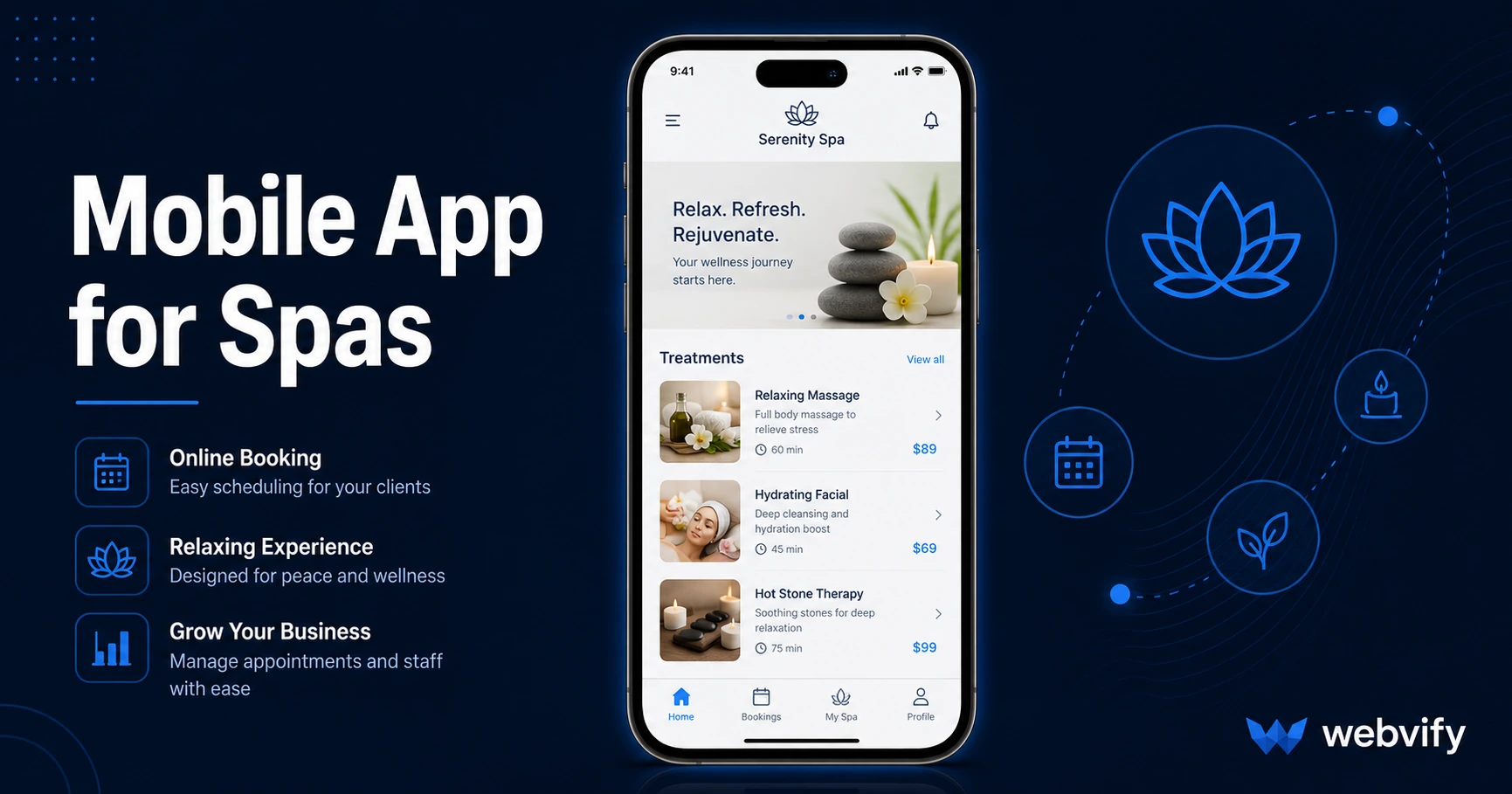
Want a mobile app for your spa but don't know where to start? Here's what it costs, what to avoid, and how to get it done without a developer.
Inside this article
- How to Get a Mobile App for Your Spa (Without Hiring a Developer)
- Why Spa Businesses Lose Clients Between Visits
- What a Mobile App for Spas Actually Includes
- How Push Notifications Change Spa Retention
- What to Look for in a Spa App Service
- The App Store Submission Process for Spas
- How Long Does It Take to Launch a Spa App?
- FAQ
How to Get a Mobile App for Your Spa (Without Hiring a Developer)
Spa clients who loved their visit still book somewhere else six weeks later — not because you did anything wrong, but because your competitors sent a push notification and you didn't.
A branded mobile app puts your spa on their home screen and gives you a direct line to their lock screen. This guide covers exactly how to get one, what to look for, and what a real mobile app for spas can do for your bookings.
Why Spa Businesses Lose Clients Between Visits
The average spa client visits two to four times a year. That's a 90-day window between appointments where nothing maintains the relationship unless you reach out.
Email open rates for wellness businesses average 25–30%. Push notifications from a mobile app reach 60–90% of recipients. That gap is the difference between a client who returns on their own schedule and one who books with you because they saw your message this morning.
Home screen presence compounds this. An app icon on someone's phone is a passive daily reminder — like a business card that never gets thrown away. Clients who download your app rebook significantly faster than those who only have your website bookmarked in a browser.
For appointment-based businesses, that retention loop is the single most valuable thing a mobile app provides. If you're in a category like salon or coaching, the same dynamic applies — the mobile app guide for salons covers similar patterns in depth.
What a Mobile App for Spas Actually Includes
A well-built spa app doesn't require rebuilding your booking system from scratch. The most practical approach for most spa owners is a WebView app — your existing website or booking platform wrapped in a native app shell and published to the App Store and Google Play.
This means:
- Your existing booking flow works as-is (Mindbody, Vagaro, Fresha, Square, custom booking pages)
- Push notifications are added on top of your existing site
- Clients see a native-feeling app with your logo and branding
The alternative — rebuilding your spa's entire content in a standalone app builder — typically costs $10,000–$50,000+ and requires ongoing maintenance. For most independent spas and small chains, the WebView path delivers 90% of the outcome at a fraction of the investment.
Services like Webvify handle this end-to-end: they build the WebView app, set up push notifications, and submit it to both stores under your developer accounts — so you own the app, not a third-party vendor.
How Push Notifications Change Spa Retention
Push notifications are the primary business case for a spa mobile app. Here's how they work in practice:
Rebooking nudges — Send a push notification 5–6 weeks after a visit: "Ready for your next facial? Book your spot before the weekend fills up." This single automation recovers lapsed clients without any manual outreach.
Last-minute availability — Fill cancellations in hours instead of days. A push notification to all app users about a same-day opening regularly outperforms social media posts and email blasts.
Seasonal promotions — Holiday packages, Valentine's Day specials, and membership drives perform significantly better when promoted via push notifications vs. email alone.
Loyalty reminders — If you run a punch card or loyalty program, push notifications keep it top of mind without clients needing to remember to check in.
For businesses running appointment-based services, the appointment booking mobile app guide covers the retention mechanics in more detail, including how to sequence notifications to reduce no-shows.
What to Look for in a Spa App Service
Not every mobile app solution is the same. Before choosing one, check these four things:
App Store submission is included. Many tools give you an app file and stop there — App Store submission is left to you. The process involves an Apple Developer account ($99/year), compliance with Apple's review guidelines, and at least one rejection before approval on average. Look for a service that handles this for you.
The app publishes under your developer accounts. If the app is published under the vendor's account, you don't actually own it. If they close down or you switch providers, the app disappears. Your app should be listed under your Apple and Google Play developer accounts.
No duplicate system to maintain. Apps that require you to rebuild content inside their platform mean you're now maintaining your website and a separate app. That's double the work. A WebView-based approach means your website IS the app — update one, update both.
Post-launch management panel. You should be able to update push notification settings, toggle features, and monitor basic analytics without going back to the developer for every change.
The App Store Submission Process for Spas
The most common point of confusion for spa owners is the App Store submission itself. You don't need a developer to submit — but you do need the right setup.
For a spa app, the most common Apple review consideration is Guideline 4.2 (Minimum Functionality). Apple requires that WebView apps provide genuine value beyond what a website offers. Push notifications, loyalty features, and an app-specific experience typically satisfy this requirement.
One thing to confirm before submission: if your spa sells gift cards, memberships, or packages with digital fulfillment, Apple requires those purchases to use Apple's in-app purchase system (Guideline 3.1.1), which takes a 30% cut. The workaround most wellness businesses use is directing payment flows to an external browser — the same approach Mindbody and Vagaro-powered apps use.
How Long Does It Take to Launch a Spa App?
With a managed service, most spa apps go from kickoff to live on both stores in 2–4 weeks. The timeline breaks down roughly as:
- Building and testing the WebView app: 3–5 days
- Apple Developer account setup (if you don't have one): 2–3 days
- App Store review: 1–3 business days (Apple), 1–2 days (Google Play)
The most common delay is the Apple Developer account verification step, which Apple handles manually. Starting this first shortens the overall timeline.
FAQ
How much does a mobile app for a spa cost?
A WebView-based spa app from a managed service typically runs $500–$2,500 as a one-time fee, plus $99/year for an Apple Developer account. Custom native app development starts at $15,000–$50,000+ with ongoing maintenance costs on top. For most independent spas, the WebView approach covers all practical needs at a fraction of the cost.
Do I need a developer to get a spa app on the App Store?
No. Managed services like Webvify handle the entire submission process — you don't need to touch Xcode, App Store Connect, or Google Play Console. You'll need an Apple Developer account ($99/year) and a Google Play Developer account ($25 one-time), both of which you register yourself so the app is published under your name.
Can I use my existing booking system (Mindbody, Vagaro, Fresha) inside the app?
Yes. A WebView app wraps your existing booking page, so whatever booking platform you already use works inside the app exactly as it does on your website. Clients book through the same interface — it just feels like a native app on their phone rather than a browser tab.
Ready to put your spa on your clients' home screens? Webvify converts your existing website into a fully branded mobile app and handles the entire submission process — no developer required.