

Mobile App for Roofers: Win More Repeat Jobs and Stop Losing Customers to Silence
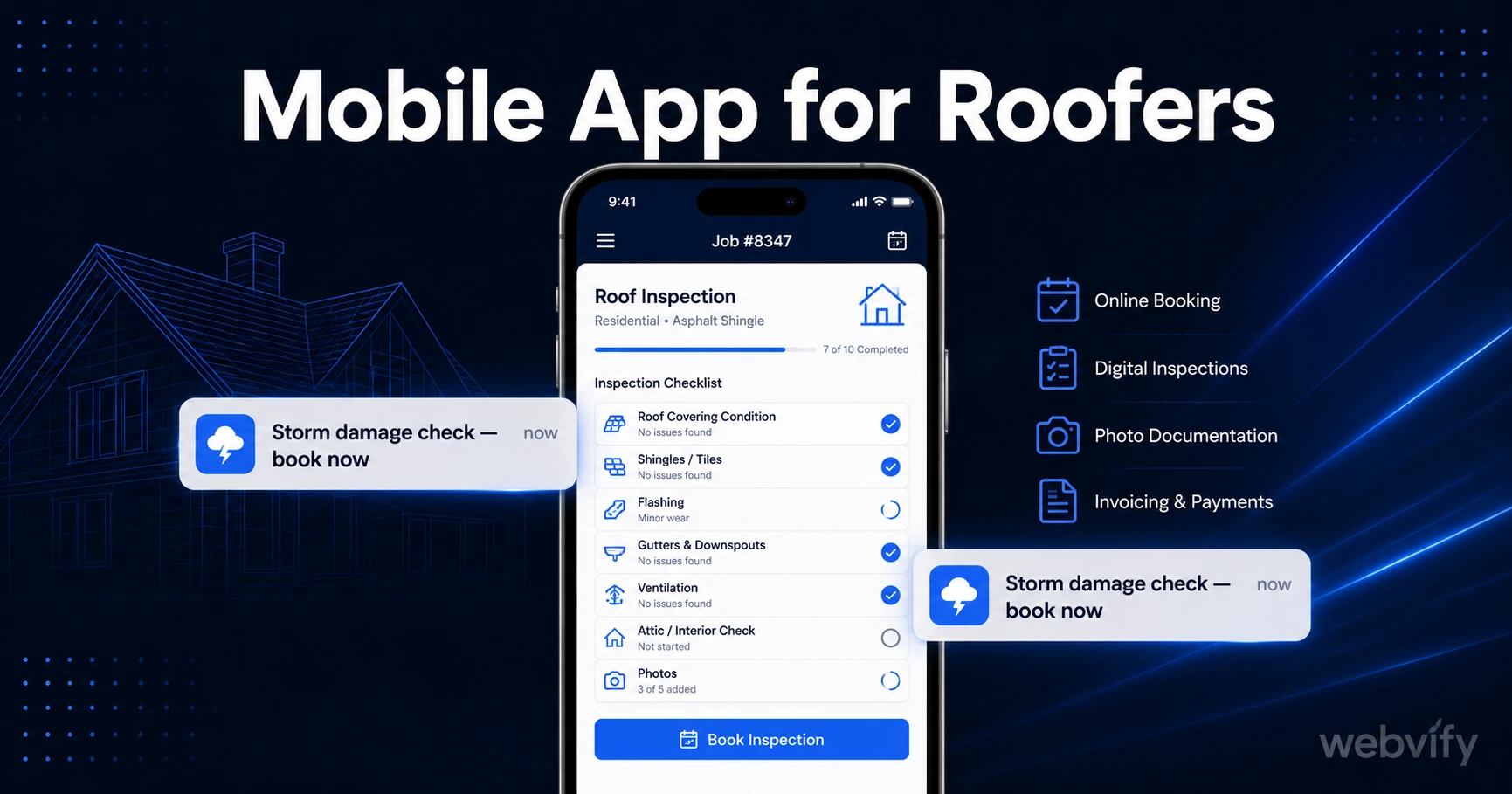
A mobile app helps roofers win repeat jobs with push notifications. Here's what it costs, what to avoid, and how to get it done in days — no developer needed.
Inside this article
- Why Roofers Lose Customers They Already Won
- The Retention Gap Problem in Roofing
- What a Roofing Company App Actually Does
- The Three Push Notification Campaigns That Drive Repeat Revenue
- How to Get a Roofing App Without Hiring a Developer
- Mobile App for Roofers vs. Other Marketing Channels
- Frequently Asked Questions
- Ready to Get Your Roofing App Live?
Why Roofers Lose Customers They Already Won
A roofing job is done. The customer gave you five stars. They meant to call you again when the gutters needed clearing — but six months later, they couldn't find your number and hired whoever came up first on Google.
That's the core problem a mobile app for roofers solves. It's not about selling new customers on the first job. It's about staying visible between jobs so your existing customers don't drift to a competitor during the months — or years — of silence.
Roofing has one of the longest customer cycles of any trade. A residential customer might need a full re-roof every 20 years, but they'll need inspections, minor repairs, gutter work, and storm damage checks every 1–3 years in between. That repeat business is yours to lose — and most roofers lose it simply because nothing keeps them visible.
The Retention Gap Problem in Roofing
In most service trades, the retention gap is the period between jobs where the business goes silent and customers drift. For roofing, that gap can stretch 12–24 months between meaningful touchpoints.
Email newsletters average a 20–25% open rate in home services — and most customers don't even sign up. Social media reach is algorithmic and inconsistent. Your Google Business profile only catches customers actively searching.
Push notifications through a branded mobile app reach 60–90% of the customers who install it. That's not a marketing stat — it's the difference between a customer who remembers you exist and one who opens Google when their flashing starts leaking.
The goal of a roofing business app isn't to look impressive. It's to own a slot on your customer's home screen so you're the first call when something goes wrong — or when they're thinking about a gutter clean before winter.
What a Roofing Company App Actually Does
A practical roofing business mobile app gives you three tools that nothing else delivers reliably:
Push notifications. Send a message directly to a customer's lock screen. No algorithm, no inbox competition. A spring inspection reminder or post-storm damage alert reaches customers who would otherwise forget you exist.
Home screen presence. Your branded icon sits on the customer's phone next to their bank app and their favourite delivery service. That kind of passive brand visibility is worth more than most advertising.
App Store credibility. Being listed on the App Store and Google Play signals legitimacy in a trust-sensitive industry. Roofing requires customers to hand over access to their home — an App Store listing adds a layer of professional credibility that a website alone doesn't deliver.
If you want to understand the broader ROI case for converting an existing website into a mobile app, this guide on the benefits of converting your website to a mobile app breaks it down across industries.
The Three Push Notification Campaigns That Drive Repeat Revenue
The power of a roofing app isn't the app itself — it's the specific campaigns you run through it. These three sequences generate the highest return for roofing businesses:
Spring inspection window (March–April). "Winter's over. Is your roof ready for spring? Book a free inspection before the summer storms hit." Send this to every customer who hasn't booked a job in 12+ months. It positions the inspection as a service, not a sales call.
Post-storm damage alert (within 48 hours of major weather). "High winds hit [your area] last night. Storm damage often isn't visible from the ground — request a free damage check before your insurance window closes." This campaign alone can fill a week's schedule after a major event.
Annual gutter and flashing check (September–October). "Autumn leaves are falling. Clogged gutters cause more winter roof damage than most homeowners realise. Book a clean now — slots fill fast." Seasonal campaigns like this create predictable off-peak revenue and keep your team busy through quieter months.
Services like Webvify handle this end-to-end — they build the app from your existing roofing website, submit it to the App Store and Google Play under your company name, and give you an admin panel to send push notifications yourself. You don't touch a line of code, and you don't need an Apple Developer account before you start.
How to Get a Roofing App Without Hiring a Developer
The traditional assumption is that a branded mobile app requires a six-figure custom build. For a roofing business with an existing website, that assumption is outdated.
A WebView app takes your existing site and packages it as a native mobile app — with push notification support, home screen icon, and full App Store listings. The technical process is handled by the provider; your job is approving the branding and testing the final build.
The typical path looks like this:
- Your existing roofing website becomes the foundation — no rebuilding, no duplicate content to manage.
- The provider builds the app wrapper, configures push notifications, and sets up your Apple/Google developer accounts.
- The app goes through App Store and Google Play review (usually 24–72 hours for roofing service apps with no digital goods or subscriptions).
- You receive an admin panel to send push campaigns, update content, and track installs.
For comparison on what this typically costs versus a custom build, this breakdown of mobile app development costs in 2026 gives a clear picture of the full cost landscape.
The Apple submission process is the step most roofing businesses never get past on their own. A roofing app with no in-app purchases (physical service, no digital goods) is one of the cleanest submission categories — Apple's primary concern is Guideline 4.2 Minimum Functionality, which means your app needs to offer genuine content beyond a single static page. A properly built roofing app with push notifications, a services page, and a contact/booking form clears that bar without issue.
Mobile App for Roofers vs. Other Marketing Channels
Roofers typically rely on Google Local Services Ads, Nextdoor recommendations, yard signs, and word of mouth. All of those are acquisition channels — they bring in new customers. A mobile app is a retention channel. It works on customers you've already converted.
That distinction matters because acquisition costs money every time. A past customer who books again through a push notification costs you zero in ad spend. A roofing app pays for itself with two or three repeat jobs.
Here's how it compares to common alternatives:
Email marketing: 20–25% open rate, high unsubscribe sensitivity, no lock screen access on iOS. Fine for newsletters, weak for time-sensitive prompts.
SMS: High open rate but regulated, opt-in requirements vary by country, customers find it intrusive for non-urgent messages. Not ideal for seasonal campaigns.
Social media: Algorithmic reach, no guarantee your followers see your posts, requires ongoing content production to stay relevant.
Push notifications via app: 60–90% open rate, direct to lock screen, opt-in is natural (customers install your app because they trust you), no per-message cost after build.
Frequently Asked Questions
How much does a mobile app for a roofing business cost?
A custom-built roofing app can cost $30,000–$150,000 upfront plus ongoing maintenance. A WebView app that converts your existing roofing website typically costs a fraction of that — often under $2,000 as a one-time build — because it packages your existing site rather than building from scratch. Ongoing push notification sending is typically included in a monthly admin fee. The payback from two or three repeat jobs usually covers the cost within the first season.
Do I need a developer to submit a roofing app to the App Store?
No. Services like Webvify handle the full App Store and Google Play submission process for you, including setting up your Apple Developer account and Google Play Console. Roofing apps with no in-app purchases are a straightforward submission category — the main requirement is that the app offers genuine content and functionality beyond a single page, which a proper push-notification-enabled roofing app meets without any issues.
What's the best push notification to send as a roofer?
The highest-converting push notifications for roofers are time-anchored to real events: post-storm damage alerts (within 48 hours of major weather), spring inspection windows (March–April), and autumn gutter cleans (September–October). The key is specificity — "High winds hit [city] last night. Book a free damage check" outperforms generic "We're here for your roofing needs" messages by a large margin. Personalising by customer address (if stored) improves open rates further.
Ready to Get Your Roofing App Live?
Staying visible between jobs is the single highest-ROI move a roofing business can make — and a branded mobile app on your customers' home screens is the most reliable way to do it.
Webvify converts your existing roofing website into a fully branded App Store and Google Play app, handles the entire submission process, and gives you an admin panel to run push campaigns yourself. No developer, no code, no waiting months for a custom build.
Start with webvify.app and have your roofing app live within days.