

How to Get a Mobile App for Your Flower Shop (Without Hiring a Developer)
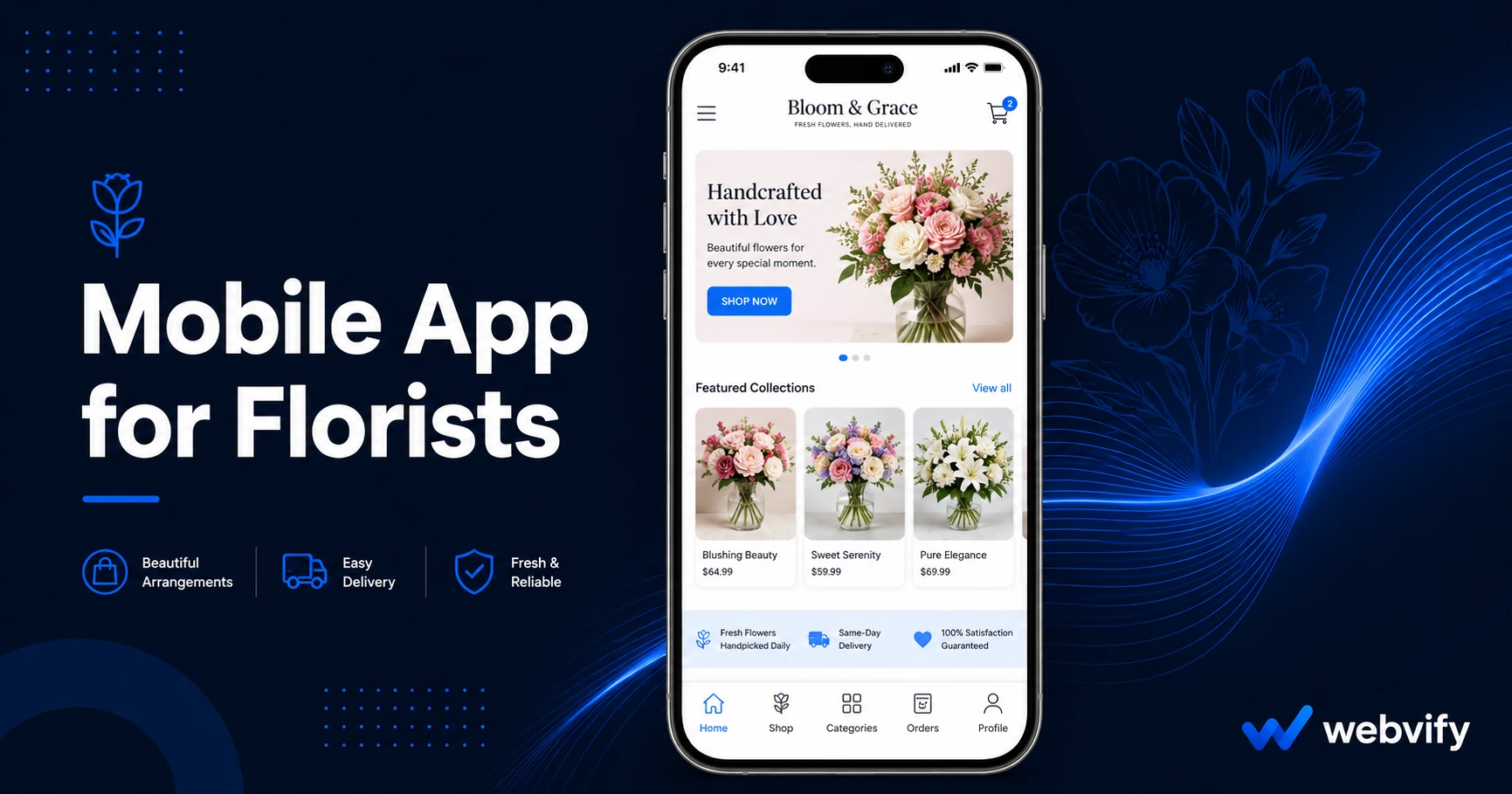
Get a mobile app for your flower shop without a developer. Send push notifications for Mother's Day, Valentine's, and drive repeat orders. Live in days.
Inside this article
- Why Flower Shops Struggle With Customer Retention
- What a Mobile App for Florists Actually Does
- How Push Notifications Drive Repeat Orders for Flower Shops
- Getting Your Flower Shop App on the App Store Without a Developer
- What to Look for in a Mobile App Solution for Florists
- FAQ
- Get Your Flower Shop on the App Store
Most florists generate 60–70% of their annual revenue in four peak windows: Valentine's Day, Mother's Day, prom season, and the winter holidays. Outside those windows, customers don't forget your shop because they had a bad experience — they forget because nothing reminds them you exist.
A mobile app for florists changes that dynamic. Instead of waiting for the next holiday rush, your shop lives on your customers' home screens year-round, sending reminders for anniversaries, same-day arrangements, and seasonal promotions before the competition gets a chance to step in. This guide covers exactly what a florist mobile app does, why it matters for your business, and how to launch one without hiring a developer.
Why Flower Shops Struggle With Customer Retention
Florists have a customer retention problem that's unique to the industry: purchase cycles are event-driven. A customer orders flowers for a birthday, receives great service, and fully intends to come back — but the next occasion doesn't come around for months. By then, a Google search for "flower delivery near me" sends them to a competitor.
Email newsletters are one option, but email open rates in the floral industry average around 20–25%. Push notifications from a mobile app consistently outperform this benchmark, with open rates of 60–90%. When a Mother's Day reminder lands on someone's lock screen 10 days early, it tends to get clicked. An email in a promotions folder does not.
The problem isn't your flowers or your service. The problem is visibility between occasions.
What a Mobile App for Florists Actually Does
A mobile app for your flower shop is a mobile-optimized version of your existing website — packaged as a native app available on the App Store and Google Play. Customers download it, browse your arrangements, place orders, and stay connected to your shop directly from their phones.
Beyond the standard ordering experience, the app gives you three tools that your website alone cannot provide:
Push notifications. Send timed messages directly to your customers' lock screens — no email inbox, no spam filter. A well-timed "Valentine's Day orders close Friday" push generates same-week revenue that would otherwise go uncaptured.
Home screen presence. Once your app is installed, your brand icon sits on your customer's phone alongside Instagram and their banking app. That passive visibility is worth more than any paid ad during a slow week.
App Store discoverability. Customers searching for "flower shop app" or "local florist" in the App Store can find your business directly, without ever visiting your website. For local businesses, this is an underused organic channel.
How Push Notifications Drive Repeat Orders for Flower Shops
The highest-value use of a florist mobile app isn't the ordering experience itself — it's what happens after a customer places their first order. Done right, push notifications turn a one-time holiday buyer into a year-round regular.
Three campaign templates that work for flower shops:
The anniversary reminder. When a customer orders for a birthday or anniversary, send a push notification 10–14 days before the same date next year. "It's almost Sarah's birthday again — order early and we'll guarantee delivery." This single automation consistently drives repeat orders from customers who would have otherwise forgotten.
The seasonal window opener. For Mother's Day, Valentine's Day, and the holiday season, send a push 2–3 weeks out with early-bird messaging. Customers who receive these reminders order earlier, which also smooths out your production schedule.
The slow-week slot filler. During low-demand weeks, a push offer like "15% off mid-week arrangements this Thursday and Friday" can fill order gaps that would otherwise sit empty. This works specifically because push notifications have the immediacy that email lacks.
If you also handle consultation bookings — wedding florists especially — the appointment booking mobile app guide covers how to manage that side of the experience effectively.
Getting Your Flower Shop App on the App Store Without a Developer
The barrier that stops most florists from launching an app isn't the idea — it's the assumption that you need to hire an iOS developer, write code, and navigate Apple's submission process yourself. None of that is true.
A WebView app takes your existing website and packages it as a native mobile application. The app is built around your site, which means your menu, ordering system, contact page, and any booking tools you already have transfer over automatically. There's no rebuilding, no duplicate content management, and no second system to maintain.
The App Store submission process requires an Apple Developer account ($99/year), compliance with Apple's design guidelines, and an app binary formatted correctly for review. This is where most small business owners get stuck.
Services like Webvify handle this end-to-end: building the WebView app, managing the Apple and Google Play submission, and setting up an admin panel so you can manage push notification campaigns yourself after launch. You don't need to touch Xcode or the App Store Connect dashboard.
The result is a branded app listed under your flower shop's name on both stores, ready for customers to download.
What to Look for in a Mobile App Solution for Florists
Not all app services work the same way. When evaluating options for your flower shop, focus on these four criteria:
Does it use your existing website? Solutions that require rebuilding your menu and catalog in a new platform create a maintenance problem — now you have two systems to update every time you change an arrangement or price. A WebView approach eliminates this entirely.
Who handles App Store submission? Some platforms provide the app file but leave submission to you. Apple's submission process involves developer account setup, binary upload, metadata compliance, and review. Clarify upfront whether the service manages this or hands it off.
Can you send push notifications yourself? The most valuable feature of a florist app is push notifications. Make sure you get access to an admin panel where you can create and schedule campaigns without depending on technical support for every send.
What happens if you cancel? Apps submitted under your own Apple and Google developer accounts remain live even if you switch providers. Apps submitted under a vendor's shared account go offline when you leave. Always confirm ownership before signing up.
For a broader look at how similar service businesses approach this decision, the mobile app for restaurants guide covers many of the same evaluation criteria.
FAQ
How much does a mobile app for a flower shop cost?
Done-for-you app services for small businesses typically range from $500 to $2,500 for initial setup, with monthly fees between $50 and $200 for ongoing hosting and admin access. This is a fraction of what custom native app development costs ($20,000–$100,000+). The Apple Developer account ($99/year) and Google Play account ($25 one-time) are paid separately.
Do I need a mobile developer to get my florist app on the App Store?
No. WebView-based app services package your existing website into a native app and manage the entire submission process for you. You do not write any code, and you do not need technical expertise beyond paying the $99/year Apple Developer fee. The vendor handles the submission steps.
How long does it take to launch a florist mobile app?
Most WebView-based apps go from sign-up to live App Store listing within 5–10 business days. Apple's review process typically takes 24–48 hours once the app is submitted. The setup time on your end is minimal — usually just sharing your website URL and reviewing the app before it goes live.
Get Your Flower Shop on the App Store
A mobile app for your florist business doesn't require a developer, a big budget, or months of work. It requires your existing website, a clear push notification strategy, and the right service to handle submission for you.
Webvify converts your florist website into a branded mobile app and manages the full App Store and Google Play submission process — plus an admin panel to run push notification campaigns after launch. Get started at webvify.app.