

Mobile App for Dietitians: Keep Clients on Track Between Sessions
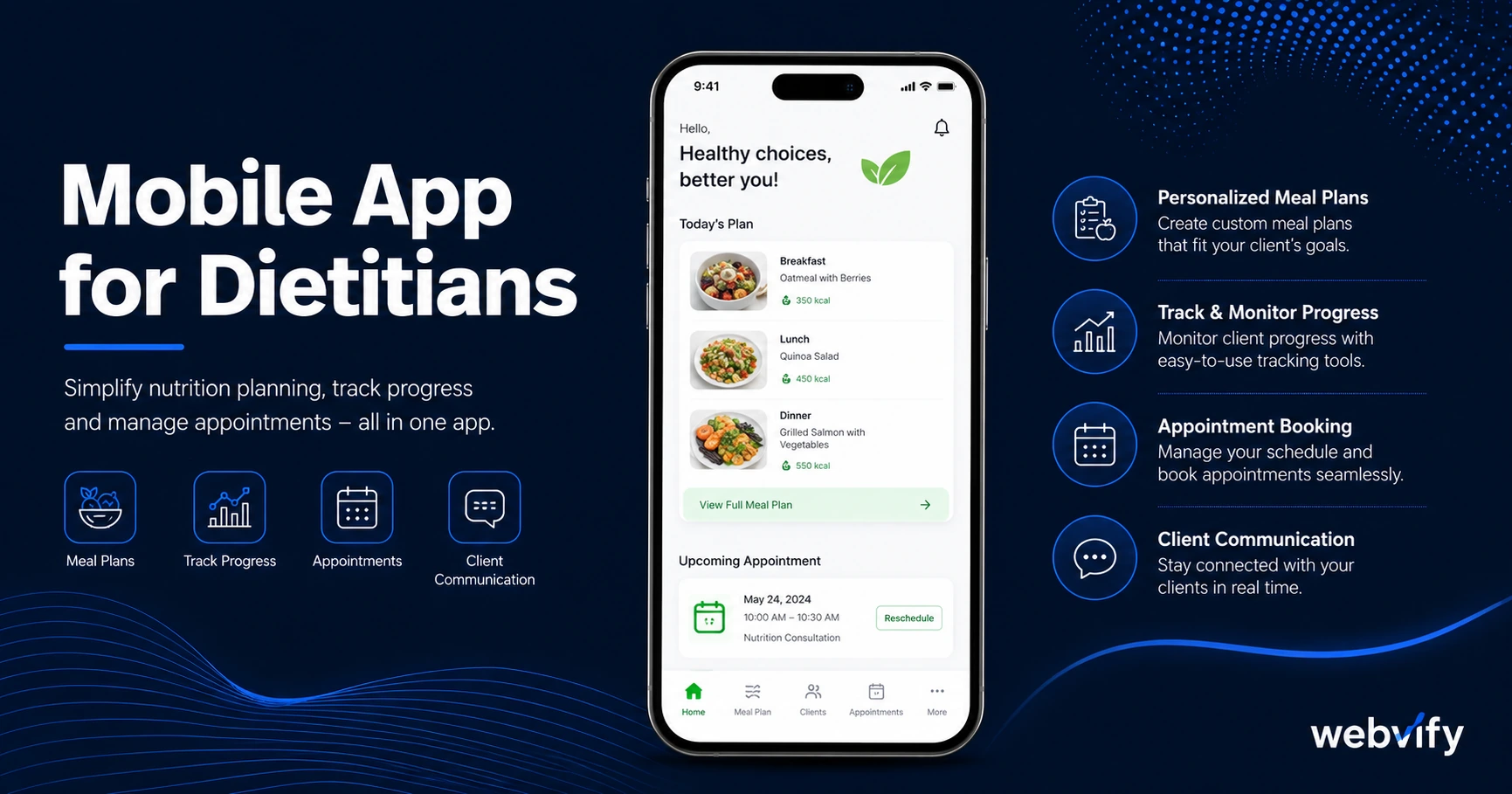
Most dietitian clients drop off before hitting their goals — not because the plan failed, but because nothing kept them accountable. Here's how a mobile app fixes that.
Inside this article
Most dietitian clients come in motivated. They leave the first session with a meal plan, realistic goals, and genuine intention to follow through. Then life gets in the way. By week three, the meal plan is somewhere in their email inbox, and they're eating the same way they were before.
The dropout isn't usually about the plan — it's about the silence between sessions. When there's nothing nudging your client back, their motivation fades before the next appointment arrives.
A mobile app for your dietitian practice changes that equation. It puts your practice on your client's home screen, gives you a direct line to their phone, and lets you send a push notification before the habits you worked to build disappear.
Why Email and WhatsApp Aren't Enough
Most dietitians use a combination of email, WhatsApp, and their booking system to stay in touch with clients. The problem is none of these channels are designed for retention:
- Email open rates in healthcare average 20–25%. Most reminders go unread.
- WhatsApp messages blur into personal conversations and get lost in group chats.
- Booking system reminders are appointment-focused, not habit-focused.
Push notifications from a branded mobile app work differently. Open rates typically run 60–90%, and the message appears on the lock screen at exactly the moment you choose. A well-timed "How did yesterday's meals go?" arriving on day 3 between sessions is far more effective than an email reminder the client opens four days later.
What a Mobile App for Dietitians Actually Does
A dietitian practice mobile app isn't a nutrition tracking app like MyFitnessPal. It's your existing website, published as a branded iOS and Android app under your practice name.
That means clients can:
- Book appointments through the same system you already use
- Access meal plan documents and resources you've published on your site
- Receive push notifications with check-ins, session reminders, and seasonal health prompts
- Find your contact details on their home screen — not buried in their inbox
The app doesn't require you to rebuild anything. If your website works, the app works. The entire practice runs through one source of truth.
The Three Push Campaigns Worth Setting Up First
If you build one thing into your dietitian app workflow, make it a push notification sequence. Here are the three campaigns that deliver the highest return:
The Day-3 Meal Check-In: Send a short push notification three days after each session. Something like: "How are the first few days going? Tap here if you need to adjust anything." This single message dramatically improves the chance a client completes the week's plan rather than quietly abandoning it.
The 21-Day Re-engagement Nudge: If a client hasn't booked their next appointment within three weeks, send a gentle reminder. "Ready to check in on your progress? Book your next session here." This catches drifting clients before they've fully lapsed.
The Seasonal Reset Campaign: Every January and September, send a campaign to your full client base. These are natural re-evaluation windows when people are motivated to restart habits. A push notification from a trusted dietitian lands very differently than a generic gym ad.
If you work with clients who have longer gaps between sessions, the mobile app for accountants guide covers a similar campaign architecture for professions with infrequent touchpoints — the same retention patterns apply.
App Store Credibility for a Trust-Sensitive Profession
Dietitians work with clients on sensitive personal data — weight history, health conditions, relationship with food. Prospective clients are cautious about who they choose, and trust signals matter at the decision stage.
A practice that has its own app on the App Store and Google Play looks different from one that only has a website. It signals established, professional, here to stay. For clients comparing you to a generic meal-plan service or a bigger clinic, that App Store presence can be the deciding factor.
Services like Webvify convert your existing website into a fully branded iOS and Android app and handle the entire App Store submission process — you don't need to touch Xcode or Google Play Developer Console. The app is published under your practice name on both stores.
What to Check Before You Build
Before converting your website into a dietitian app, a few things to confirm:
Your website must be mobile-responsive. A WebView app essentially frames your website inside a native shell. If your site breaks on small screens, the app will too. Most modern website builders (Squarespace, Wix, WordPress) are responsive by default.
Booking flows need to work in a browser. If your booking system (Acuity, Calendly, Practice Better, Healthie) redirects through a payment processor, ensure it completes cleanly on mobile. Most do — but it's worth a test.
Digital goods follow Apple's IAP rules. If you sell meal plans or eBooks through your site, Apple requires that digital downloads purchased inside an iOS app go through Apple's payment system (30% cut). The simplest workaround: direct purchase links to your website in an external browser. This is the same approach used by Udemy and other content platforms.
For a related deep-dive on how this applies to nutrition and coaching practices, the mobile app for online coaches guide covers the IAP rules and platform-specific gotchas in detail.
FAQ
How much does a mobile app for a dietitian cost?
A WebView app for a dietitian practice typically costs a fraction of custom development. Custom native apps run $50,000–$200,000 and take six to twelve months. Services like Webvify offer done-for-you WebView apps that convert your existing website and handle App Store submission for a flat fee, making it accessible for independent practitioners and small clinics.
Do I need a developer to get my dietitian practice on the App Store?
No. A WebView app uses your existing website as the foundation — no code is written from scratch. End-to-end services handle the packaging, Apple Developer account setup, and App Store submission on your behalf. You get the app live without writing a line of code or learning Apple's developer tools.
What happens if my website changes — do I need to update the app?
With a WebView app, no. Because the app loads your live website, any changes you make to your site — new booking options, updated resources, seasonal content — appear in the app automatically. There's no separate app update to publish each time.
Ready to put your dietitian practice on your clients' home screens? Webvify converts your existing website into a fully branded iOS and Android app — App Store submission included.