

How to Get a Mobile App for Your Dental Practice (Without Hiring a Developer)
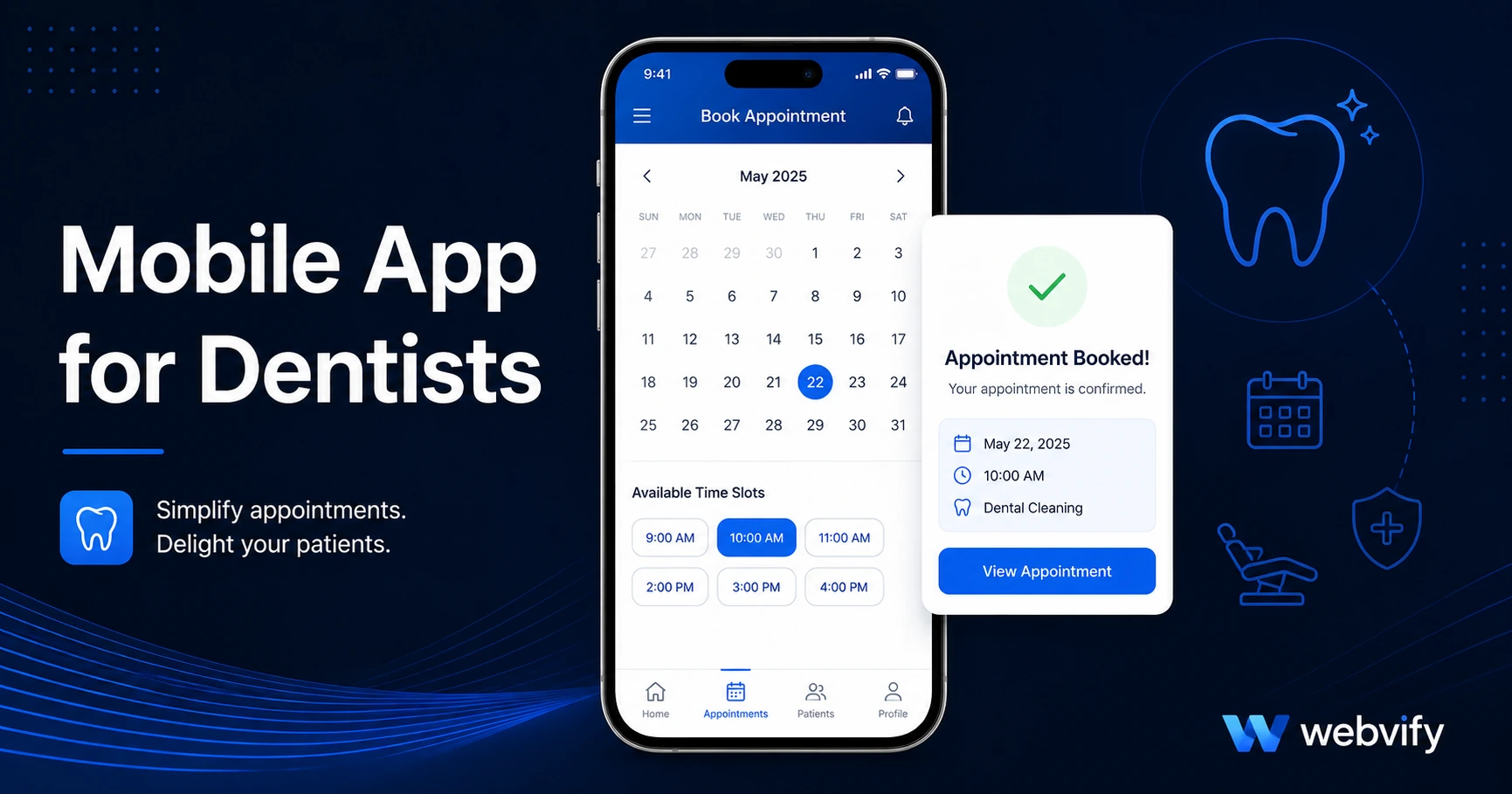
Get a mobile app for your dental practice without a developer. Here's what it costs, what features matter, and how to get it live on the App Store in days.
Inside this article
- Why Dental Practices Lose Patients Between Appointments
- What a Mobile App for Your Dental Practice Actually Does
- The Features That Drive Patient Retention for Dental Offices
- How to Build a Mobile App for Your Dental Practice Without a Developer
- Navigating the App Store Submission for a Dental App
- What to Look For in a Web-to-App Service for Your Practice
- Frequently Asked Questions
Dental practices lose 20–30% of their active patients every year — not because of bad care, but because nothing keeps the practice visible during the six-month gap between appointments. A mobile app for dentists fixes that gap directly.
Why Dental Practices Lose Patients Between Appointments
Most dental marketing focuses on getting new patients. But the bigger leak is existing patients quietly drifting to a competitor — usually a practice that was more convenient, sent a timely reminder, or simply came up first in a search when the patient was ready to book.
The math is worth paying attention to. Acquiring a new dental patient costs $200–$400 in marketing. Retaining an existing patient costs a fraction of that. And the mechanism that drives retention is not better clinical care — it is sustained visibility between visits.
The average patient visits a dental practice twice a year. That means there are roughly 180 days during which your practice has zero touchpoint with that patient. Email newsletters average a 20–25% open rate in the dental industry. Browser push notifications are blocked by most iOS users. Neither reaches the lock screen reliably.
Push notifications through a mobile app do. Studies consistently show push notification open rates of 60–90%, compared to under 30% for email. For a dental practice, that difference translates directly into appointment reminders that actually get seen, recall notices that bring lapsed patients back, and seasonal promotions that fill schedule gaps.
What a Mobile App for Your Dental Practice Actually Does
A dental practice app is not a separate piece of software you build from scratch. The most practical approach — and the one that costs the least — is converting your existing dental website into a mobile app.
Your website already has your booking system, service pages, patient forms, and contact information. A WebView wrapper packages that same website into a native iOS and Android app, adds push notification capability, and submits it to the App Store and Google Play under your practice's name.
From the patient's perspective, they download your app, see your logo on their home screen, and receive push notifications from you — exactly the same as a large hospital system app. From your perspective, you didn't build anything new. You packaged what you already had.
The Features That Drive Patient Retention for Dental Offices
Not every app feature matters equally for dental practices. These three have the highest impact on retention and revenue.
Push notifications for appointment reminders. Missed appointments cost dental practices an average of $200 per no-show. A push notification sent 48 hours before an appointment — and again the morning of — reduces no-show rates measurably. Unlike email, push notifications appear on the lock screen without the patient needing to open an app.
Recall and reactivation campaigns. When a patient hasn't booked in eight months, a push notification saying "It's time for your check-up" brings them back at essentially zero cost. No postcard printing, no postage, no phone call labor.
Home screen presence. The first time a patient searches for a new dentist, they usually start with who they remember. An app on their home screen means your practice logo is the first thing they see every morning when they unlock their phone. That kind of passive visibility is impossible to buy with ads at the same cost per impression.
How to Build a Mobile App for Your Dental Practice Without a Developer
The process is simpler than most practice owners expect. Here is what it involves.
Step 1: Confirm your website is mobile-responsive. If your existing booking system and patient portal work correctly on a mobile browser, they will work correctly inside an app. Test your site on a phone — if it works there, the app will work too.
Step 2: Choose a web-to-app conversion service. Services like Webvify handle the entire process end-to-end: they build the app, configure push notifications, and submit it to both the App Store and Google Play under your practice's own developer accounts. You don't touch Xcode or Android Studio.
Step 3: Set up Apple and Google developer accounts. Apple charges $99/year and Google charges a one-time $25 fee. Your app publishes under your practice name, not a third-party platform's name. Webvify handles the submission process — you just need the accounts.
Step 4: Configure your push notification categories. For a dental practice, the most useful categories are appointment reminders, recall campaigns, and seasonal promotions (teeth whitening specials, back-to-school check-ups). These are set up once in an admin panel and sent whenever you need them.
Step 5: Promote the app to existing patients. Add a QR code to your reception desk, your appointment cards, and your email footer. Patients who download the app are significantly more likely to rebook — because you can reach them directly.
For context on the full appointment booking angle, see the appointment booking mobile app guide for small businesses.
Navigating the App Store Submission for a Dental App
Apple and Google both allow dental practice apps. There are two things to watch.
Apple Guideline 4.2 (Minimum Functionality). Your app cannot be a bare website wrapper with no additional value. Push notifications, a home screen icon, and native navigation all count as meaningful native functionality — your app will pass this check without issues.
Payment and booking flows. If your booking system or patient portal collects payment through your website, this is fine — those are service business transactions, not digital goods sold inside the app. Apple's 30% commission rule applies only to in-app purchases of digital content (subscriptions, downloadable files, digital goods). Physical service bookings and appointment fees are exempt.
If you have an online store for dental products or whitening kits on your website, route purchase flows through your website's browser checkout rather than processing them natively in the app. This avoids any App Store compliance issues.
The submission timeline for a new dental practice app is typically 24–72 hours for Apple review and a few hours for Google Play.
What to Look For in a Web-to-App Service for Your Practice
Not all web-to-app services are the same. For a dental practice, the key criteria are straightforward.
Who handles the App Store submission. Some tools give you the app file and leave submission to you. For a practice owner without technical staff, this is a significant barrier. Look for a service that handles submission end-to-end.
Does the app publish under your accounts. Your app should appear in the App Store under your practice name and developer account — not a shared platform account. If your service relationship ends, your app should continue to exist.
Admin panel for ongoing management. You need to be able to send push notifications, update promotional content, and manage the app without contacting support every time.
For a broader look at how this type of service compares against building from scratch, the no-code app builder vs custom development guide covers the full cost and timeline comparison.
Frequently Asked Questions
How much does a mobile app for a dental practice cost?
Custom mobile app development for a dental practice typically costs $30,000–$150,000 with a 6–12 month timeline. Using a web-to-app conversion service that wraps your existing website, the cost drops to a few hundred to a few thousand dollars depending on the provider, with a launch timeline measured in days rather than months.
Can I use push notifications to send appointment reminders through my dental app?
Yes. Push notifications are one of the primary reasons dental practices get a mobile app. You can send scheduled appointment reminders, same-day reminders, and reactivation messages to lapsed patients. Open rates for push notifications run 60–90%, compared to 20–25% for dental email newsletters.
Do I need to rebuild my website to get a dental practice app?
No. A WebView app converts your existing website into a mobile app without rebuilding anything. Your booking system, patient forms, and service pages work exactly as they do in a browser. The conversion process typically takes a few days, not months.
Ready to get your dental practice on the App Store and Google Play? Webvify handles everything end-to-end — from building the app to submitting it under your practice's name.