

How to Turn Your Joomla Site Into a Mobile App
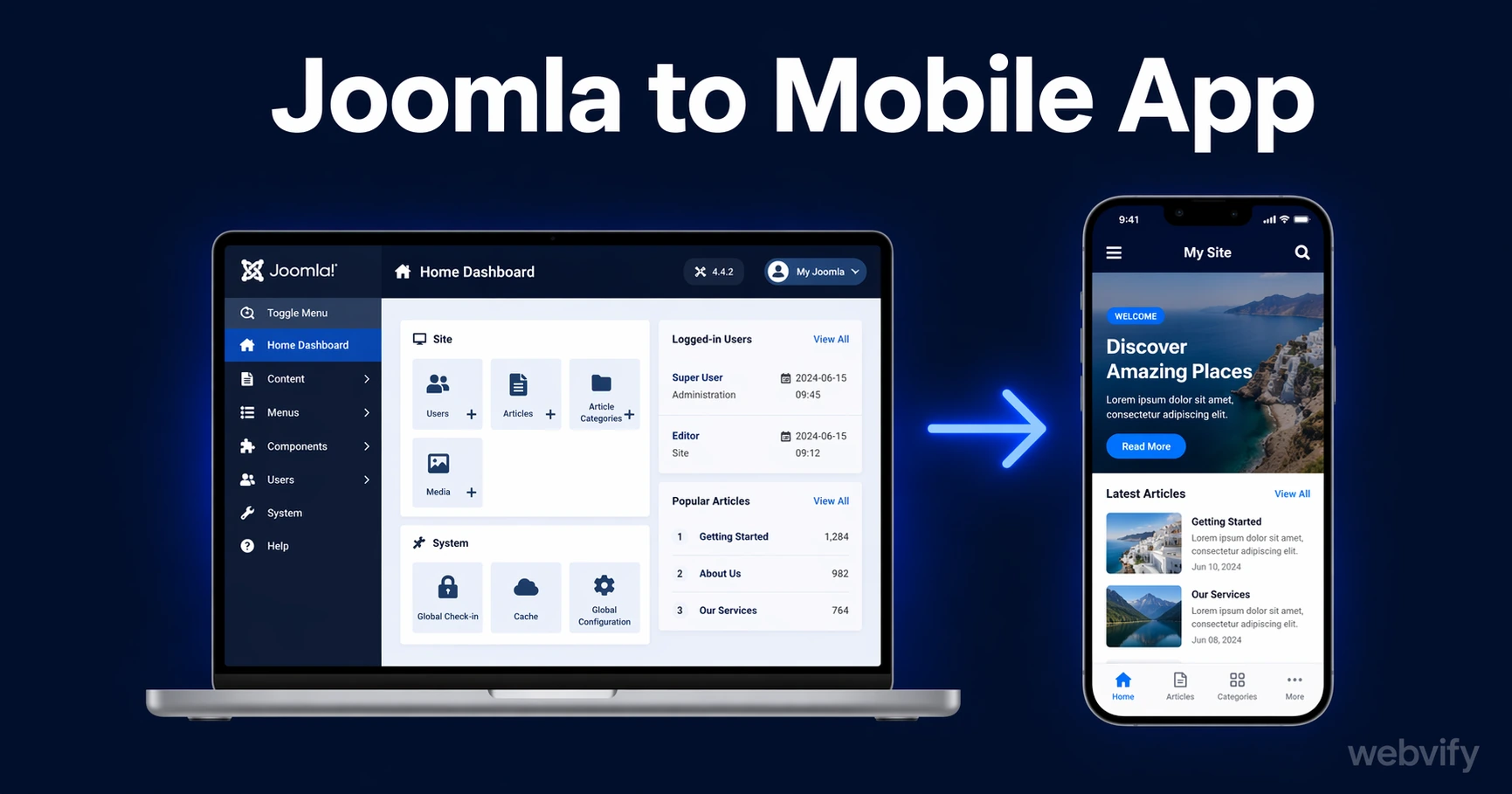
Your Joomla site can go live on the App Store and Google Play without a rebuild. Here's how the packaging and submission process works — and what to watch out for.
Inside this article
- What's Blocking Your Joomla Site from the App Store
- How the WebView Wrapper Turns a Joomla Site into a Joomla Mobile App
- Joomla-Specific Factors That Affect App Store Approval
- The App Store Submission Process for Joomla Sites
- Push Notifications: The Highest-Value Feature a Joomla Mobile App Adds
- What to Expect After Submission
- FAQ
What's Blocking Your Joomla Site from the App Store
Joomla powers over 2 million active websites — but there's no "Export to App Store" button in the Joomla admin panel, and there never will be.
The gap isn't in your content, your design, or your templates. The gap is at the packaging and submission layer. Apple and Google require native app binaries: .ipa files for iOS and .aab packages for Android. Joomla outputs HTML, CSS, and JavaScript to a browser. Bridging that gap is the whole challenge — and it doesn't require rebuilding your site from scratch.
How the WebView Wrapper Turns a Joomla Site into a Joomla Mobile App
A WebView wrapper is a native app shell that loads your Joomla site inside it. From the user's perspective, it behaves like a real app: it's installed from the App Store or Google Play, it can send push notifications, it shows your icon on the home screen, and it runs in full-screen without browser chrome.
From Apple and Google's perspective — which is what determines whether it gets approved — it's a properly packaged native binary. It passes App Store review because it meets Apple's minimum functionality requirements, has a proper bundle ID, and declares any permissions it uses.
Your Joomla site itself doesn't change at all. You keep managing content through the Joomla admin panel exactly as you do today.
Joomla-Specific Factors That Affect App Store Approval
Joomla sites have a few common patterns that affect how your app behaves — and how Apple evaluates it.
VirtueMart and JoomShopping digital goods. If your Joomla site sells digital products — downloads, subscriptions, access to member content — Apple requires those transactions to go through In-App Purchase rather than your own payment gateway. Physical goods are fine with any payment system. This is an Apple policy, not a Joomla limitation, but you need to configure it before submission or your app will be rejected at review.
Joomla 3 vs. Joomla 4/5 template responsiveness. Joomla 3 reached end of life, but many sites are still running it with templates that don't adapt correctly to mobile screen sizes. Before wrapping, test your site in Chrome DevTools mobile view at 375px width. If the layout breaks, fix the template responsiveness first — otherwise the app will look broken on every phone, and Apple's reviewers will notice.
Member-gated content. Apps with login-required sections need a working test account for Apple's review team. If your Joomla site has Joomla's User Management or a membership component protecting content, prepare a demo login with access to the member area before submitting.
Custom domain requirement. Your Joomla site must be live on a proper custom domain (yourbusiness.com, not a shared hosting subdomain). Apple rejects apps whose primary URL is a free subdomain from a hosting provider.
If you're also running WordPress and want to compare the process, this guide covers the WordPress-to-app workflow in detail →.
The App Store Submission Process for Joomla Sites
This is where most Joomla site owners get stuck — not the wrapping step, but what comes after.
Submitting to the App Store requires an Apple Developer account ($99/year), setting up provisioning profiles, signing certificates, and building through Xcode. For someone doing it for the first time, plan for a full day of setup plus a 1–2 day Apple review window. Google Play is faster — shorter review times and a more straightforward console — but it still requires a $25 developer account and a properly signed app bundle.
For a detailed walkthrough of the submission steps themselves, this guide covers the App Store submission process from account setup to approval →.
The alternative is to work with a service that handles the submission on your behalf. You provide the Joomla site URL and brand assets; they manage the developer accounts, signing, and submission end-to-end.
Push Notifications: The Highest-Value Feature a Joomla Mobile App Adds
Joomla powers a lot of community sites, membership portals, news sites, and service businesses. The single most valuable feature a mobile app adds to any of these is push notifications.
Once your Joomla app is installed on a user's phone, you can reach them directly — without waiting for them to check email, without competing with browser tabs, and without an algorithm filtering your message. For a Joomla-based news site, that's a direct line to readers when a new article publishes. For a membership community, it's a channel for event reminders, content drops, or announcements. For a local service business, it's appointment reminders and follow-up offers going straight to the lock screen.
Push notifications are managed through the app's admin panel, not through Joomla. That means no plugin, no backend changes, and no developer needed to send a notification.
Services like Webvify convert your existing Joomla site into a native app, handle the full App Store and Google Play submission under your own developer accounts, and include an admin panel for managing push notifications — without any coding required on your end.
What to Expect After Submission
Apple's review takes 24–48 hours for first submissions. If there's a rejection, Apple provides a specific reason and you can fix and resubmit without restarting the process. The most common first-submission issues are minor: missing privacy policy link, a login that doesn't work for reviewers, or metadata problems. All fixable.
Google Play usually reviews within a few hours once your account is in good standing. Updates to both stores are faster than the initial submission — typically under 24 hours once you have an approved app live.
Plan for 3–7 days from start to live for a first submission, including setup time. With a done-for-you service, that timeline starts from when you hand over your site URL and brand assets.
FAQ
Can I get my Joomla site on the App Store without hiring a developer?
Yes. The technical requirements — Apple developer account, provisioning profiles, Xcode builds — are learnable with documentation, though it takes time. The faster path is a done-for-you service that handles everything from app packaging to App Store and Google Play submission.
Does my Joomla site need any changes before being wrapped as an app?
The core requirement is that your site loads correctly on mobile screen sizes (responsive design) and is hosted on a custom domain. If you have digital goods for sale, you'll also need to configure Apple's In-App Purchase compliance before submission.
What happens to my Joomla app when I update my website?
Content updates to your Joomla site appear in the app immediately — just like in the browser. You don't need to resubmit to the App Store for content changes, new articles, or page edits. Only structural changes (icon, push notification settings, new native features) require a new app version.
Your Joomla site is already built — the work of turning it into a mobile app is at the packaging and submission layer, not the content layer. Webvify handles the full process end-to-end, from building the native wrapper to submitting it to both stores under your own developer accounts.