

iOS External Payment Links: What Small Business App Owners Need to Know in 2026
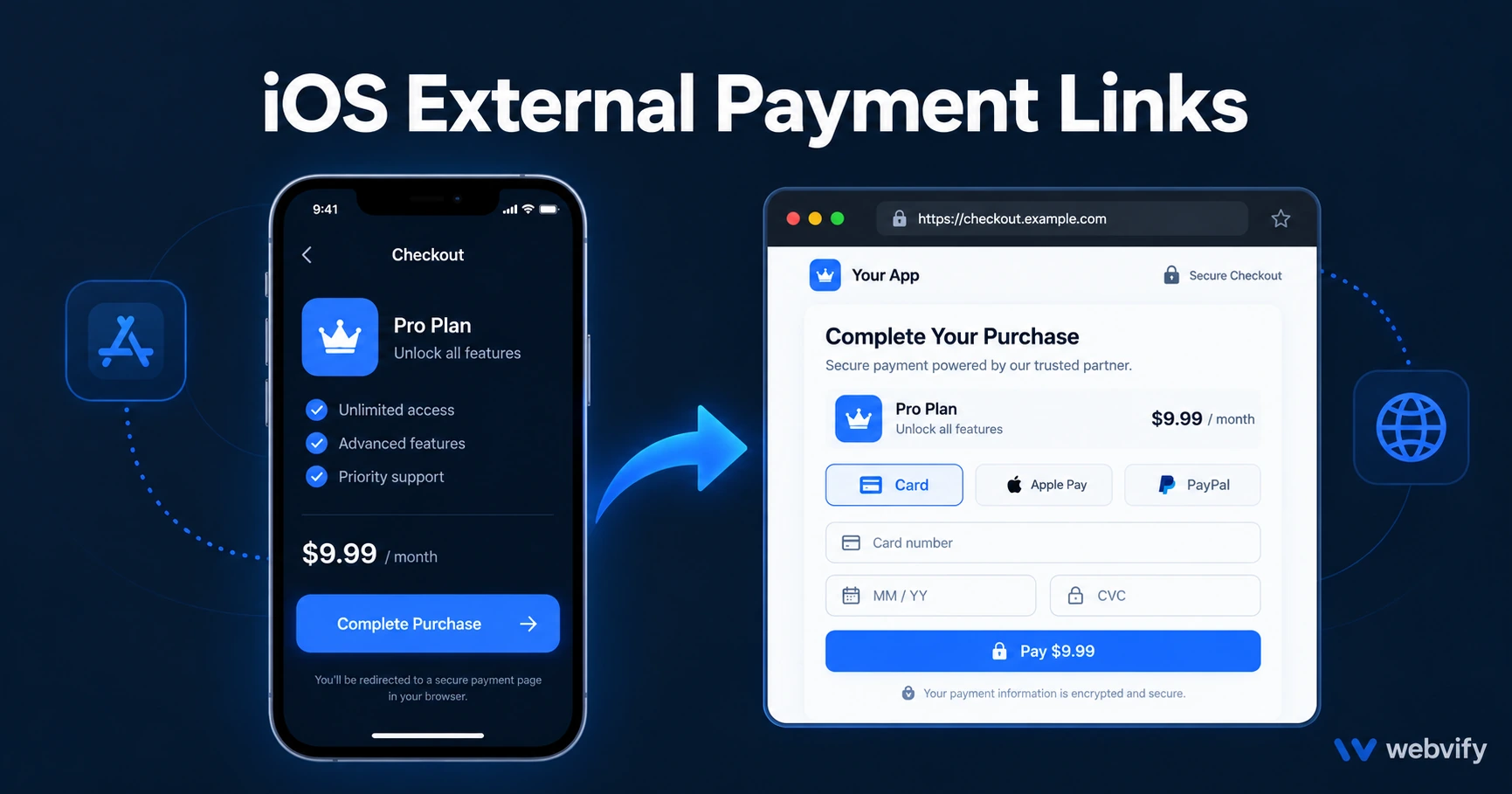
Apple now allows external payment links in iOS apps — but there's a 27% commission and compliance steps. Here's what app owners actually need to do.
Inside this article
- What iOS External Payment Links Actually Are
- The Part Most Guides Skip: Apple's 27% External Commission
- Who Needs to Do Anything (and Who Doesn't)
- How to Add an External Payment Link to Your iOS App
- iOS External Payment Links in WebView Apps
- Is Switching Worth It for Your Business?
- Frequently Asked Questions
Apple's in-app purchase fee has been a quiet 30% tax on digital sales for over a decade. iOS external payment links changed the rules in 2024, and in 2026 most small business app owners still haven't decided whether to use them — or even checked if they apply.
Here's exactly what you need to know before making that call.
What iOS External Payment Links Actually Are
Following the Epic v. Apple antitrust case, Apple was ordered to allow developers in the United States to include links in their iOS apps directing users to external websites for purchases. This took effect in early 2024 and has been refined since.
Previously, Apple's guidelines (Guideline 3.1.1) prohibited any mention of alternative payment methods inside an app. You couldn't even say "visit our website to subscribe." Now, with the correct entitlement applied, you can include a button or link that takes iOS users to your website to complete a purchase.
The user leaves the app, completes the transaction in their mobile browser, and returns. Nothing changes inside the app itself.
The Part Most Guides Skip: Apple's 27% External Commission
Apple still takes a commission on purchases made through external payment links — 27%, down from the standard 30% in-app purchase rate. This is Apple's "External Link Account Entitlement" commission, and it applies to any purchase made within 7 days of a user tapping your external link.
You are responsible for tracking and reporting these transactions monthly. Apple does not do it automatically.
The actual saving is 3 percentage points compared to in-app purchases, not zero. For most small businesses, the accounting overhead of tracking and reporting external link transactions may exceed that saving unless your digital sales volume is significant.
Who Needs to Do Anything (and Who Doesn't)
Digital product sellers — yes, this applies to you. If your iOS app sells courses, memberships, subscriptions, ebooks, or any other digital content, this opens a real option that didn't exist before.
Previously, the only compliant approaches for selling digital goods in a WebView app were:
- Use Apple's in-app purchase system (30% fee, no Stripe)
- Redirect users to Safari for purchases without mentioning the option inside the app at all
Now there's a third path: display a clearly labeled external link inside the app, collect payment on your website via Stripe, and pay Apple 27% on those purchases.
If you run a course or membership business and want more context on how digital content sellers approach the App Store, the e-learning mobile app guide covers the broader picture.
Physical product and service sellers — nothing changes. If your app sells physical goods (clothing, food orders, equipment) or in-person services (appointments, bookings), Guideline 3.1.1 never applied to you. You can process payments through Stripe or any gateway without Apple involvement. This article doesn't apply to you.
How to Add an External Payment Link to Your iOS App
Three requirements apply:
1. Apply for the entitlement. You must request Apple's External Link Account Entitlement through App Store Connect before submitting any update. Including an external payment link without this entitlement causes rejection.
2. Show Apple's required disclosure screen. When a user taps the external link, Apple requires a specific interstitial screen with Apple-prescribed wording. It informs the user they are leaving the app and that Apple is not responsible for the transaction. You cannot skip or modify this screen.
3. Track and report purchases. You are responsible for identifying which purchases happen within the 7-day attribution window after a user clicks your external link, and reporting these to Apple monthly. Apple provides a reporting template for this.
Your developer or app service provider needs to follow Apple's technical specification for the entitlement implementation exactly.
iOS External Payment Links in WebView Apps
If your app is a WebView wrapper of your existing website — loading your site inside a native shell — the implementation is straightforward in concept but requires an update to the native layer of your app.
The external payment link button must be added at the native layer, not your website content, because Apple's entitlement requirements apply to the native binary. This means your app publisher needs to add the entitlement, implement the Apple-required disclosure screen, and submit an updated version for review.
Your website doesn't change. The checkout page users land on after tapping the link is just your normal website — Stripe, PayPal, or whatever payment method you already use.
Services like Webvify, which handle your app build and submission end-to-end, can implement this update without you writing a line of code. You flag the need, they build the compliant version, and they handle the App Store submission.
For Google Play's equivalent rules on digital goods, the Google Play Billing for WebView Apps guide covers the parallel compliance question on Android.
Is Switching Worth It for Your Business?
Run this calculation: multiply your monthly iOS digital sales by 3% (the commission saving). If the result justifies monthly tracking and reporting overhead, the switch makes sense.
A course creator with $5,000/month in iOS subscription revenue saves $150/month. For someone with $500/month in iOS digital revenue, the overhead likely costs more than it saves.
There are non-financial reasons to consider the option too. Some customers prefer paying on a website rather than through an app, especially for larger purchases like annual subscriptions. Giving them that option can reduce checkout friction.
If you already redirect all new sign-ups to your website for checkout — meaning you rely on Safari for purchases and don't mention the option inside the app — you may already be handling this correctly without the entitlement. Ask your developer or app service provider which model your app currently uses.
Frequently Asked Questions
Does Apple still take a commission on purchases made through external payment links?
Yes. Apple charges a 27% commission on purchases made within 7 days of a user tapping an external payment link in your iOS app. This is down from the standard 30% in-app purchase rate, but it is not zero. You are also responsible for tracking and reporting these transactions to Apple monthly.
Do I need to submit a new version of my app to use external payment links?
Yes. The External Link Account Entitlement must be applied for and included in your app binary before any update goes to App Store review. You cannot add an external payment link to your existing live app without submitting an updated version.
Is the external payment link option available for apps outside the United States?
Currently, the External Link Account Entitlement applies to apps distributed in the United States App Store. Apple has signaled plans to expand this to other regions, but as of late 2026, the US is the primary market where these rules are in effect.
Want to get a compliant iOS and Android app without managing entitlements, review requirements, or App Store submissions yourself? Webvify builds and maintains your app end-to-end — from the initial WebView conversion to every update and resubmission. Get started at Webvify.