

How to Turn Your Airtable App Into a Mobile App (Without a Developer)
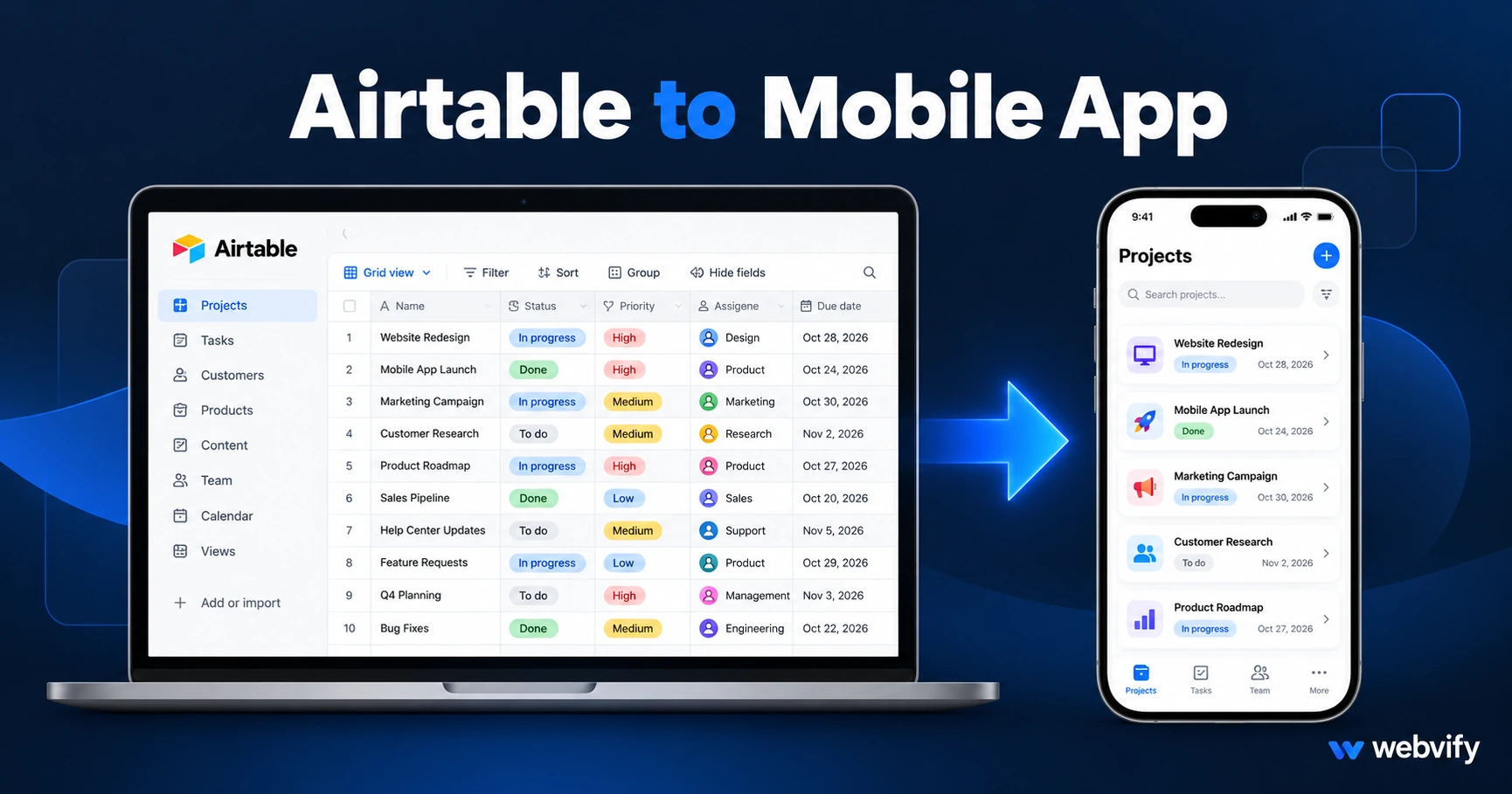
Airtable has no App Store export. Here's how to turn your Airtable Interface into a branded iOS and Android app — without touching Xcode or writing code.
Inside this article
Airtable Interfaces look and feel like polished apps. The App Store disagrees — there's no "Export to iOS" button, and Airtable has never submitted apps for you.
If you've built a functional Airtable Interface and want it on the App Store and Google Play under your own brand, you're not missing a setting. You need a different approach: a WebView wrapper that packages your interface as a native app.
Here's exactly how that works, what Airtable-specific issues to watch for, and how to get your app live without hiring a developer.
Why Airtable Has No Native App Store Path
Airtable is a relational database with a web interface layer. When you build with Airtable Interfaces — the feature that lets you design portals, dashboards, and data-driven apps on top of your Airtable bases — you're building a web app, not an iOS or Android binary.
That means there's no .ipa file to submit to Apple, no APK or AAB for Google Play, and no listing under your brand name in any store. Airtable's own mobile app lets users manage bases, but it's not your app — it's theirs.
This isn't a flaw. It's just a category difference: Airtable is a database platform, not an app publisher. If you want a branded, installable app, you need to bridge that gap.
What a WebView Wrapper Does for Your Airtable Interface
A WebView wrapper is a native iOS/Android shell that loads your web interface inside it. From a user's perspective, it behaves exactly like a native app: it installs from the App Store, sits on the home screen, and can send push notifications. Under the hood, it renders your existing web interface — Airtable or otherwise.
This is the same approach used by thousands of businesses to publish apps from platforms that don't produce native binaries: Shopify stores, WordPress membership sites, and no-code tools like Bubble, Bolt.new, and Lovable all follow this path.
Services like Webvify build the WebView wrapper, handle the App Store and Google Play submission under your developer accounts, and set up an admin panel so you can manage the app after launch — without you touching Xcode or Android Studio.
Setting Up Your Airtable Interface for Mobile
Before packaging, your Airtable Interface needs a few things in place.
Use a custom domain. Apple's App Store Guideline 4.2 (Minimum Functionality) requires apps to provide genuine value beyond what a mobile browser already offers. A share link on airtable.com will fail this test — Apple will flag the app as a thin wrapper around an existing website. You need a URL on a domain you own. This usually means embedding the Airtable Interface in a page on your own domain, or using a custom domain proxy to serve the interface from your URL.
Test the interface on a phone browser first. Open your Airtable Interface on a phone before building the app. Interfaces are responsive, but some layouts — large grid views, file attachment fields, and certain form configurations — can feel cramped on a 390-pixel screen. Fix layout issues at the Airtable level first; they don't disappear once you wrap it.
Understand login and session behavior. If your Interface is login-gated (either via Airtable's own auth or a third-party SSO), sessions persist inside a WebView. Users authenticate once and stay logged in across sessions — the same way a native app works. If you're building an internal tool for a field team, this is exactly what you want. If it's a customer-facing portal, test the full login flow on a mobile screen before submission.
No digital goods sold inside the app. Apple's Guideline 3.1.1 requires in-app purchase routing for any digital goods or subscriptions bought inside an iOS app — Stripe and other payment gateways cannot be used for digital transactions on iOS. If your Airtable-backed app handles physical products, services, or leads (no money changing hands inside the app), this rule doesn't affect you.
Airtable-Specific App Store Gotchas
The custom domain is non-negotiable. Apple will not approve an app that wraps airtable.com or airtableusercontent.com. Your app must serve content from a domain you own. This is the number-one technical requirement for Airtable WebView apps.
Guideline 4.2 — Minimum Functionality. Your Interface must do something genuinely useful — a rich customer portal, a field inspection tool, an order management dashboard. A single-table bare-minimum view will likely be flagged. Adding push notifications helps satisfy this guideline because it's a capability a mobile browser can't replicate on iOS.
Google Play is more permissive than Apple for WebView apps but has its own checklist:
- API target level 34+
- Data Safety form disclosing what data the app collects and why
- Content rating questionnaire
- Closed testing requirement: 12+ opt-in testers for at least 14 days before you can request production access
If you used an AI builder like Lovable or Bolt.new to build the web interface your Airtable data powers, the same WebView approach applies to those tools too.
How to Get Your Airtable App Live on iOS and Android
Once your Interface is stable at a custom domain, the publishing path is straightforward:
1. Build the WebView binary. A native iOS and Android app shell is built to Apple's and Google's technical specifications — Swift for iOS, Kotlin/Java for Android. You don't write any of this code.
2. Set up developer accounts. You'll need an Apple Developer account ($99/year) and a Google Play Developer account ($25 one-time fee). The app is published under your name, not Webvify's — your brand, your listing, your reviews.
3. Submit to the App Store. Apple's review for first-time submissions typically takes 24–72 hours. Have App Store screenshots prepared in the required sizes (iPhone 6.9-inch, iPad 12.9-inch at minimum). The full submission process is covered here if you want to understand what Apple reviews.
4. Submit to Google Play. Run the 14-day closed test, collect 12 testers, then request production access. Google Play review takes 2–5 days after closed testing completes.
A managed service handles all four steps and deals with any reviewer questions or clarifications. The timeline from a ready interface to a live app is typically one to two weeks.
When an Airtable Mobile App Makes Sense
An Airtable WebView app works well when:
- You've built an internal tool — field operations app, inspection form, inventory manager — and want it on team phones without staff needing to navigate
airtable.com - You've built a customer-facing portal — order tracker, project dashboard, client hub — and want it branded and discoverable on the App Store
- You want to send push notifications to users — something a browser tab can't do reliably on iOS
It works less well when your interface relies on features that don't transfer cleanly to a WebView: certain Airtable automations triggered by UI actions, Airtable AI features, and some file-upload interactions should be tested in a browser before assuming they'll work in the wrapper.
FAQ
Can I publish an Airtable app to the App Store?
Yes, but not directly from Airtable. You need to package your Airtable Interface as a WebView app — a native iOS/Android shell that loads your interface URL. Once packaged, the app submits to the App Store and Google Play under your own developer accounts. The app appears as your brand, not Airtable's.
Will Apple reject an Airtable WebView app?
Apple approves WebView apps regularly, including those built on no-code platforms. Two rules matter most: your app must load a domain you own (not airtable.com), and the interface must provide genuine value beyond a mobile browser (Guideline 4.2). A functional, content-rich Airtable Interface on a custom domain will pass. A thin wrapper around a single shared view will not.
How long does it take to publish an Airtable Interface as a mobile app?
With a custom domain already set up, the timeline is roughly one to two weeks end-to-end: a few days to build and configure the app binary, 24–72 hours for Apple's review, and a few days for Google Play once closed testing is complete. A managed service compresses this because all the technical steps are handled for you.
Your Airtable Interface deserves to be more than a browser bookmark. Webvify turns it into a fully branded mobile app — App Store and Google Play — without you writing a line of code. Get started at webvify.app