

How to Turn Your Wix Site Into an iOS App (Without a Developer)
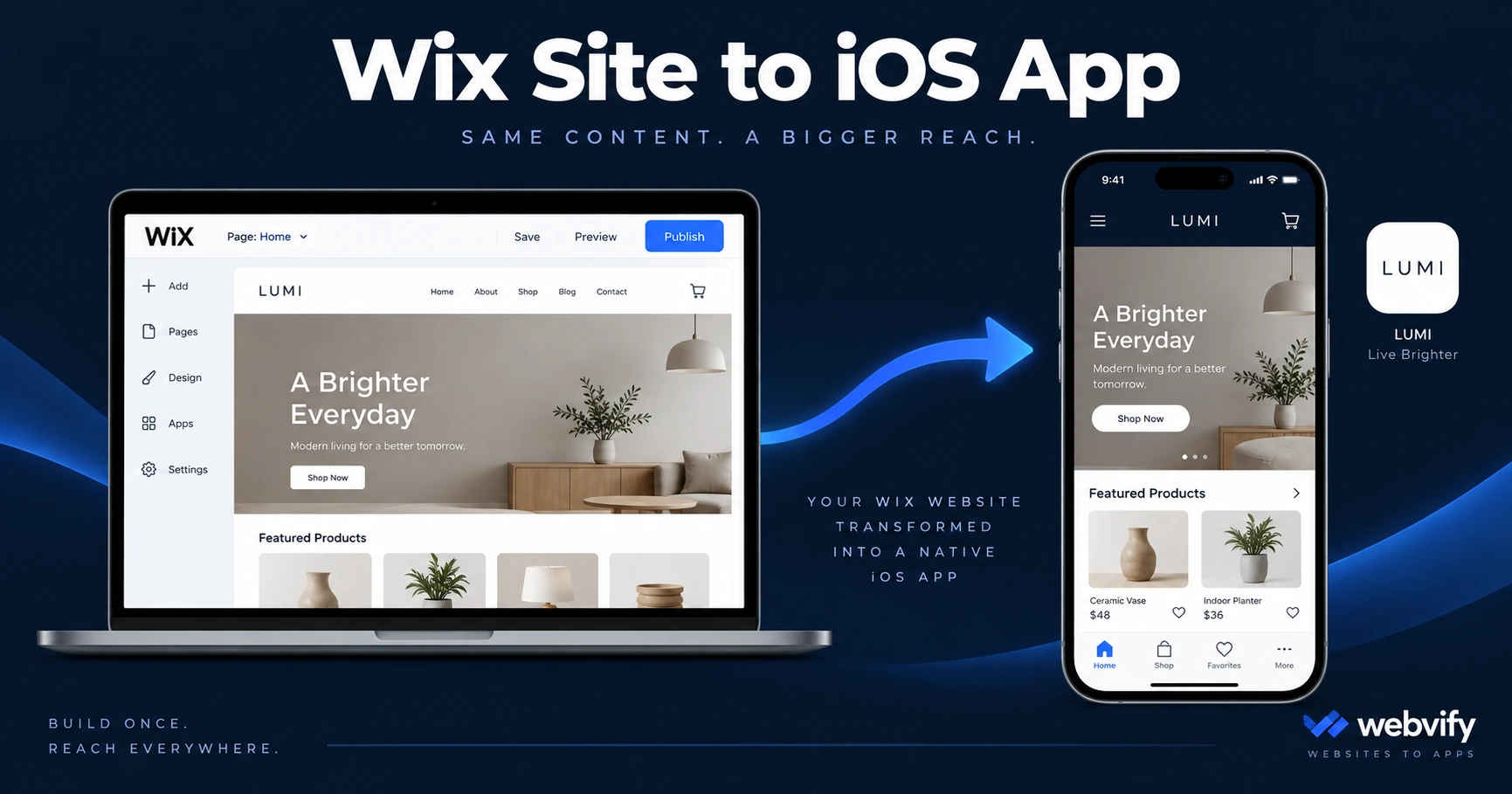
Wix has no App Store export. Here's how to turn your Wix site into a branded iOS app — what works, what to watch for, and how to get it done without a developer.
Inside this article
- Why Your Wix Site Can't Go Directly to the App Store
- What a WebView App Is (And Why It Works for Wix)
- What You Need Before You Start
- Wix-Specific Things to Know Before Submission
- How to Convert Your Wix Site to an iOS App
- Push Notifications: The Real Reason Most Wix Users Want an App
- Get Your Wix Site on the App Store
Wix makes it easy to build a professional website in hours. Getting that website onto the Apple App Store is where most Wix users run into a problem — because Wix has no built-in export to iOS.
Why Your Wix Site Can't Go Directly to the App Store
The App Store requires a native binary file (called an IPA) built with Apple's frameworks. Wix is a browser-based website builder, not a native app development platform — it doesn't generate this file.
This isn't a limitation you can work around with Wix's own tools. Even Wix's mobile view and the Wix Owner app are for managing your site, not for creating a customer-facing iOS app that anyone can download from the App Store.
The path Wix users actually take is a WebView wrapper.
What a WebView App Is (And Why It Works for Wix)
A WebView app is a native iOS shell that loads your Wix site inside it. From Apple's perspective, it's a proper native app — it has an IPA file, launches like any installed app, and qualifies for App Store listing. From your customer's perspective, it looks and feels like a dedicated branded app.
The advantage for Wix users is that your existing site does the work. The WebView loads your Wix URL, so every update you make in Wix — new menu items, updated booking times, fresh content — appears in the app automatically. There's no second system to maintain.
Wix's mobile-responsive templates make this a clean fit. Because Wix already optimizes for mobile screens, your app will look polished without additional design work.
For a broader look at how this process works across any website, see How to Convert Your Website to an iOS App.
What You Need Before You Start
Before converting your Wix site to an iOS app, confirm three things:
A custom domain. Apple's App Store guidelines (Guideline 4.2 — Minimum Functionality) require that WebView apps load a real domain, not a free Wix subdomain. If your site is still at yourname.wixsite.com, upgrade to a custom domain first.
An Apple Developer account. Publishing on the App Store costs $99 per year. You can sign up at developer.apple.com. Some web-to-app services handle submission under your account — meaning the app is published under your name, not theirs.
Content that passes Guideline 4.2. Apple rejects apps that are essentially just a webpage with no app-like value. A Wix site with booking, a menu, product listings, or member content passes easily. A single-page marketing site may not.
Wix-Specific Things to Know Before Submission
A few Wix features have nuances worth understanding before you submit.
Wix Stores (physical products): Selling physical goods through Wix Stores inside a WebView app has no special Apple requirement. Customers pay on your Wix site, and Apple's 30% in-app purchase rule doesn't apply to physical goods.
Wix Stores (digital products): If you sell digital downloads, online courses, or digital subscriptions through Wix, Apple's Guideline 3.1.1 applies. Apple requires a 30% cut on digital goods purchased inside an iOS app. The standard fix — used by Udemy, Coursera, and many others — is to redirect digital purchase flows to the external browser instead of completing them inside the WebView.
Wix Bookings: Works cleanly inside a WebView. Customers can view availability, book appointments, and receive confirmations without any special handling.
Wix Members: Session persistence (staying logged in) works in a WebView, but test it thoroughly before submitting. Some Wix authentication flows reset sessions when the user navigates away and returns.
Wix Restaurants: One of the strongest use cases. A Wix restaurant site with online ordering works well in a WebView app, and push notifications add a layer of loyalty that a browser-based experience can't match.
How to Convert Your Wix Site to an iOS App
The process works in three stages:
Stage 1 — Wrap and configure. A web-to-app service takes your Wix URL and generates a native iOS app shell. You provide your logo, app name, and branding colors. The service configures the WebView, handles session settings, and sets up push notification support.
Stage 2 — App Store submission. This is where most Wix users get stuck. Submission involves setting up your Apple Developer account, creating an app listing in App Store Connect, filling out the data safety questionnaire, uploading screenshots, and passing Apple's review. Services like Webvify handle this entire process for you — your app gets submitted under your own Apple Developer account, so you own the listing and the relationship with Apple.
Stage 3 — Live and managed. Once approved, your app is live on the App Store. Update your Wix site as normal — the app reflects changes immediately. If you want to push a notification to all your app users, you do it from a dashboard, not by touching any code.
For a full walkthrough of avoiding common App Store rejections with WebView apps, this rejection prevention guide covers every major issue.
Push Notifications: The Real Reason Most Wix Users Want an App
A Wix website can only reach customers who are actively browsing it. An iOS app can reach them anywhere.
Push notifications from a mobile app appear directly on the lock screen. Average open rates for push notifications run 60–90%, compared to 20–30% for email. For a Wix site with a service business, e-commerce store, or restaurant, this changes how you can engage your audience between visits.
A Wix booking site can send a "slots open for Tuesday" notification. A Wix restaurant can push a daily special at noon. A Wix store can trigger an abandoned cart reminder or a flash sale alert. None of these are possible on a website alone.
This is why the conversion from Wix site to iOS app matters beyond just App Store presence — it gives you a direct, algorithm-free channel to reach every customer who downloads your app.
Does Wix have a native iOS app I can give to my customers?
Wix offers a Wix Owner app for managing your site and a Wix Spaces app for communities, but neither is a branded customer-facing iOS app for your business. To publish your own branded app on the App Store, you need to convert your Wix site using a WebView wrapper service.
How long does it take to get a Wix-based iOS app on the App Store?
Apple's review process typically takes 24–48 hours for first-time submissions, though it can extend to 5–7 days. The main time investment is preparation: setting up your Apple Developer account and completing the App Store Connect listing. With a managed service that handles submission, most Wix sites are live on the App Store within 1–2 weeks of starting.
Can I sell products through Wix Stores in my iOS app?
Physical products: yes, with no restrictions. Digital products: you need to either use Apple's in-app purchase system (which gives Apple 30% of revenue) or redirect digital purchase flows to the external browser. Most businesses with digital goods use the browser redirect approach — it's the same method used by major platforms like Udemy and Coursera.
Get Your Wix Site on the App Store
Your Wix site is already built. Getting it on the App Store is a packaging and submission problem, not a development problem.
Webvify converts your existing Wix site into a fully branded iOS app and handles the entire App Store submission under your Apple Developer account — no code, no Xcode, no App Store rejection headaches. Start at webvify.app.