

Webvify vs Natively: Which Web-to-App Solution Is Right for You?
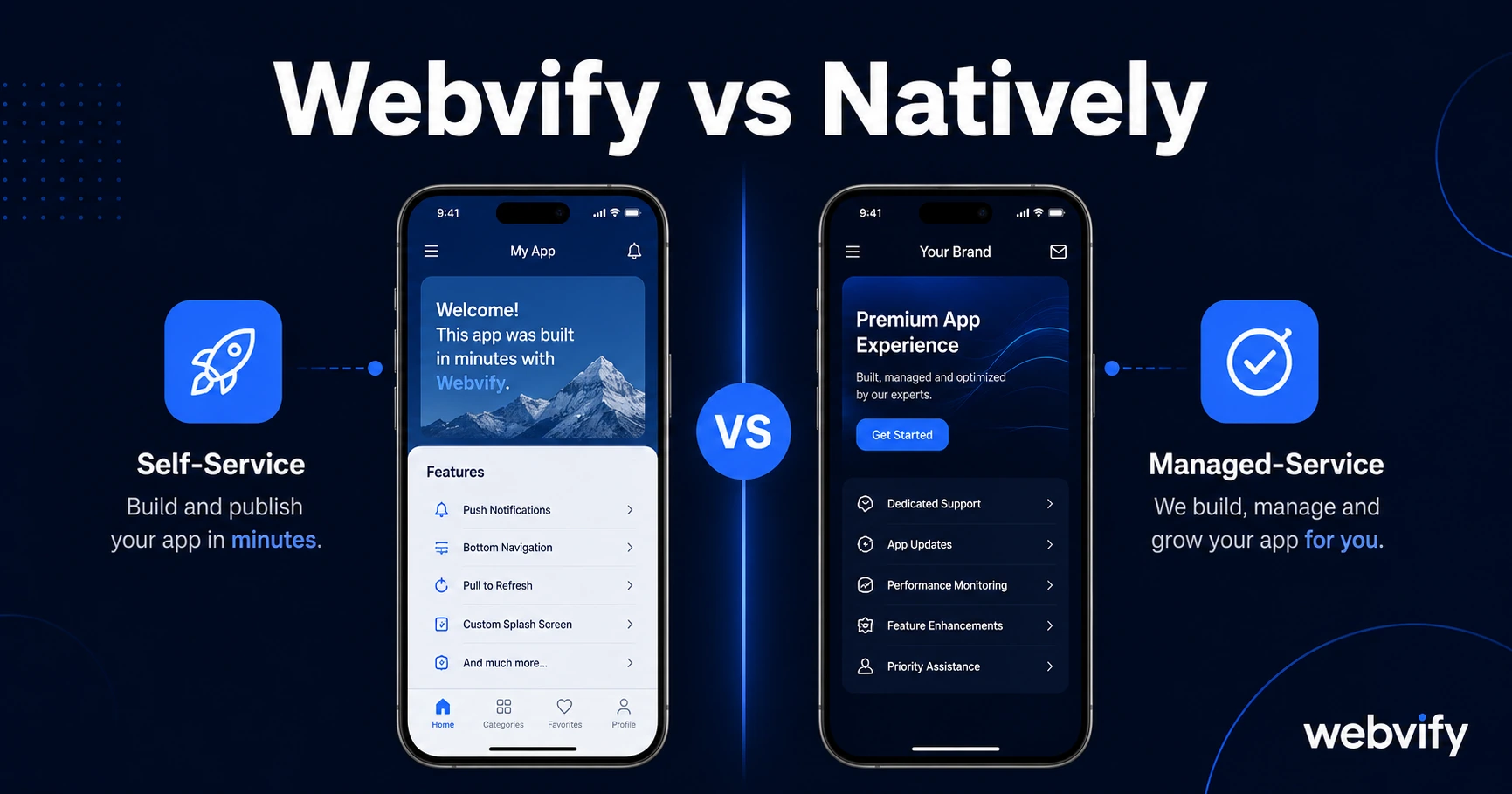
Webvify vs Natively: see exactly how they differ on App Store submission, pricing, and ongoing support — and which one is right for your business in 2026.
Inside this article
Apple rejects roughly 40% of first-time app submissions — and most of those rejections have nothing to do with the app itself. Both Webvify and Natively will wrap your website into a mobile app. What they won't both do is handle that submission process for you.
That single difference shapes the entire experience. Here's the honest breakdown.
What Is Natively?
Natively is a self-service web-to-app platform. You sign up, enter your website URL, configure settings like push notifications and splash screen, and the platform generates an iOS and Android app file. From there, you upload the files to the App Store and Google Play yourself — Natively provides documentation to guide you through it.
It works well for technical users who are comfortable navigating Apple Developer Portal, filling out Apple's compliance questionnaires, and managing rejections if they come. The platform supports standard WebView features: push notifications, deep linking, custom icons, offline splash screens.
What Is Webvify?
Webvify takes a different approach. Instead of handing you an app file and documentation, Webvify manages the entire process: building the WebView app, configuring it for compliance, submitting it to the App Store and Google Play, and handling any rejections during review. The app is published under your own developer accounts, so you retain full ownership.
After the app is live, Webvify provides an admin panel so you can manage push notifications, update settings, and monitor performance — no developer needed at any point.
The core positioning is end-to-end managed service rather than a self-service tool.
Webvify vs Natively: Who Handles App Store Submission?
This is the decision point that matters most for most business owners.
With Natively, you own the submission process. That means registering with Apple Developer Program ($99/year) and Google Play ($25 one-time), uploading the correct file formats (IPA for iOS, AAB for Android), completing the Data Safety questionnaire on Google Play, setting your content rating, and responding to any review feedback from Apple. If Apple rejects the app for a compliance issue — say, Guideline 4.2 Minimum Functionality or Guideline 3.1.1 for digital goods — you need to figure out the fix and resubmit.
With Webvify, the team handles all of this. Submission, compliance checks, rejection response — it's included. If you sell digital goods and need to route purchases through Apple's IAP to avoid Guideline 3.1.1 rejection, that's handled before the app reaches review.
For a non-technical business owner — a restaurant owner, a salon, a coaching business — the Natively path requires learning a new workflow that Apple updates regularly. The Webvify path removes that barrier entirely.
For a developer or technical founder who wants full control and is comfortable with the App Store developer portal, Natively's self-service model may be the right fit. You move faster when you're not waiting on a service team.
Services like Webvify exist specifically for the business owner who wants the result — a live, branded app on the App Store — without needing to become fluent in Apple's review guidelines.
Pricing and What You Actually Get
Natively's pricing is subscription-based and publicly listed. You pay a monthly fee for access to the platform and the app files it generates. App Store developer account fees are separate and your responsibility. If a rejection occurs, resolution is also your responsibility.
Webvify's pricing is structured differently — it includes the build, submission, developer account guidance, and ongoing management. The monthly component covers admin panel access and push notification sending.
The comparison is not simply "which costs less per month." It's whether the submission process and rejection handling have a monetary and time cost attached to them — and for most SMB owners, they do.
For more context on how these pricing models compare across the broader no-code app market, the no-code mobile app pricing guide breaks down the full cost picture including developer account fees and platform lock-in terms.
After the App Is Live: Ongoing Management
Both platforms support push notifications — the primary retention tool for any business with a mobile app. The difference is in how you send them.
Natively provides a dashboard for scheduling and sending push notifications to your user base. Webvify's admin panel does the same. On this front, the experience is comparable.
Where they diverge again is app updates. With Natively, if you need to update the app binary (for example, after a Google Play policy change), you manage that resubmission yourself. With Webvify, binary updates triggered by platform policy changes are included in the service.
This matters more than it sounds. Google Play and Apple have introduced new compliance requirements every year — API target level updates, age verification rules, billing policy changes. Each change can require a binary update, and each binary update means navigating the submission process again. If you're comfortable with that, Natively works. If you're not, the managed service model removes recurring headaches.
If you're evaluating alternatives across the Natively category, the Natively alternatives guide covers other tools in the same space with the same filtering lens.
Which One Is Right for You?
Choose Natively if you or someone on your team is comfortable with the App Store developer portal, you want direct control over every aspect of the submission process, and you're willing to handle rejection responses and binary updates yourself. It's a capable self-service tool for technically confident users.
Choose Webvify if you want the app live on the App Store and Google Play without becoming an expert in Apple's review guidelines. You get a managed service, your own developer accounts, ongoing compliance handling, and push notification management through an admin panel — without touching Xcode or the Google Play Console.
The question isn't which platform has more features. It's how much of your time and energy you want to spend on the App Store process versus running your business.
Frequently Asked Questions
Does Natively handle App Store submission for me?
No. Natively provides the app files and documentation, but App Store and Google Play submission is your responsibility. You'll need to set up your own developer accounts, upload the files, complete compliance questionnaires, and respond to any review feedback from Apple or Google.
What happens if my app gets rejected on the App Store?
With Natively, you handle the rejection yourself — you receive the rejection reason from Apple, determine the fix, update the app, and resubmit. With Webvify, rejection handling is included in the service; the team resolves the issue and resubmits on your behalf.
Can I switch from Natively to Webvify if I already have an app live?
Yes. If you already have an app live under your own developer accounts, Webvify can take over management and submission going forward. The app remains under your accounts throughout — there's no platform lock-in that would block a migration.
Already have a website? Webvify converts it into a fully branded mobile app and handles everything from build to App Store launch — no developer needed.