

Webvify vs Glide: Which Is Right for Your Business?
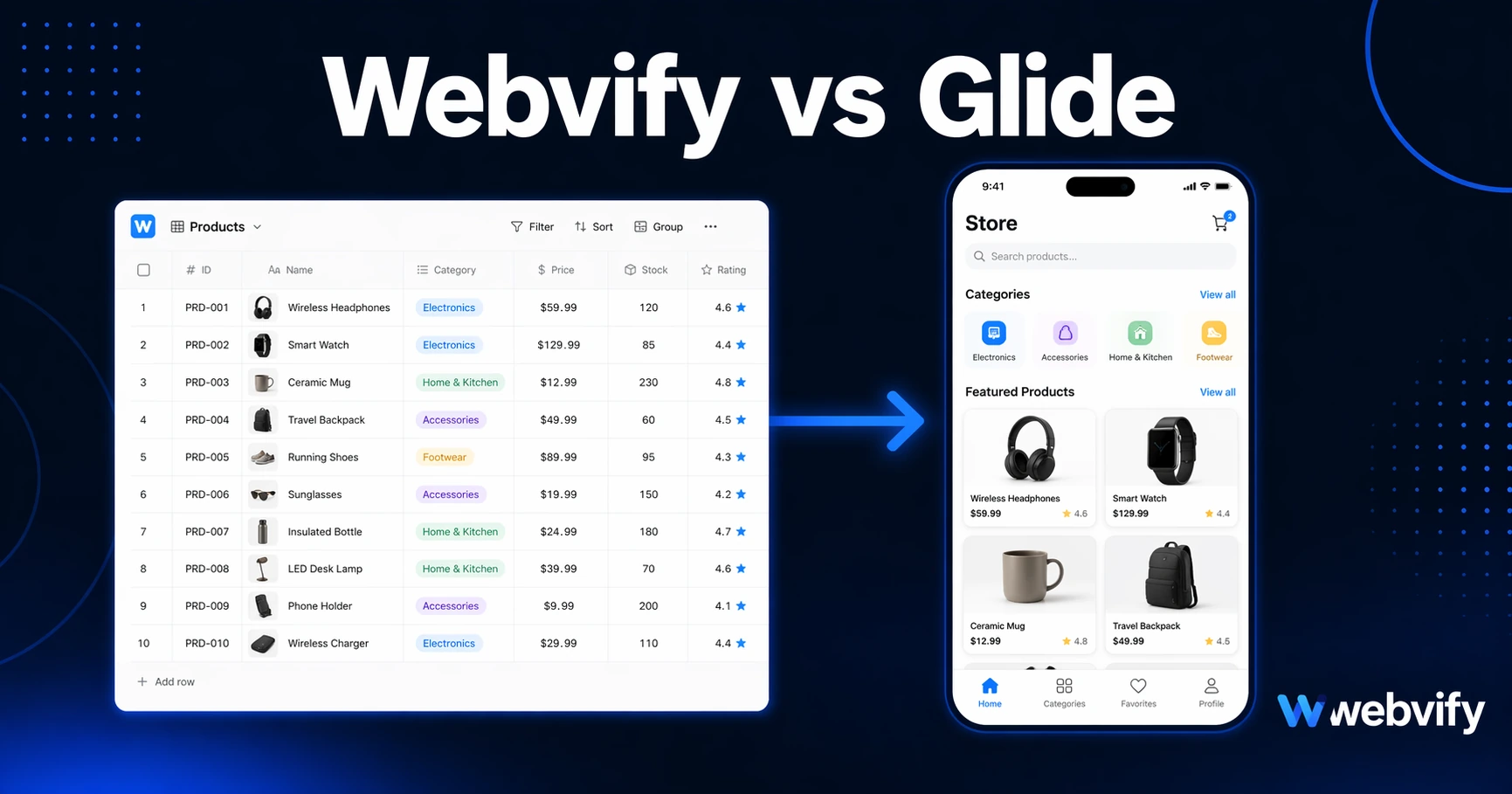
Comparing Webvify and Glide? Here's the key difference: Glide builds data-driven apps from scratch. Webvify converts your existing website into an App Store app.
Inside this article
Most businesses comparing Webvify and Glide are solving two completely different problems — and confusing them wastes weeks. Glide is not a website-to-app converter. It's a data-to-app builder, and if you already have a working website, choosing Glide means rebuilding everything you already own from scratch.
What Webvify vs Glide Really Comes Down To
The core question is not which tool has more features. It's which problem you're actually trying to solve:
- If you have a website and want a mobile app published on the App Store and Google Play — without rebuilding anything — Webvify is built for that.
- If you have a data source (Google Sheets, Airtable, your own database) and want to turn it into a custom internal app — Glide is designed for that.
These are fundamentally different use cases. Understanding the difference will save you months of wasted effort.
What Glide Is — and What It Isn't
Glide is a no-code platform that builds apps from data sources. You connect a spreadsheet or database, map your columns to UI components, and Glide generates an app interface. It is genuinely powerful for building internal tools: field service apps, inventory trackers, employee directories, custom portals built around structured data.
What Glide is not: there is no mechanism in Glide to convert an existing website into a mobile app. Your Shopify storefront, your WordPress blog, your WooCommerce catalog, your booking system — none of that transfers. You would need to recreate the data, the design, the user flows, and all of the content from zero inside Glide's editor. For a business with an established web presence, that's a months-long rebuild project, not a quick launch.
Glide also has meaningful limitations for public-facing consumer apps. Its apps are best suited for controlled user groups with defined data structures. If your goal is an app that any customer can download from the App Store and use the way they use any other brand's app, Glide's model creates friction at nearly every step.
What Webvify Does
Webvify converts any existing website into a fully branded mobile app using a WebView approach — then handles the entire App Store and Google Play submission process end-to-end. The app runs on your live website as its content layer. Your product catalog, booking system, membership area, and CMS updates are all immediately reflected in the app without any duplicate entry or secondary system to maintain.
The service is managed from start to finish: Webvify builds the app, submits it under your own Apple and Google developer accounts, and provides an admin panel to manage push notifications and app settings after launch. You don't need a developer, you don't need to touch Xcode, and you don't need to understand App Store Connect. The submission is under your accounts — you own the listing — but the team handles the process.
If you're on Shopify, WooCommerce, WordPress, Wix, Webflow, or any platform with a live URL, Webvify wraps what you already have. There is no rebuild.
The Rebuild Tax: Why It Matters More Than the Monthly Price
When a tool requires you to recreate content that already exists somewhere else, that's called the rebuild tax. It's not just the time to build version one — it's the ongoing cost of maintaining two separate systems forever.
With Glide, whenever your product changes, your pricing updates, or you publish a new piece of content, you'd need to update both your website and your Glide app. Two systems, two sources of truth, compounding maintenance. The no-code mobile app pricing comparison for 2026 covers how hidden costs like this accumulate beyond the initial subscription price.
With Webvify, there is one source of truth: your website. The app reflects it automatically. Update your site, and the app updates. There is no secondary system to maintain.
App Store Submission: The Step That Stops Most People
This is where most no-code tools — Glide included — leave you to figure things out alone.
Glide can export app files, but getting those files onto the App Store and Google Play is the user's responsibility. That means creating an Apple Developer account ($99/year), navigating App Store Connect, handling metadata, preparing screenshots in multiple device formats, passing Apple's review guidelines, and responding to rejection notices. Google Play adds its own layer: a Data Safety form, content rating questionnaire, and a closed testing period before full release approval.
None of this is technically impossible, but it is a significant and time-consuming barrier for a non-technical business owner with no prior App Store experience. Many businesses get their app file from a no-code tool and then stall at submission for months.
Webvify manages this entire process as part of its service. Submission is done under your own developer accounts — you own the listing — but the team handles the filing, navigates Apple's review process, and gets the app live. Converting a website to an iOS app covers what Apple actually evaluates and why the submission step is where most self-service attempts fail.
The submission process, not the app build itself, is where most non-technical businesses give up. Webvify exists to close that gap.
Which One Is Right for You?
Choose Glide if:
- You don't have a website and want to build an app from structured data like spreadsheets or a database
- You need an internal-facing tool: an employee app, field service tracker, or a private customer portal
- You are comfortable managing App Store submission on your own
- Your use case centers on transforming data into a visual interface for a defined user group
Choose Webvify if:
- You already have a website on any platform and want a mobile app without rebuilding
- You want to be listed on the App Store and Google Play under your own brand name
- You want App Store submission handled for you end-to-end
- You need push notifications, home screen presence, and the credibility that comes with an App Store listing
The clearest indicator: if your first question is "how do I get my website into the App Store?" — that's Webvify's exact use case. If your first question is "how do I turn this spreadsheet into an app for my team?" — that's Glide's territory.
Frequently Asked Questions
Can I use Glide to convert my existing website into a mobile app?
No. Glide builds apps from data sources like Google Sheets or Airtable — it does not import or wrap an existing website. If you have a working website and want it available as an app on the App Store and Google Play, you need a WebView-based service like Webvify instead. Glide and Webvify are solving fundamentally different problems.
Does Webvify work with any website platform, or only specific ones?
Webvify works with any website that has a live, custom-domain URL — WordPress, Shopify, WooCommerce, Wix, Webflow, Squarespace, custom-built sites, and more. The app wraps your existing site, so the platform underneath does not matter. The main requirements are a responsive design and a custom domain (free subdomain URLs like .webflow.io are not accepted by the App Store).
Who owns the app after it's published?
You own the app. Webvify submits it under your own Apple Developer and Google Play developer accounts. The listing, the reviews, and the app identity on the stores all belong to you. If you ever stop using Webvify, the app remains on the stores under your control — nothing is locked inside Webvify's platform.
Getting your website into the App Store does not require rebuilding it from scratch. Webvify converts your existing site into a branded mobile app and handles submission to both the App Store and Google Play — without you touching a line of code.