

How to Turn Your Webflow Site Into an Android App (Without a Developer)
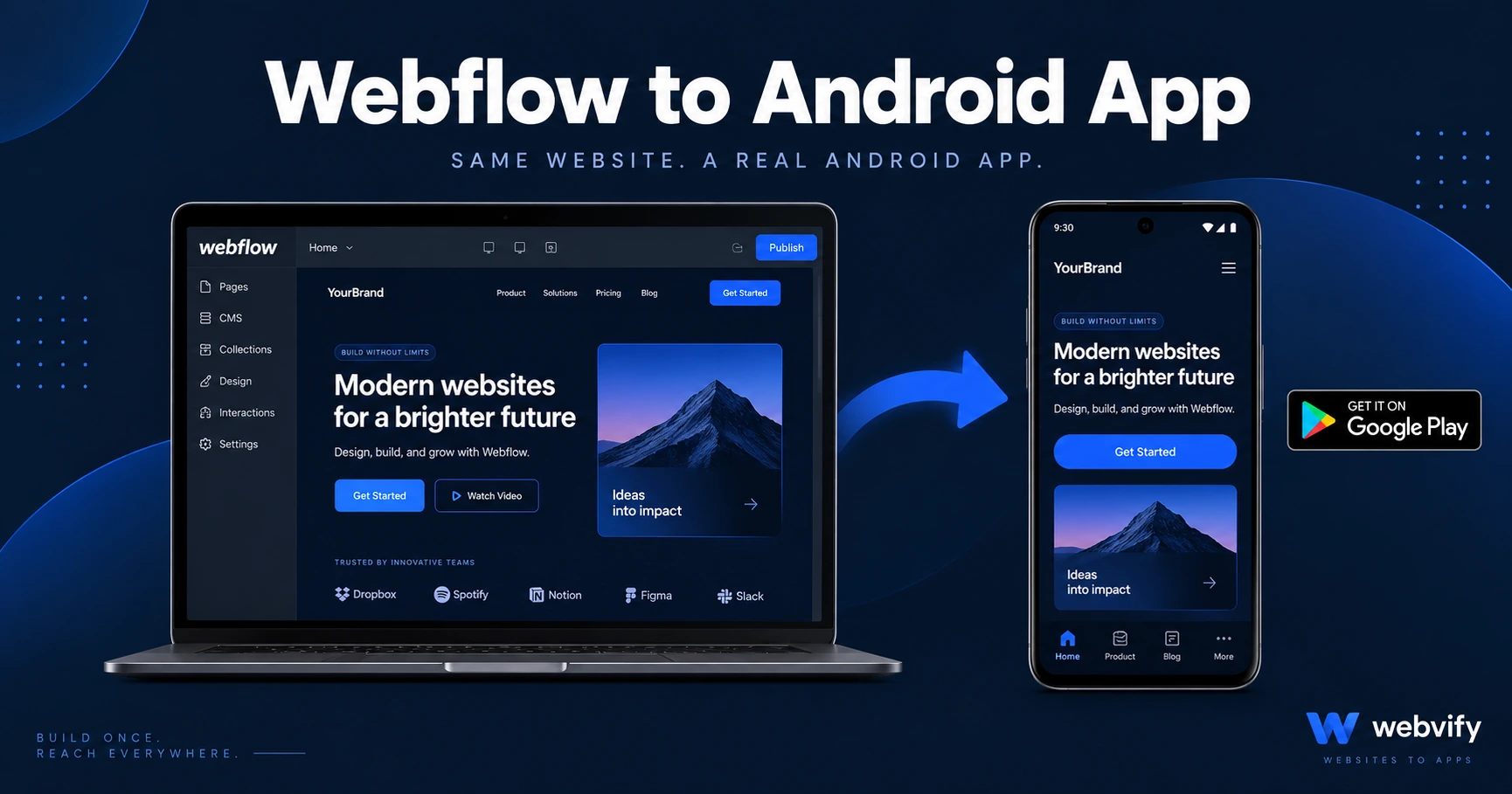
Webflow has no Android export. Here's how to wrap your Webflow site as an Android app, pass Google Play review, and get it live without a developer.
Inside this article
- What Is a WebView Android App?
- Why Webflow Doesn't Export to Android
- Webflow-Specific Gotchas to Check Before You Build Your Android App
- How to Get Your Webflow Android App Through Google Play Review
- Do You Need a Developer to Turn Webflow Into an Android App?
- What to Expect After Your Webflow Android App Goes Live
- FAQ
Webflow builds beautiful websites. It does not build Android apps. If you want your site on Google Play, you need to package it yourself — or use a service that does it for you.
The good news: you don't need to rebuild anything. A WebView Android app wraps your live Webflow URL inside a native container, passes Google Play review, and lands on your customers' home screens. Here's exactly how it works and what to watch for.
What Is a WebView Android App?
A WebView app is a native Android application that loads your website inside a mobile container. From the outside, it looks and feels like a real app — it appears on Google Play, installs to the home screen, and can send push notifications. Under the hood, it's your Webflow site rendered through Android's built-in WebView engine.
Google allows WebView apps as long as they meet a set of policy requirements. Thousands of small business apps on Google Play are built this way — it's not a workaround, it's an officially supported deployment path.
Why Webflow Doesn't Export to Android
Webflow is a visual website builder, not an app development platform. It exports clean HTML, CSS, and JavaScript — but Google Play requires a compiled Android App Bundle (.aab file). That's the gap. To get from Webflow to Google Play, you need something that compiles a native Android wrapper around your site.
This is the same bottleneck covered in the Webflow to iOS app guide — the solution is identical in concept, but the requirements are different between Apple and Google.
Webflow-Specific Gotchas to Check Before You Build Your Android App
Before wrapping your Webflow site, there are a few platform-specific issues worth knowing.
Custom domain required. Google Play will not approve an app that loads a Webflow subdomain (yoursite.webflow.io). You need a custom domain connected in Webflow before submitting.
Digital goods and Google Play Billing. If you sell digital products — memberships, courses, e-books, software licenses — through your Webflow site, Google's payment policy requires those transactions to go through Google Play Billing on Android. Physical products and services are exempt. If you only sell physical goods or book appointments, you have nothing to worry about.
Auth providers and cookie persistence. Login flows using OAuth (Google Sign-In, Facebook Login) can sometimes require extra configuration inside a WebView. If your Webflow site has member areas, test the login flow on a real Android device before submitting.
Webflow Interactions and animations. Most Webflow animations work fine in Android WebView. Heavy scroll-triggered interactions on older Android devices can be slow. Testing on a mid-range device — not just a flagship — is worth doing before launch.
How to Get Your Webflow Android App Through Google Play Review
Google Play has four specific requirements that trip up first-time submitters.
1. API Target Level 36 (Android 16)
As of late 2026, Google Play requires all new app submissions to target Android API Level 36. A WebView wrapper that doesn't specify this will be rejected at upload. This is a build-level setting — the service or developer handling your compilation needs to be aware of this requirement.
2. AAB file format
Google no longer accepts APK files for new app submissions. You need an Android App Bundle (.aab). This is handled at the build step — not something you configure in Webflow.
3. Data Safety form
The Google Play Console requires you to complete a Data Safety declaration before your app can be reviewed. This covers what data your app collects, whether it's encrypted, and whether it's shared with third parties. For most Webflow sites, the honest answers are: contact forms (email), analytics (Google Analytics, if enabled), and no third-party sharing beyond what's disclosed on your privacy policy.
4. Closed testing with 12 testers
New Google Play developer accounts must complete a closed testing period with at least 12 real testers before they can publish to production. This requirement doesn't apply to existing developer accounts. If your account is new, plan for 2–3 weeks of closed testing before launch. The Google Play 12 testers guide covers exactly how to recruit and manage testers efficiently.
Do You Need a Developer to Turn Webflow Into an Android App?
Not necessarily. The technical steps — compiling the AAB file, configuring API target levels, setting up signing keys — require Android build tooling. But a managed service like Webvify handles all of that for you. You provide your Webflow URL, they build the Android app, submit it to Google Play under your own developer account, and hand you admin access once it's live.
This works well for agencies and freelancers who build client sites on Webflow and get asked for apps. You don't need a second codebase or a new skill set — just a service that bridges the gap between your site and the Play Store.
What to Expect After Your Webflow Android App Goes Live
Once your app is live on Google Play, a few things change immediately.
Push notifications. Your Webflow site can't send push notifications to Android users. A WebView app can. Push notification open rates run 60–90%, compared to 20–30% for email — that difference compounds over time.
Home screen presence. Customers who install your app see your icon every time they unlock their phone. That's a fundamentally different visibility level than a bookmark or a website visit.
Google Play discovery. Your app appears in Google Play search results for your business name and category keywords — a new discovery channel alongside your existing website SEO.
Automatic content updates. Because your Webflow site drives the content, updates happen automatically. You don't submit a new version to Google Play every time you change your website — the WebView loads the live URL.
FAQ
Can I convert my Webflow site to an Android app without rebuilding it?
Yes. A WebView Android app wraps your live Webflow URL — you don't rebuild or duplicate your content. Any changes you make to your Webflow site appear in the app automatically, with no additional Google Play submission required.
How long does it take to get a Webflow Android app approved on Google Play?
Google Play review typically takes 1–3 days for initial submission. If your developer account is new (created in the past 12–18 months), you'll need to complete a closed testing period of at least 14 days with 12 testers first. Factor in 3–4 weeks total for new accounts, or about a week for existing accounts.
Do I need a separate Android app if I already have an iOS app from Webflow?
Technically yes — Android and iOS are separate app stores requiring separate builds. In practice, the same Webflow URL powers both apps, so your content doesn't duplicate. You need two builds and two store listings, but one website. If you've already published an iOS app from your Webflow site, the Android version uses the same URL with a different native wrapper.
Turn your Webflow site into a Google Play-listed Android app — Webvify handles the build, compliance, and submission end-to-end. Get started at webvify.app