

PWA vs WebView App in 2026: Which Is Right for Your Business?
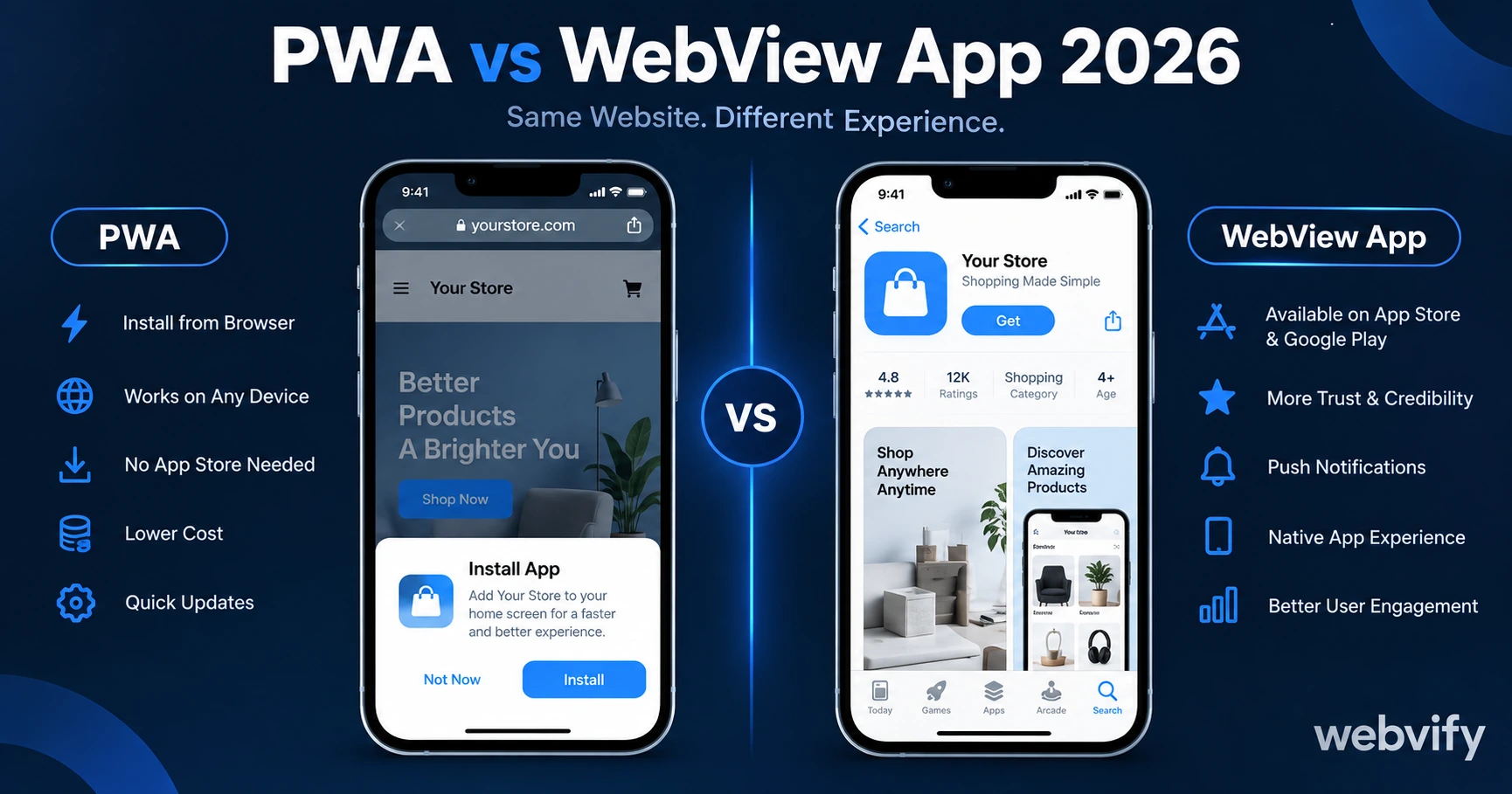
PWA or WebView app? Here's what each one actually delivers, when PWA falls short, and why most small businesses need an App Store listing.
Inside this article
Most business owners discover the gap the hard way: they build a PWA, tell their customers to "install" it from the browser, and watch 90% of them bounce before the prompt even appears. The question in 2026 isn't whether mobile matters — it's which path actually puts your brand on your customer's phone.
What a PWA Actually Is (and What It Isn't)
A Progressive Web App is a website that behaves like an app. It loads fast, works offline in some cases, and on supported devices can be added to the home screen directly from the browser. No app store required — and that's both the appeal and the limitation.
PWAs run inside the browser engine. On Android, Chrome supports most PWA features reasonably well. On iOS, Safari's support has improved but remains behind Android — push notifications on iOS weren't available at all until iOS 16.4, and even now they only work if the user has explicitly added the PWA to their home screen and granted permission. That's a multi-step process most users never complete.
The bigger issue: a PWA has no App Store listing. Customers searching in the App Store or Google Play won't find you. That's a meaningful distribution gap.
What a WebView App Actually Is
A WebView app wraps your existing website inside a native mobile shell and submits it to the App Store and Google Play as a real app. From the outside, it looks and behaves like a native app — it has its own icon, its own App Store page, and shows up in store search results.
Inside, it loads your website in a WebView component (the same browser engine that powers in-app browsers). For most business websites — booking pages, menus, e-commerce stores, service portfolios — this delivers a near-native experience without rebuilding anything.
The practical upside: your existing website becomes the app. You update the website, the app updates. One codebase, two channels.
The App Store Gap: Why This Matters More Than Most Guides Admit
Here's the number that changes the decision for most businesses: 90% of mobile time is spent inside apps, not browsers. When someone wants to reorder from your store or rebook a session, they look for your icon on their home screen — not your URL in their browser history.
A PWA can theoretically sit on the home screen, but only if the user goes through the manual "Add to Home Screen" flow. Conversion on that prompt is low. An App Store listing, by contrast, is a familiar one-tap install — the same flow every app uses.
There's also the trust signal. An App Store listing gives your business the same visual credibility as major brands. For services where customers hand over payment details or personal information, that badge matters. For context on what mobile apps do for customer engagement, the mobile app statistics for 2026 make the case clearly.
When a PWA Is the Right Call
PWAs make sense in specific situations:
Internal tools. If you're building something for employees — a shift management dashboard, a company knowledge base — you don't need App Store distribution. Send a link, add to home screen, done.
B2B platforms with managed devices. Enterprise environments where IT controls device setup can push PWAs without needing store approval.
Rapid prototyping. If you want to test whether mobile demand exists before investing in a full submission process, a PWA lets you move fast.
Markets where Android dominates. PWA support is significantly stronger on Android than iOS. If your audience is nearly all Android users, the gap narrows.
For most consumer-facing SMBs — retail, restaurants, service businesses, e-commerce — none of these conditions apply.
When a WebView App Is the Better Choice
A WebView app is the right move when your business needs real App Store distribution. Specifically:
You want push notifications on iOS. PWA push on iOS requires iOS 16.4+, requires the user to install the PWA first, and requires an explicit permission grant. WebView apps use native push infrastructure — the same system every major app uses. Open rates for mobile push notifications run 60–90%, compared to 20–30% for email. That gap is why businesses with repeat customers see the biggest lift from apps. The push notifications vs email comparison breaks down the numbers.
You want App Store search visibility. People browse the App Store. They search "restaurant near me," "yoga studio app," "booking app." A PWA is invisible here. A WebView app is not.
Your customers are iOS users. If a meaningful share of your customers uses iPhones, you cannot reliably deliver push notifications via PWA. The install-and-permission flow fails too often.
You want the credibility of an app listing. For service businesses — lawyers, financial advisors, healthcare providers, home services — an App Store listing is a trust signal. It signals that your business went through Apple's review process.
You're converting an existing website. This is the most common case. Services like Webvify wrap your existing site end-to-end — build, App Store submission, Google Play submission — so you're not managing a new codebase or going through Apple's developer portal yourself.
The One Question That Cuts Through the Noise
If you're choosing between PWA and WebView app for a customer-facing business, ask yourself: do I need my customers to be able to find me in the App Store or Google Play?
If yes, a WebView app is the only viable path. PWAs don't exist in store search results. Period.
If no — if you're building an internal tool, a prototype, or something for a known audience you can send a link to — a PWA is simpler and free.
For consumer-facing small businesses, the answer is almost always yes. That's why most businesses that explore PWAs as a cost-saving shortcut eventually end up building a WebView app anyway — usually after losing months to a distribution channel that wasn't working. Understanding the full benefits of converting your website to a mobile app is worth reviewing before choosing a path.
Frequently Asked Questions
Is a PWA free to build compared to a WebView app?
Building a basic PWA is free if you do it yourself, but distributing it is limited — no App Store listing, no store search visibility, unreliable push on iOS. A WebView app requires Apple Developer ($99/year) and Google Play ($25 one-time) developer accounts, plus the technical work of building and submitting the binary. Services that handle the full process end-to-end typically charge a flat fee and include the App Store submission.
Will a WebView app get rejected from the App Store?
Apple does review WebView apps, and some do get rejected — typically for "minimum functionality" (Guideline 4.2) if the app just wraps a basic brochure website, or for not using Apple's in-app purchase system for digital goods. Both issues are addressable: building in meaningful functionality (push notifications, offline state, booking flows) clears Guideline 4.2, and routing digital subscription checkouts through Safari handles the IAP rule. Managed services handle this compliance work as part of the build.
Can I switch from a PWA to a WebView app without starting over?
Yes. Your website is already the core product — a WebView app just wraps it in a native shell and submits it to the stores. You don't rebuild the website; you just add the packaging layer. Any updates you've already made to your site carry over automatically.
Ready to get your website on the App Store and Google Play without touching Xcode? Webvify handles the full process end-to-end — build, submission, and admin panel included.