

Mobile App for Podcasters: Keep Your Audience Engaged and Coming Back
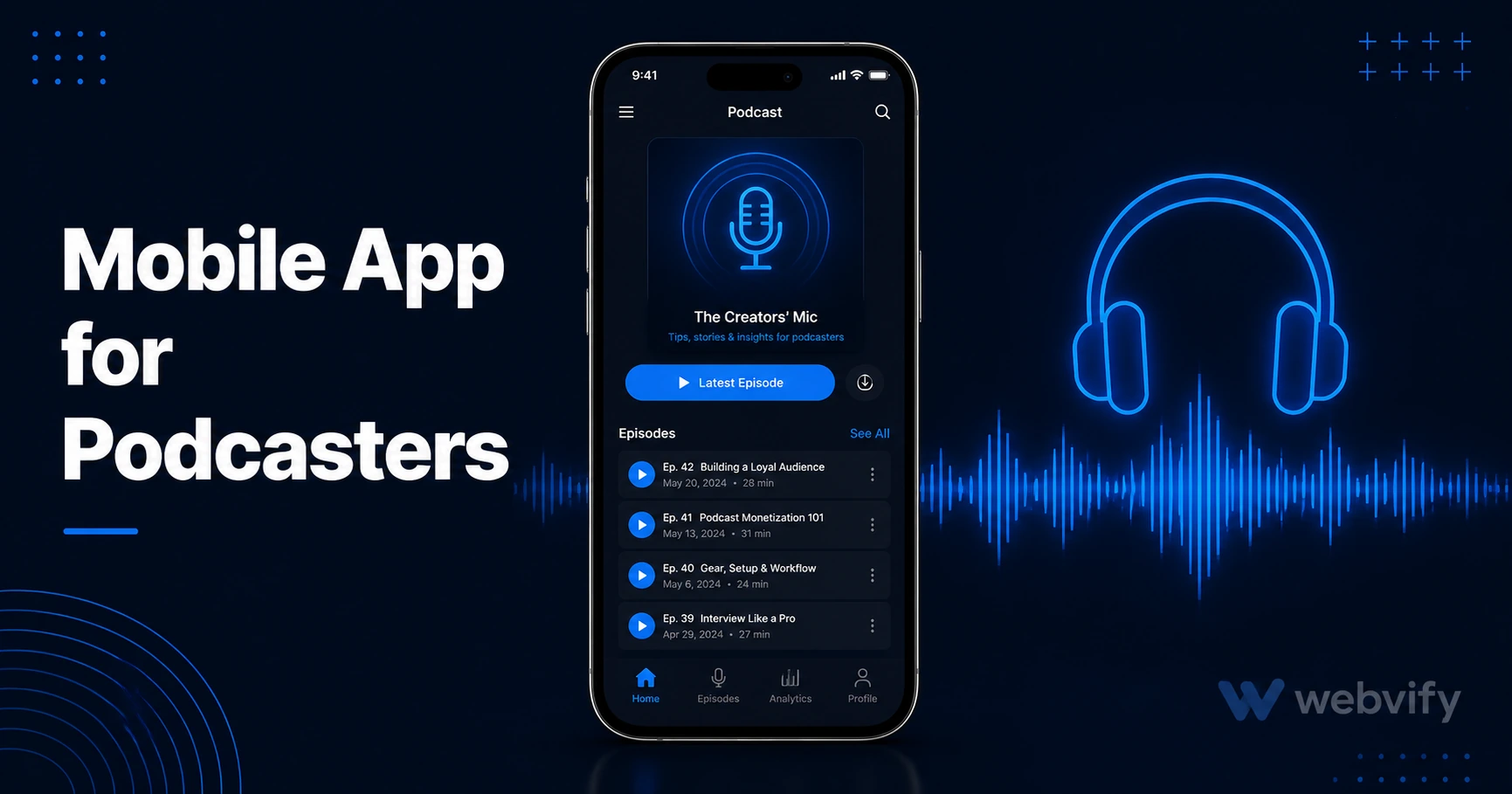
A branded mobile app gives podcasters direct push notification access to listeners — no algorithm, no feed delays. Here's how to get one without a developer.
Inside this article
Your latest episode dropped 48 hours ago, but a third of your subscribers still haven't listened. They haven't left — they just forgot, because Spotify pushed three other shows before yours appeared in their feed.
For podcasters and independent radio show hosts, the distribution platforms built to help you also work against you. Spotify, Apple Podcasts, and Google Podcasts control what gets surfaced to your listeners. A branded mobile app for podcasters puts you directly on their home screen — and gives you the one thing those platforms don't: the ability to send a push notification the moment a new episode goes live.
Why Podcast Listeners Drift — Even When They Love the Show
Most podcast listeners don't unsubscribe. They drift. A busy week, an algorithm-curated alternative, a notification from a competing show — and your episode sits unplayed.
The problem isn't content quality. It's the gap between when you publish and when your listener remembers to check. Email newsletters help, but email open rates for content creators average 20–30%. A push notification from a podcast mobile app reaches the lock screen directly, with open rates running 60–90%.
The difference is where the message lands. Email lands in a tab that gets scrolled past. A push notification lands in front of your listener's face at the exact moment you choose to send it.
What a Mobile App for Podcasters Gives You That Platforms Don't
The major podcast platforms are aggregators built for discovery — not for creators to maintain relationships with their specific audience.
When you publish on Spotify, you're competing with every other show in your category for algorithmic real estate. Your listener's feed doesn't sort by who they love most. It sorts by what Spotify's model predicts will keep them on the platform longest.
A branded app changes this in three concrete ways:
Direct reach via push notifications. When your episode goes live, you push a notification. Your listener sees it on their lock screen, taps it, and lands in your app. No algorithm between you and them.
Home screen presence. Your app icon lives on your listener's home screen. That's 10–20 passive brand impressions per day without any marketing effort — the same reason major media companies invest in apps rather than relying solely on platforms.
Your own channel. Listeners who install your app are your highest-intent audience. They made an active choice to have you on their phone. That's a fundamentally different relationship than a Spotify follow.
How Push Notifications Work for Podcast Apps
A well-timed notification sequence for a podcast app typically looks like this:
New episode alert. The moment your episode goes live, you send a push notification with the title and a one-line hook. This is your highest-open notification — it's timely, relevant, and expected by listeners who opted in.
Mid-week re-engagement nudge. If a subscriber hasn't opened the app in 5–7 days, send a short message: "You haven't checked in for a while — here's what you missed." This recovers passive listeners before they fully disengage. Push notification open rates for content-focused apps consistently outperform email by 3–4x →.
Milestone announcements. New season launch, a live recording event, a guest interview your audience has been waiting for — these notifications build anticipation and signal something worth coming back for.
Services like Webvify handle the push notification infrastructure as part of the app setup. You publish an episode, write a notification, and send it from a simple admin panel — no developer access required after launch.
What to Include in Your Podcast Mobile App
A podcast app doesn't need to be complex. The core features that drive listener retention are simple:
Episode feed. Listeners browse and play episodes directly in the app, staying in your environment rather than flipping to a third-party player.
Show notes and links. Resources, guest links, and episode references are accessible in-app rather than requiring a separate website visit.
Push notification opt-in. This happens automatically when a listener installs the app. No separate newsletter sign-up friction.
Community links. If you run a Discord, a Patreon, or a private listener group, the app becomes the central hub — one tap from the app to the right destination.
If you already have a website for your podcast, you likely have most of this in place. A WebView app converts your existing podcast website into a fully branded mobile app on the App Store and Google Play without rebuilding anything from scratch.
How to Get a Mobile App for Your Podcast Without a Developer
The technical barrier that used to make podcast apps a large-studio exclusive no longer exists. A WebView wrapper turns your existing podcast website into a native app shell — submitted to Apple and Google under your name — and lives on both stores in under two weeks.
Here's what the process looks like:
Your website becomes the app. Any podcast website with a responsive mobile design works. The app loads your site exactly as it appears, with native push notification capability added on top.
Submission is handled for you. Getting an app approved on the App Store requires navigating Apple's review guidelines, setting up an Apple Developer account ($99/year), and submitting the correct binary format. Services like Webvify do this end-to-end — you don't open Xcode or the Google Play Console.
You manage it via an admin panel. Once live, you send push notifications, update episode links, and monitor app performance from a simple dashboard. If you want to grow your download count after launch, these 10 methods apply directly to podcast apps →.
FAQ
How much does a mobile app for a podcast cost?
A custom-built podcast app from a mobile development agency typically costs $20,000–$80,000 and takes 3–6 months. A WebView app that converts your existing podcast website costs a fraction of that — setup fees typically range from a few hundred to a few thousand dollars depending on the service, with no ongoing rebuild costs since your site remains the source of truth.
Do I need my own website to get a podcast app?
Yes, a WebView podcast app requires a website as its foundation — the app loads your site as its content. If your podcast is hosted on a platform like Buzzsprout, Podbean, or Captivate that provides a hosted website, that site can be used as the app's base. You'll need a custom domain (not a subdomain like yourshow.buzzsprout.com) to meet App Store requirements.
Can I send push notifications to podcast listeners through the app?
Yes. Push notification access is the primary reason podcasters build branded apps. Listeners who install your app opt into notifications at install time. You can send episode alerts, announcement notifications, and re-engagement campaigns from an admin panel — no developer access needed after the app is live.
Your listeners are already on their phones. The question is whether they see your episode notification or someone else's. Start your podcast app with Webvify →