

How to Get a Mobile App for Your Pilates Studio (Without Hiring a Developer)
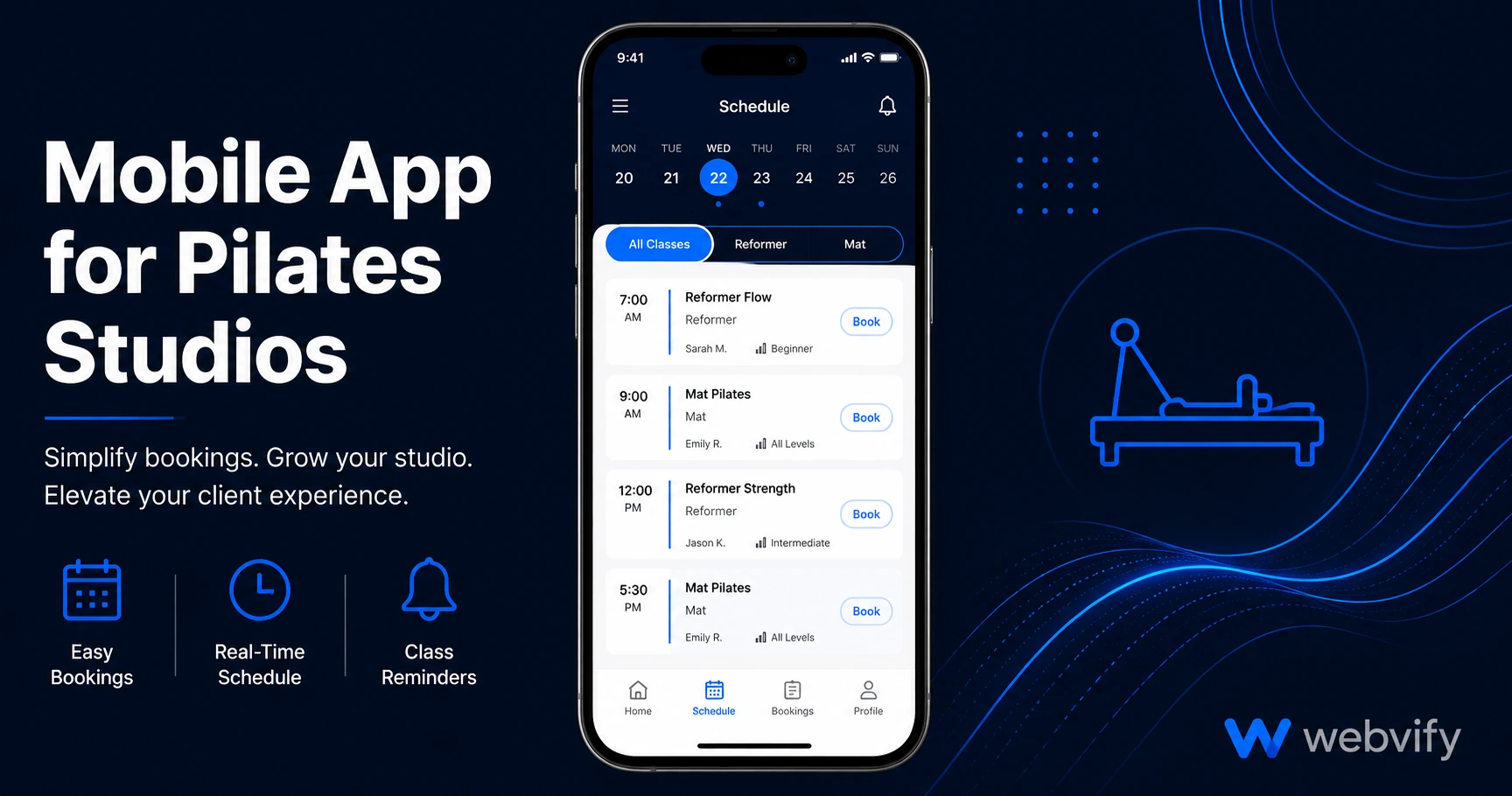
Pilates studios lose clients between sessions — not because of bad classes but because nothing keeps you visible. Here's how a branded app fixes that without code.
Inside this article
- Why Pilates Studios Struggle With Client Retention
- What a Mobile App for a Pilates Studio Actually Does
- The Three Notifications That Bring Pilates Clients Back
- App Store Presence and What It Does for Your Studio's Credibility
- How to Convert Your Pilates Studio Website Into an App
- One Submission Requirement to Understand Before You Start
- FAQ
The average pilates client attends 2–3 classes a week in the first month, then once a week, then stops booking entirely. Not because the classes were bad — because nothing was there to remind them to come back. A mobile app for your pilates studio is the one tool that changes that.
That gap between sessions is where studios lose clients for good. Once someone skips two or three weeks, they stop thinking of themselves as a regular. The studio didn't fail them — the studio just became invisible.
Why Pilates Studios Struggle With Client Retention
Retention in pilates is harder than in most fitness businesses. Sessions are more expensive than a gym membership, which means the mental friction for "skipping this week" is lower. When a client hasn't heard from you in ten days, "I'll go back next week" becomes very easy to say — and very easy to keep saying.
Most studios rely on email newsletters and Instagram posts to stay visible. Email open rates in wellness average 25–30%. Instagram's algorithm may or may not show your post to someone who already follows you.
Push notifications are different. A message from your branded app lands directly on the lock screen — no algorithm, no inbox competition. Open rates for push notifications average 60–90%. That gap is what a pilates studio app is designed to close.
What a Mobile App for a Pilates Studio Actually Does
A pilates studio app isn't custom-built software. If your studio already has a website — whether on Squarespace, Wix, WordPress, or a booking platform like Mindbody or Glofox — that website can be converted into a branded mobile app and published to the App Store and Google Play.
The app behaves like a native mobile application. Clients find it by searching for your studio in the App Store, download it, and your booking page or class schedule loads inside the app. What changes is how visible you stay to them:
- You can send push notifications directly to everyone who has downloaded the app
- Your studio's icon sits on their home screen alongside apps they use every day
- They open your app with one tap instead of searching for your website
The app itself is your existing website — your booking flow, your class schedule, your pricing, everything you've already built. You are not rebuilding anything.
The Three Notifications That Bring Pilates Clients Back
The studios that use apps most effectively run three types of push notifications consistently:
The rebooking nudge. If a client attended a class on Monday and hasn't booked again by Thursday, a short push notification — "Your spot for next week's reformer class is still open" — is enough to push them to action. This works because it arrives before the habit fully breaks.
The slot filler. When a class has cancellations and you have open spots, a notification to your app users fills those spots faster than any other channel. You're reaching people who have already opted in and shown clear intent.
The seasonal prompt. January, September (back-to-routine), and post-holiday periods are natural re-entry points. A targeted message to lapsed clients during these windows reactivates people who drifted away without a heavy marketing push.
None of these require a separate email list or paid social budget. They go directly to everyone who has downloaded your app — and they land on the lock screen every time.
App Store Presence and What It Does for Your Studio's Credibility
Most small businesses don't have an app. When your studio appears in the App Store with a proper listing — icon, screenshots, description, and ratings — it signals a level of professionalism that competitors who only have a website can't match.
Clients searching for pilates studios in their area aren't only using Google. App Store searches surface local fitness and wellness businesses directly. A presence there gives you a discovery channel that most studios haven't considered.
If you already have a strong appointment booking experience on your website, publishing it as an app makes that experience available natively — no browser, no address bar, no "add to home screen" prompt that clients ignore.
How to Convert Your Pilates Studio Website Into an App
The process is simpler than most studio owners expect.
Your existing website becomes the foundation. The app wraps it in a native shell that the App Store and Google Play accept as a fully functional application. You don't rebuild your booking system, your pricing pages, or your class schedule. They carry over exactly as they are.
The app is submitted to the App Store and Google Play under your studio's name. Clients download your branded app — not a shared fitness platform that also lists your competitors two screens away.
After launch, you get an admin panel to manage push notifications, update the app, and monitor downloads — without touching code or logging into Xcode.
Services like Webvify handle this end-to-end. You provide your website URL and branding. Webvify builds the app, manages the Apple Developer account setup, handles the compliance review, and submits under your accounts. For studios already using apps in the yoga and wellness space, the submission process and the requirements are the same — the content inside the app is what makes it specific to your studio.
One Submission Requirement to Understand Before You Start
If your studio sells class packages, memberships, or gift cards through your website using Stripe or PayPal, Apple's Guideline 3.1.1 applies when those transactions are available inside the app. Apple requires a 30% commission on digital purchases made through iOS apps.
The standard fix — and the approach used by studios with approved apps — is to disable in-app purchasing flows inside the app and redirect clients to your website to complete purchases. The booking experience still works; clients complete payment in their browser. This is how Mindbody and Glofox handle their own App Store apps.
An app submission service flags this during the build phase and handles it before submission so your app isn't rejected on the first review.
FAQ
How much does it cost to get a mobile app for a pilates studio?
Custom app development typically costs $20,000–$80,000 with ongoing maintenance fees. A web-to-app conversion — where your existing website is wrapped and submitted as a branded app — typically costs $500–$2,000 one-time with no ongoing rebuild cost. The Apple Developer account is $99/year and the Google Play account is a one-time $25 fee.
Do I need a developer to submit my pilates studio app to the App Store?
No. Done-for-you services handle the full submission process — build, compliance review, App Store Connect setup, and Google Play submission — without requiring you to write code or manage developer accounts yourself. You provide your website URL and branding; the service handles the rest.
How long does it take to get a pilates studio app live on the App Store?
Once the app is built, Apple's review typically takes 24–48 hours for first-time submissions. Google Play runs 2–7 days. Most studios are live within one to two weeks of starting the process, depending on how quickly the Apple Developer account is set up.
Most pilates studios won't build a mobile app this year. That's exactly why yours should.
Clients who download your app see your studio's icon every time they unlock their phone. The studios that use push notifications consistently have lower no-show rates, faster class fills, and clients who stay longer — not because they changed their programming, but because they stayed visible between sessions.
If your studio has a website, you already have everything you need to launch an app.