

Mobile App for Optometrists: Keep Patients Coming Back Between Annual Eye Exams
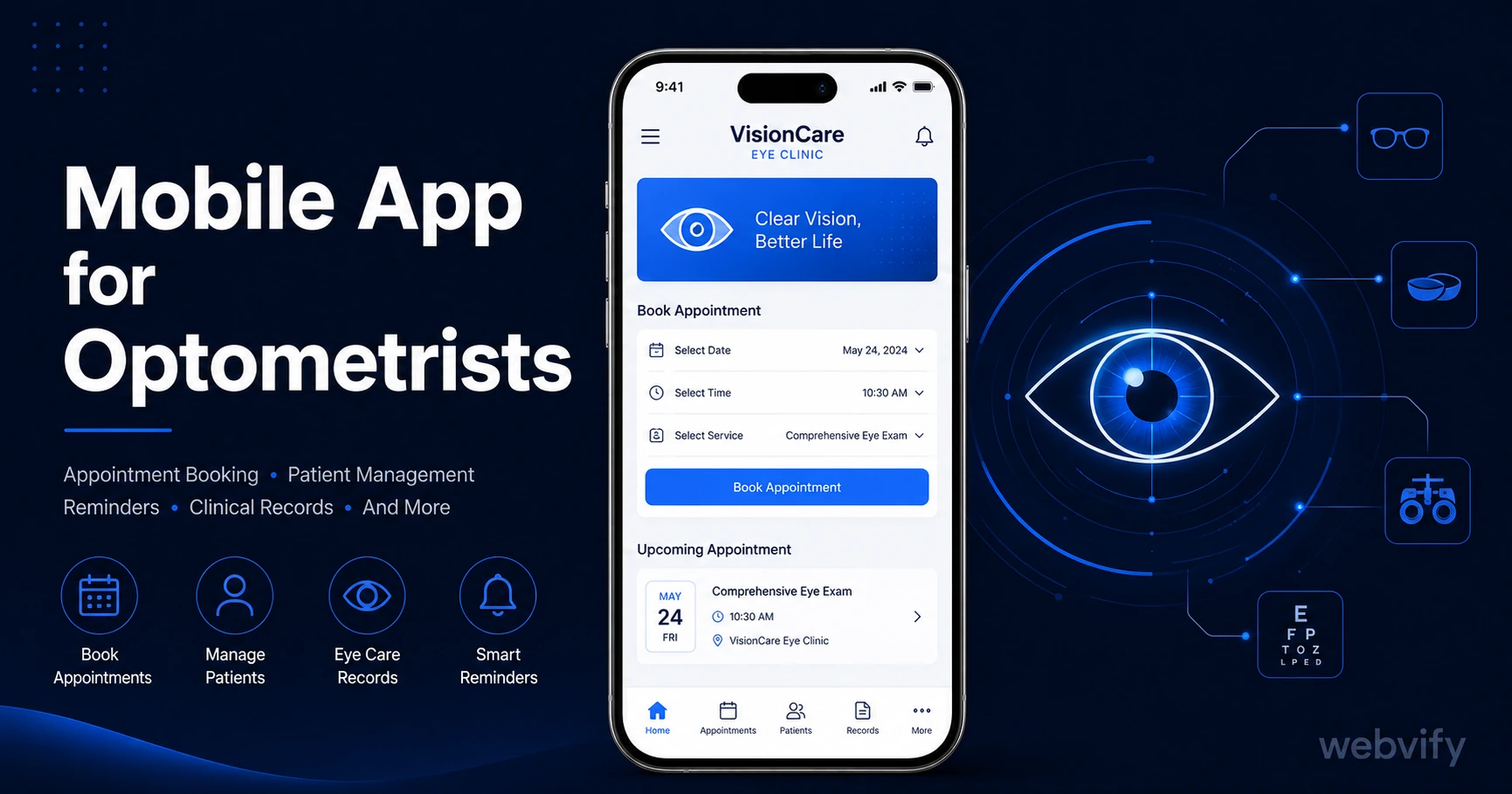
Most eye care patients go silent for 12 months between exams. A branded mobile app with push notifications keeps them engaged — no developer needed.
Inside this article
Most optometry patients leave a perfectly good practice and never come back — not because the care was bad, but because 12 months of silence is all it takes to lose them to the next practice that pops up on Google.
The average patient books one eye exam per year. That leaves 364 days where your practice is completely invisible. No email open rates, no Instagram algorithm, no reminder postcard is going to reliably close that gap. But a branded mobile app on the patient's home screen — paired with push notifications — can.
Why Optometrists Lose Patients They Already Have
Patient churn in optometry is rarely about a bad experience. It is almost always about forgetting.
After the appointment, the patient leaves with a prescription and a new pair of frames. Your practice is not on their phone. It is not in their daily routine. When the 12-month mark arrives, they either book with you again — if the friction is low enough — or they book with whoever shows up first in a search.
The stats are not encouraging for practices relying on email alone. Healthcare email open rates sit between 20–25%. Push notifications sent to a patient's lock screen, on the other hand, consistently achieve 60–90% open rates. That is not a small difference. That is the difference between being seen and being invisible.
What a Mobile App Actually Does for an Eye Care Practice
A branded mobile app for your optometry practice is not a patient portal app or a scheduling system you rebuild from scratch. It works by wrapping your existing website — your booking page, your frame gallery, your contact lens store — into a native iOS and Android app published under your practice name on the App Store and Google Play.
Once a patient downloads your app, you gain three things:
Home screen presence. Your practice logo sits alongside the apps patients open every day. That icon is a passive brand impression every time they unlock their phone.
Push notification access. You can send direct messages to their lock screen — appointment reminders, lens restocking nudges, seasonal eye health alerts — without competing with a crowded email inbox.
App Store credibility. Having a published app on the App Store signals to patients that your practice is established and trustworthy. In a profession where patients are trusting you with their vision, that signal matters.
If your practice runs on a booking system like Jane App, Cliniko, or Mindbody — or even a simple Calendly link on your site — that all carries over into the app automatically.
The Three Push Notification Campaigns That Drive the Most Value
Not all push campaigns are equal. For an optometry practice, three sequences consistently deliver the highest return.
The annual exam reminder (Day 335). Set this to fire 30 days before the patient's annual exam anniversary. Something simple: "Time to book your annual eye exam. Your prescription was last updated in June 2025." This one campaign, automated, recovers patients who would otherwise drift to a competitor.
The contact lens restocking nudge (Day 75). A patient who bought a 90-day supply of contact lenses three months ago is about to run out. A push notification at Day 75 saying "Running low on contacts? Reorder through our app" closes the restocking loop before they Google a lens retailer.
The seasonal eye health alert. Late summer — when UV exposure peaks and back-to-school eye exams are in demand — is the highest-volume window for optometrists. A push campaign in early August ("Summer UV season is peak time for eye strain. Book a check-up before school starts") catches families at the highest-intent moment of the year.
Services like Webvify handle the app build, App Store submission, and admin panel setup end-to-end. Once it is live, you manage the push campaigns yourself — no developer, no ongoing tech work.
How App Store Presence Builds Trust for Eye Care Practices
Optometry is a healthcare profession. Patients are trusting you with a sensitive function — their ability to see clearly. Trust signals matter more here than in most service businesses.
A published app on the App Store creates an institutional legitimacy that a website alone cannot. Patients searching for optometrists in your area see a practice with an app and unconsciously read it as "established" and "professional." The App Store review itself — Apple's guidelines, your listing, your rating — acts as a third-party credibility filter.
This trust effect is particularly pronounced for practices that see patients for the first time. An unfamiliar practice with 4.8 stars on the App Store carries more weight than one that exists only as a Google Maps pin.
For a comparison of how mobile apps affect patient trust across healthcare specialties, the mobile app for dentists guide covers the same credibility dynamic in depth.
What to Expect from the App Build Process
The submission process has two steps that trip up most practices: the Apple Developer account setup and the App Store compliance review.
Apple requires an Apple Developer account ($99/year) registered to your practice before any app can be submitted. Google Play requires a one-time $25 fee. Both accounts should be registered under the practice's business name, not a personal account, so the app appears as your brand on the stores.
Apple's App Store review for WebView apps typically takes 24–48 hours. The most common rejection reason for healthcare apps is Guideline 4.2 (Minimum Functionality) — reviewers want to see that the app does more than just display a website. A well-configured app with booking integration, a contact lens reorder flow, and a push notification demonstration generally passes without issue.
If you use a booking tool with a payment component — for example, charging a deposit at the time of booking — those payment flows need to route to the external browser on iOS to comply with Apple's in-app purchase guidelines. This is a standard configuration, not a blocker, but it is worth knowing before you start the submission process.
The full Google Play submission and Android-specific requirements are covered in the convert website to Android app guide.
FAQ
How much does a mobile app for an optometry practice cost?
The cost depends on whether you use a done-for-you service or a self-service tool. Done-for-you services that handle App Store and Google Play submission typically range from $1,500–$4,000 one-time for the build and submission, with optional monthly plans for support and updates. This compares to $50,000–$150,000 for a custom native app built from scratch. The setup fee includes the Apple Developer account ($99/year) and Google Play fee ($25 one-time), which are paid to the app stores directly.
Do I need to rebuild my booking system to have a mobile app?
No. A WebView-based app wraps your existing booking page — whether that is Jane App, Cliniko, Mindbody, Calendly, or a custom form on your site — and packages it as a native app. Patients book through the same flow you already have. You do not need to rebuild or duplicate anything.
Can I send appointment reminders through the app?
Yes. Once your app is live on the App Store and Google Play, patients who download it can receive push notifications directly to their lock screen. You control the message content and timing from an admin panel. These reminders achieve 60–90% open rates compared to 20–25% for healthcare email, which means significantly more patients see and act on them.
Getting 364 days of silence between annual eye exams is the default for most optometry practices. A branded mobile app with automated push campaigns changes that — your practice stays visible through the annual reminder, the lens restocking nudge, and the seasonal alert window. No developer. No rebuilding your booking system. Just your existing website, packaged as an app and published under your name.