

Mobile App for Occupational Therapists: Keep Clients on Track Between Sessions
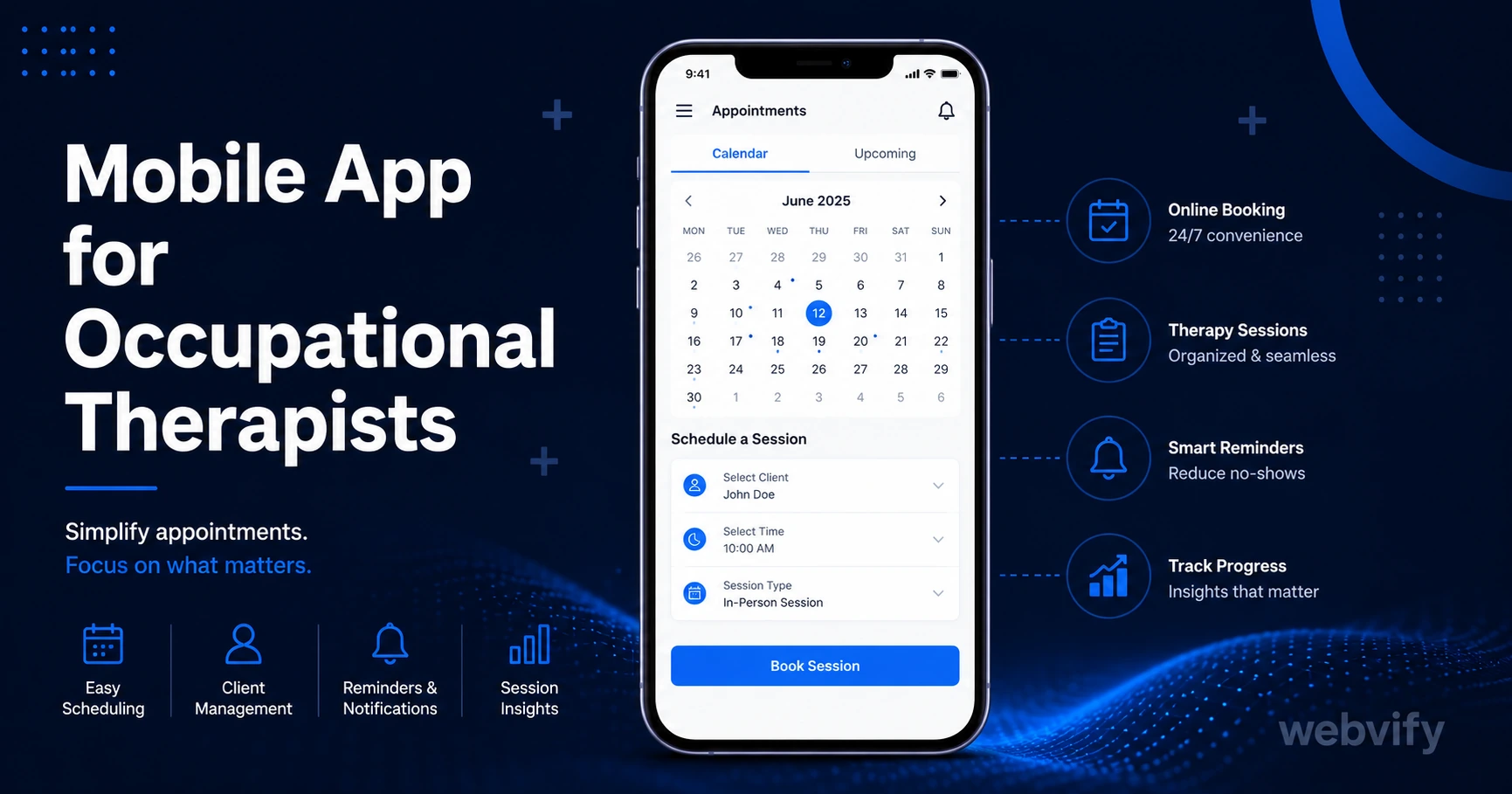
Clients drift away between OT sessions because nothing keeps them engaged. Here's how a mobile app with push notifications solves the dropout problem — without a developer.
Inside this article
- Mobile App for Occupational Therapists: Keep Clients on Track Between Sessions
- Why Occupational Therapy Clients Drift Away
- What a Mobile App for Occupational Therapists Actually Does
- How to Get a Mobile App for Your OT Practice
- Three Push Notification Campaigns That Drive Real Results
- App Store Credibility Matters in Healthcare
- FAQ
Mobile App for Occupational Therapists: Keep Clients on Track Between Sessions
Occupational therapy dropout rates average 30–50% before treatment goals are reached — and the drop-off almost always happens between sessions, not during them. Clients lose momentum when life gets busy and there's nothing pulling them back.
A branded mobile app changes that dynamic. Push notifications reach the lock screen directly, bringing your practice back into focus at exactly the right moment: a home exercise reminder two days after a session, a rebooking nudge on day 14, or a seasonal check-in for clients who've gone quiet.
Why Occupational Therapy Clients Drift Away
The gap between sessions is where progress stalls. A client leaves your clinic with a home program and good intentions. By day three, the exercises are forgotten. By day ten, they're not sure whether to rebook or wait and see.
Email reminders have around a 25% open rate in healthcare settings. That means three out of four clients never see the message you send. Browser-based notifications are blocked by most iOS devices entirely.
Push notifications sent from your own branded app average 60–90% open rates. That's the difference between a reminder that lands and one that disappears.
What a Mobile App for Occupational Therapists Actually Does
A mobile app for your OT practice isn't a clinical platform — it's a direct communication channel that sits on your client's home screen.
The core features that drive results:
Home exercise reminders. Send a push notification two to three days after each session while the exercises are still fresh. Clients who complete home programs consistently make faster progress and are more likely to rebook.
Rebooking nudges. A Day-14 push notification — "Ready to book your next session?" — catches clients at the point where they're still motivated but haven't yet lost the thread. This single campaign can recover clients who would otherwise go quiet.
Seasonal re-engagement. January (New Year goal-setting), September (back-to-school, return to routine), and late spring (pre-summer activity preparation) are natural windows when dormant clients are receptive to re-engaging.
Appointment reminders. Reduce no-shows with a day-before push notification. Unlike SMS or email, push notifications don't require an opt-in beyond installing the app.
How to Get a Mobile App for Your OT Practice
The barrier isn't the app itself — it's the submission process. Getting an app onto the App Store and Google Play requires an Apple Developer account ($99/year), a Google Play account ($25 one-time), and a build that meets each platform's compliance requirements.
Services like Webvify handle the end-to-end process: building a WebView app from your existing website, handling App Store and Google Play submission, and giving you an admin panel to manage push notifications after launch.
The important submission note for OT practices: if you sell packages or subscriptions through your booking system, Apple's Guideline 3.1.1 requires that in-app purchases of digital goods use Apple's payment system. The cleanest solution — used by most healthcare practices — is routing purchase flows to an external browser. Appointment bookings for physical services are exempt from this rule.
If you're already using Cliniko, Jane App, or Power Diary, your booking system works inside a WebView app without modification.
Three Push Notification Campaigns That Drive Real Results
You don't need a large client list for push notifications to work. Even 50 active clients responding to well-timed campaigns generates meaningful rebooking revenue.
Campaign 1: The Home Exercise Nudge (Day 2 or 3 post-session) Send a short motivational push — "Keep up with your exercises today — consistency is where progress happens." This keeps your brand top of mind during the critical window after a session and reinforces the therapeutic relationship.
Campaign 2: The Rebooking Window (Day 14) "It's been two weeks — ready to book your next session?" Timed for the point when clients have seen enough progress to feel motivated but not enough to feel finished. This is the single highest-ROI campaign for OT practices.
Campaign 3: The Seasonal Re-engagement (January, September) For clients who've gone 90+ days quiet: "New year, new goals — we're here when you're ready." Low pressure, high open rate. Many practices recover 10–15% of dormant clients from seasonal campaigns alone.
For a related approach used by physical therapists, see Mobile App for Physical Therapists — the home exercise compliance angle maps directly.
App Store Credibility Matters in Healthcare
Clients who book OT sessions are sharing sensitive health information and, in many cases, engaging in vulnerable recovery work. An app in the App Store sends a signal that your practice is established and trustworthy — the same signal that reviews on Google Business Profile send, but stronger.
When prospective clients compare two OT practices and one has a branded app in the App Store, the perception gap is significant. It communicates that you're serious about ongoing client care, not just individual appointments.
This credibility effect is compounded because many healthcare verticals — physiotherapy, speech therapy, chiropractic — are now moving toward branded apps. If your local competitors haven't yet, being first in your area creates a durable differentiation.
If you've already published an app and want to grow your client base further, the App Store Optimization Guide for Small Business covers the free levers available after launch.
FAQ
How much does a mobile app for an occupational therapy practice cost?
Custom mobile app development typically costs $25,000–$100,000+. WebView app services — which wrap your existing website into a native app — are substantially lower, typically a one-time project fee. Webvify, for example, includes App Store and Google Play submission as part of the service. Ongoing costs are limited to your Apple Developer account ($99/year) and Google Play account ($25 one-time).
Do I need a developer to get my OT practice on the App Store?
No. A WebView app converts your existing website into a native app without writing code. Services like Webvify handle the technical build and App Store submission end-to-end, so you don't need to interact with Xcode, Android Studio, or Apple's developer portal.
Will a mobile app work with my existing booking system?
Yes. If your booking system is web-based (Cliniko, Jane App, Power Diary, or any browser-accessible platform), it works inside a WebView app without modification. The app essentially runs your website in a native shell, so existing logins, forms, and scheduling tools remain fully functional.
Consistent client engagement between sessions is what separates OT practices with strong retention rates from those constantly filling dropout gaps. A branded mobile app with push notifications is the most direct way to build that engagement without adding administrative overhead.