

How to Get a Mobile App for Your Nail Salon (Without Hiring a Developer)
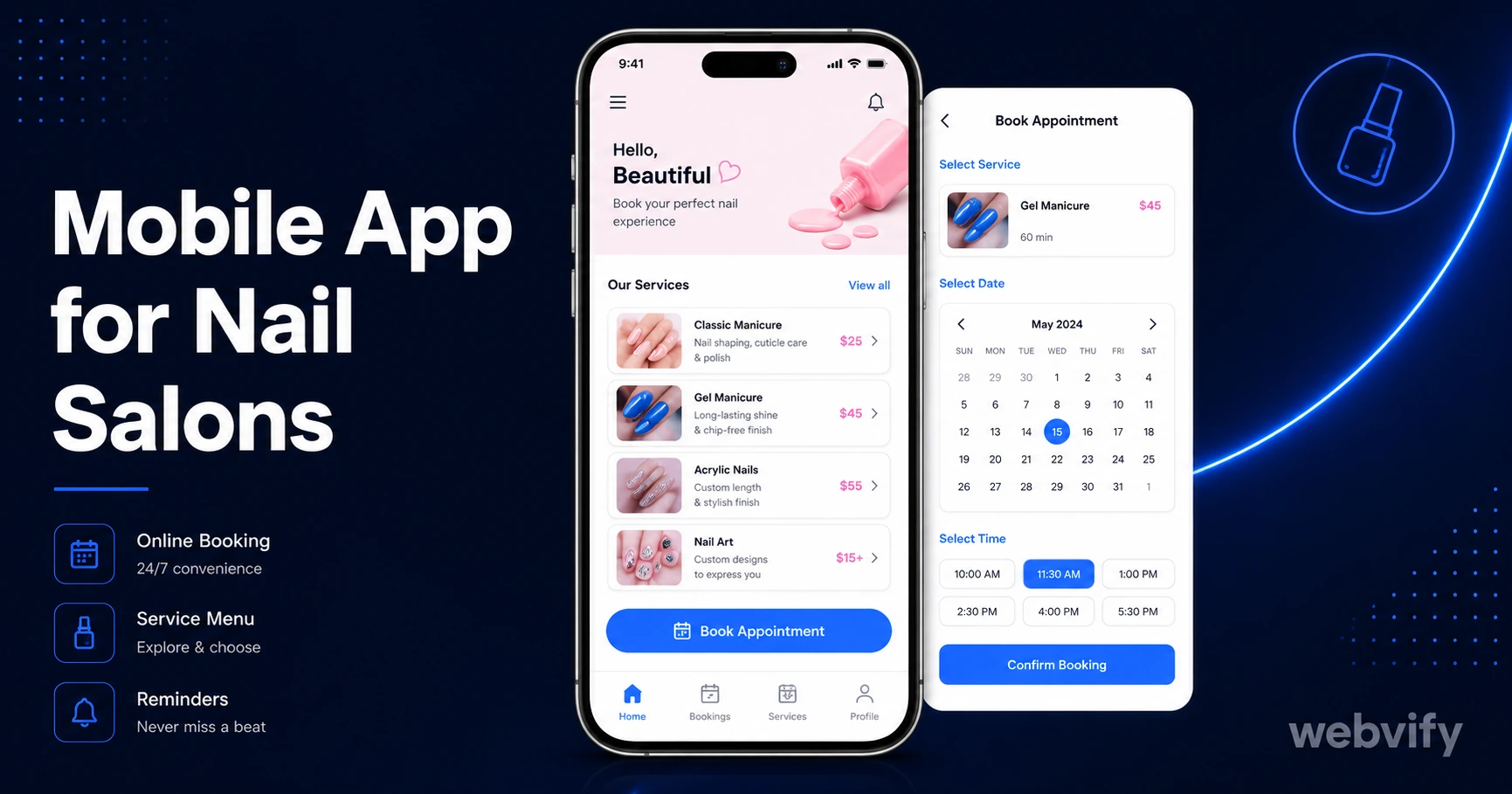
Want a mobile app for your nail salon? Get on the App Store and Google Play in days — no developer, no coding, and no rebuilding your booking system.
Inside this article
Nail salon clients book once, love the service, and then simply… disappear. Not because they found a better salon — because three months passed, life got busy, and nobody reminded them to come back.
A branded mobile app on their phone fixes that gap. Here's how nail salon owners are getting apps live on the App Store and Google Play without hiring a developer or touching a single line of code.
Why Nail Salons Need a Mobile App in 2026
Most nail salons already have a website with online booking. That's a good start — but a website lives in a browser tab that gets closed and forgotten. An app lives on the home screen.
The difference matters more than it seems. Mobile app push notifications reach the lock screen with a 60–90% open rate. Email newsletters from beauty businesses average 25–30%. A simple "Your favorite gel color is back in stock" push notification does more retention work than a monthly email blast ever will.
Beyond re-engagement, an App Store listing adds a layer of credibility that a website alone can't match. New clients searching Google or the App Store see a professional listing with ratings and reviews — before they've ever set foot in your salon. That first impression converts.
What a Nail Salon App Actually Does
A nail salon app isn't a separate system you need to maintain alongside your website. The smartest approach — and the one that gets salons live fastest — is a WebView app: your existing website packaged as a native app and published to the App Store and Google Play.
Everything your clients already use on your site works inside the app: booking, service menus, gift card purchases, loyalty points. The difference is that they open it from an icon on their home screen, and you can reach them with push notifications at any time.
Key features nail salon owners use most:
- Push notifications — appointment reminders, flash promotions, "we miss you" re-engagement after 60+ days of inactivity
- Home screen presence — your logo on their phone, visible every time they unlock it
- App Store reviews — a separate trust signal that builds independently of Google Maps reviews
- Offline browsing — service menus and gallery load from cache even without a connection
If you're already running appointment booking software for your nail salon, your existing booking flow works inside the WebView app without any changes.
How to Get a Mobile App for Your Nail Salon
Getting a mobile app for your nail salon follows four steps. You don't need a developer for any of them.
Step 1: Choose a web-to-app service
You need a service that converts your existing website into an iOS and Android app and handles the App Store submission on your behalf. The critical distinction: some tools give you the app file and expect you to submit it yourself. App Store submission involves Apple's developer portal, compliance review, and rejection handling — it's not a simple upload. Look for a done-for-you service that manages the full process.
Step 2: Provide your website URL and branding
The conversion service wraps your website inside a native app shell. You supply your website URL, your logo, your app name, and your preferred splash screen color. That's typically all the input required.
Step 3: Let the service handle submission
The submission team packages the app, creates your developer accounts (or uses yours), builds the binary, and submits to both Apple and Google. Apple's review takes 24–48 hours for most first-time submissions. Google Play is usually faster — under 24 hours.
Step 4: Publish and activate push notifications
Once your app is approved, you get access to an admin panel where you manage push notification campaigns. No code required — you write the message, pick your audience, and send.
Services like Webvify handle all of this end-to-end, including submission, admin panel access, and ongoing support. You don't need to understand Xcode or the App Store Connect portal.
One App Store Rule Nail Salons Need to Know
If your website lets clients purchase gift cards or prepaid service packages, Apple's Guideline 3.1.1 applies. Apple requires that any digital purchase processed inside an iOS app go through Apple's payment system — which takes a 30% cut.
The practical fix is simple: redirect gift card and prepaid package purchase flows to an external browser. When a client taps "Buy Gift Card" in the app, it opens Safari to complete the transaction. Once done, they return to the app. This is exactly how Uber, Airbnb, and thousands of booking apps handle it — and Apple explicitly approves this pattern.
In-person payments at the register, booking deposits processed via Stripe on your website, and standard appointment booking are not affected by this rule. It only applies to digital purchases completed entirely within the iOS app.
How Push Notifications Change Retention for Nail Salons
The average nail client books every 4–6 weeks for gel manicures, but the gap between visits is where most drift happens. Push notifications close that gap with minimal effort.
Three campaigns that nail salons run on repeat:
The 45-day nudge. If a client hasn't booked in 45 days, an automated push fires: "It's been a while — your nails are probably ready for a refresh. Book your next appointment →". Open rates on re-engagement pushes in beauty categories average 55–65%.
The slot filler. When a same-day cancellation opens a slot, a targeted push goes out to clients in the area: "Last-minute opening today at 2pm — grab it before it's gone →". Fills chairs that would otherwise sit empty.
The seasonal promo. Holiday press-on nail designs, Valentine's nail art specials, prom season bookings — a push reaches your full install base instantly, with no algorithm filtering the reach the way social posts do.
None of these require a marketing team. Most WebView app admin panels let you schedule and send from a phone in under two minutes.
FAQ
How much does a mobile app for a nail salon cost?
A WebView-based nail salon app typically costs between $500 and $2,500 as a one-time fee, depending on the service provider and what's included. This covers app building, App Store and Google Play submission, and ongoing access to the admin panel. Custom-built native apps start at $20,000–$50,000 and require a developer for every update — which is why most nail salons use the WebView approach.
Do I need a developer to submit a nail salon app to the App Store?
You don't need your own developer if you use a done-for-you submission service. The submission process involves an Apple developer account ($99/year), compliance checks, screenshots, and a review period — but services that handle this for you take care of all of it. You just approve the final version before it goes live.
How long does it take to get a nail salon app approved?
The App Store review for a first-time submission typically takes 24–48 hours. Google Play is usually 12–24 hours. From the moment you provide your website URL and branding details to a service like Webvify, most salons are live on both stores within a week.
Getting a mobile app for your nail salon used to mean spending months with a development agency and five figures on a project that needed ongoing maintenance. The WebView approach flips that math entirely — your existing website becomes a branded app in days, not months.
If you're ready to get your nail salon on the App Store and Google Play, start at Webvify — the team handles everything from build to submission to your admin panel.