

How to Get a Mobile App for Your Music School (Without Hiring a Developer)
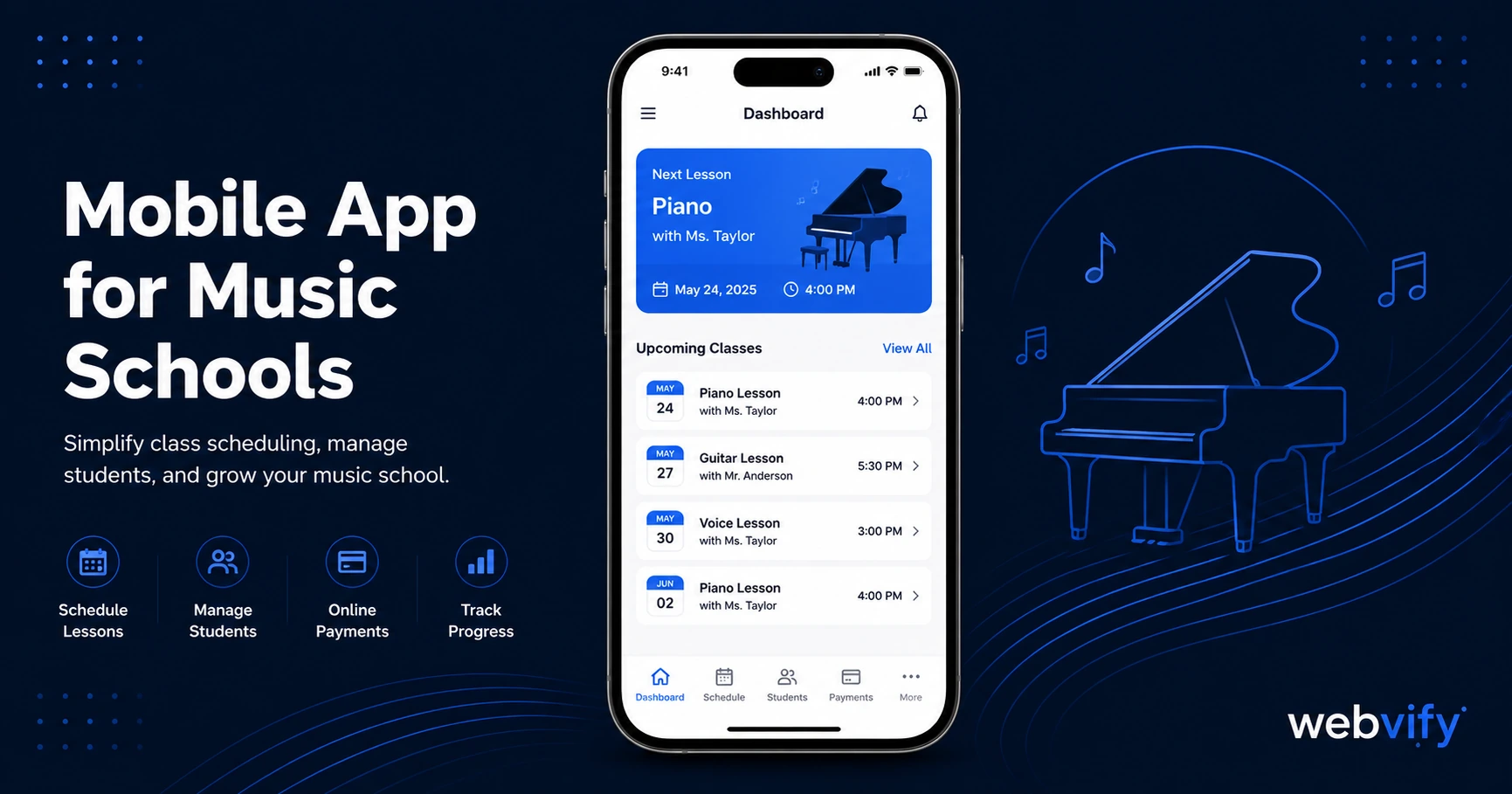
Music students drift away between lessons. A mobile app keeps them booked, engaged, and on your home screen. Here's how to get one without a developer.
Inside this article
The average music student cancels 4–6 weeks of lessons per year — not because they want to quit, but because life gets in the way and nothing pulled them back. A branded mobile app fixes that gap before it becomes a dropout.
Why Music Schools Lose Students Between Lessons
Music lessons run on habit. Students show up consistently when they're in a routine — but that routine breaks during school holidays, exam seasons, and summer. When it breaks, the studio that stays visible wins the rebook. The studio that relies on email usually doesn't.
Email open rates in the education and wellness space average 20–28%. Push notifications — the kind that land on a phone's lock screen — average 60–90%. That's not a small difference. It's the difference between a student who drifts to a competitor and one who rebooks before the week is out.
The other factor is home screen presence. When your music school has a branded app on a student's or parent's phone, you're next to the apps they open every day. That passive visibility builds the kind of habit that keeps people enrolled month after month.
What a Mobile App for Your Music School Actually Does
A mobile app for a music school doesn't need to be complicated. The most effective setup does three things well:
Push notifications. Send reminders, promotions, and re-engagement messages directly to the lock screen. A "your next lesson is tomorrow" notification has a 70–80% open rate. A "summer intensive spots are filling up" alert reaches students while they're still deciding.
Home screen icon. Your studio brand is one tap away — not buried in a Gmail inbox. Parents checking their child's schedule, students wanting to review their practice notes — your app is the obvious place to go.
Your existing website, packaged as an app. You don't need to rebuild your booking system, your lesson schedule, or your contact page. A WebView-based app wraps your current website and delivers it as a native app experience on iOS and Android. The content you already manage stays in one place.
This matters because most music schools already have a website with their schedule, booking form, and contact details. The app doesn't replace any of that — it just makes it permanently accessible from the App Store and adds the push notification channel you don't have from a browser.
If your school uses an appointment-based booking system, this guide on mobile apps for appointment-based businesses covers the push notification mechanics in detail.
Push Notifications: The Highest-ROI Tool for Music Schools
Three campaign types consistently work for music schools:
The re-engagement nudge. Send 21–30 days after a student's last lesson if they haven't rebooked. Keep it simple: "It's been a while — your usual slot is still available. Tap to rebook." Open rates on these run 60–75% because the timing is personal.
The seasonal window opener. Back-to-school in September, New Year in January, and summer breaks in June are the highest-churn windows for music schools. A push campaign sent 7–10 days before school resumes ("We're back — grab your slot before they're gone") recovers students who were planning to "come back eventually."
The recital prep alert. If your school runs recitals, concerts, or grading sessions, a push notification 4 weeks out drives immediate sign-up and keeps parents invested in the student's progress.
None of these campaigns are possible via email at the same open rates. Browser push notifications don't work on iOS at all. A native app is the only channel that gives you reliable lock-screen access to every enrolled family.
Getting Your Music School App on the App Store
The most common reason music schools don't have an app isn't cost — it's the submission process. Apple and Google have technical requirements that assume a developer is involved: Xcode builds, provisioning profiles, developer accounts, app review compliance.
The good news is that a WebView app — an app that displays your website inside a native shell — passes Apple and Google review without custom mobile code. Services like Webvify build the app, handle the App Store and Google Play submission, and publish it under your business name. You get the finished app without touching a developer console.
The one Apple-specific thing to know: if your school sells digital content or packages through your website (like pre-paid lesson bundles or online courses), Apple requires those transactions to go through Apple's In-App Purchase system on iOS. For most physical lesson-based music schools, this isn't an issue — the booking is for a real-world service, which Apple doesn't restrict.
Dance studios have navigated the same question. The answer is the same: real-world service bookings are fine; digital-only subscription products require a workaround. See how dance studios handle it in this guide.
What to Look for in a Music School App Service
Not all app services are equal. Here's what actually matters:
Done-for-you submission. Some tools give you the app file and leave App Store submission to you. That means navigating Apple's developer portal, managing certificates, and handling rejections. For a music school owner, that's not a reasonable ask. Look for a service that handles submission end-to-end.
Published under your brand. Your app should appear on the App Store as "[Your School Name]" — not as part of a shared platform app. Students and parents should be able to find your school by searching for it by name.
Admin panel for ongoing management. Push notifications, app settings, and content updates should be manageable without a developer after launch. If you have to file a support ticket to send a push campaign, the tool is wrong for your use case.
No rebuild required. If the service asks you to recreate your class schedule, instructor profiles, or booking system inside their platform, you're creating a second system to maintain. The right approach wraps your existing website.
Frequently Asked Questions
How much does a mobile app for a music school cost?
A custom native app from a mobile development agency typically runs $25,000–$80,000 plus ongoing maintenance. A WebView-based app from a managed service runs a fraction of that — usually a one-time setup fee in the low thousands, with optional monthly support plans. For most music schools with an existing website, the WebView approach delivers 90% of the value at under 5% of the cost.
Do I need a developer to build a music school mobile app?
No. A WebView-based app wraps your existing website and doesn't require writing any mobile code. The App Store submission process is handled by the service. You provide your website URL, branding assets (logo, colors), and your Apple/Google developer account credentials — the rest is managed for you.
Can I manage my music school app myself after it's live?
Yes, if you use the right service. Look for an admin panel that lets you send push notifications, update app settings, and monitor basic analytics without developer involvement. Push campaigns, in particular, should be something you can send in under 5 minutes from a dashboard — not something that requires a developer on call.
Running a music school takes enough attention without adding a mobile development project. Your website already has everything your students and parents need — a mobile app just puts it on their home screen and gives you a direct line to their lock screen.
Webvify converts your existing website into a fully branded iOS and Android app and handles the App Store submission end-to-end. Most schools are live within a few days.