

Mobile App for Golf Courses: Keep Members Booked and Coming Back All Season
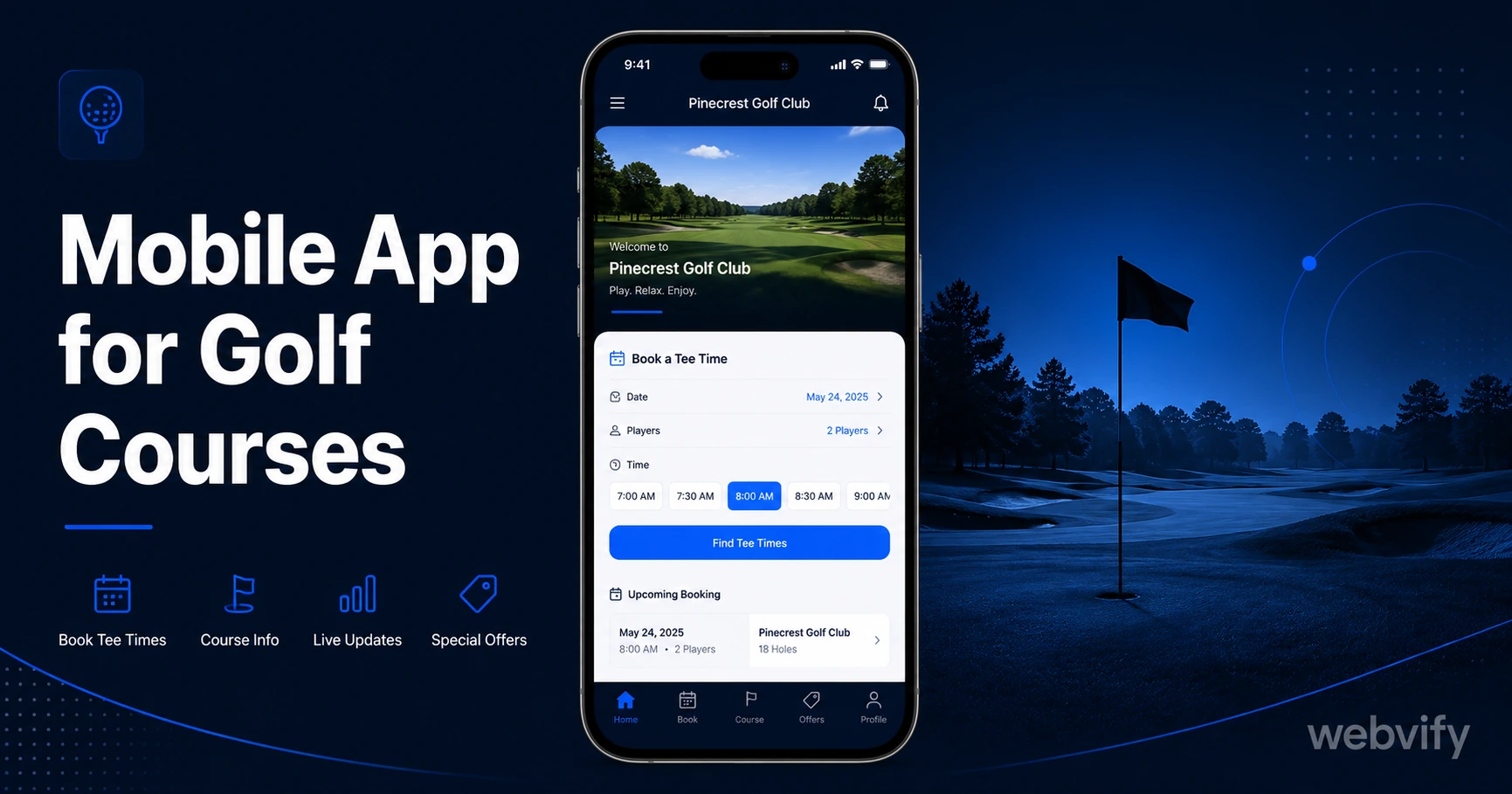
A mobile app for golf courses keeps members booking tee times, coming back between rounds, and renewing memberships — without hiring a developer.
Inside this article
Golf clubs lose members every year — not to a competitor course, but to silence. A member plays a round in May, gets busy through summer, and by September they've booked three rounds at a different club that happened to send a notification at the right moment.
A branded mobile app for your golf course puts you on every member's home screen and gives you a direct line to their lock screen. This guide covers what a golf course app does, the three push campaigns that bring members back, and how to get yours on the App Store without a developer.
Why Golf Courses Struggle to Keep Members Between Visits
The average golfer plays 12–15 rounds per year. That means there are weeks — sometimes months — of silence between visits. During that gap, your club has no touchpoint. Email newsletters get buried. Social media posts reach only those who happen to scroll at the right time.
Meanwhile, every round your members don't book at your course is a round they're booking somewhere else. The problem isn't the quality of your greens — it's that you disappear between visits.
A mobile app for your golf course changes this. Push notifications reach the lock screen directly, with open rates of 60–90% compared to 20–30% for email. Your club stays visible even when a member hasn't visited in six weeks.
Three Push Notification Campaigns Every Golf Course Needs
The most effective golf course apps run three core campaigns that map to natural points in a golfer's season.
1. The Tee Time Window Opener
At the start of peak season — typically late February to early April depending on your region — send a push notification to every member who hasn't booked in the past 30 days. Something like: "The course is in perfect condition. Tee times are filling fast — grab yours this week." This single campaign, sent at the right seasonal moment, can fill your weekend slots before they ever go to walk-in traffic.
2. The 45-Day Rebooking Nudge
After a member completes a round, they're at peak motivation to rebook. Wait 45 days — long enough that the previous visit feels complete, short enough that they're still thinking about golf — and send a rebooking reminder. Members who receive this push notification rebook at significantly higher rates than those who receive it through any other channel.
3. The Membership Renewal Alert
Annual membership renewals are the highest-stakes communication your club sends. Most courses rely on a single email 30 days out. A push notification 60 days before renewal (with a follow-up 14 days before) means members aren't making renewal decisions under pressure. They're making them from a place of habit and loyalty.
If you already manage bookings through a third-party platform, you don't need to replace it. A WebView-based mobile app wraps your existing booking site inside a native app experience. Members interact with the same system they know — they just do it from an app on their phone, with push notifications enabled.
What to Look for in a Golf Course Mobile App
Not every mobile app approach is the right fit for a golf course. Here's what matters.
WebView wrapping vs. rebuilding from scratch. Building a golf app from scratch means rebuilding your booking system, your member portal, and your content — all inside a new platform. That takes months and costs tens of thousands of dollars. A WebView wrapper converts your existing website or booking portal directly into an App Store–ready app. If your course already has a website with online tee time booking, a WebView app can be live in days.
App Store and Google Play submission included. Getting an app approved on the App Store involves Apple's developer portal, compliance checks, and review guidelines that trip up most first-time submitters. Look for a service that handles the end-to-end submission process under your own developer accounts — not theirs. Your app should appear in the App Store under your golf club's name.
Admin panel for push notifications. You need to be able to send push notifications without asking a developer. Look for a dashboard where staff can schedule campaigns, segment by member type, and track open rates. Services like Webvify provide this admin panel alongside the app build and App Store submission, so your pro shop team can manage notifications without technical help.
If you're unfamiliar with the App Store submission process, this guide walks through every step →
The Real Cost of Not Having a Golf Club App
The clearest way to think about the cost of waiting is in terms of rounds lost. If your course runs at $80 per green fee and five members each play two fewer rounds per month than they could — because nothing prompted them to rebook — that's $800 per month in revenue that went to a course that happened to send a push notification.
Custom mobile app development for a golf course typically runs $30,000–$80,000 upfront, plus ongoing maintenance. That's the reason most courses have postponed the decision.
A WebView-based golf course app — covering the build, App Store and Google Play submission, and push notification admin — is a fraction of that cost and can be live within a week. The round you lose while waiting is the round your competitor booked.
How to Get Your Golf Course on the App Store
Here's the practical path from "we don't have an app" to "our app is live on the App Store."
Step 1: Confirm your website works on mobile. A WebView app wraps your existing site. If your booking system and member portal work on a phone browser, they'll work inside the app.
Step 2: Set up an Apple Developer account. This is a $99/year account in your golf club's name. It takes 1–3 business days for Apple to verify your organization. This is the account your app will be published under.
Step 3: Build and submit the app. This is the step where most clubs need help. Apple's submission guidelines include minimum functionality requirements, privacy policy checks, and payment flow rules that aren't obvious. A managed service like Webvify handles the build and submission for you — you provide the website URL, and they handle everything through App Store approval.
Step 4: Set up your first push campaign. Before your app goes live, plan your first three push notifications (tee time window opener, 45-day rebooking nudge, membership renewal alert). Draft the messages, confirm the timing, and have them ready to activate the day the app is approved.
If you're also running an e-commerce store for merchandise or memberships, this guide on push notifications for online stores covers the setup →
FAQ
How much does a mobile app for a golf course cost?
A custom-built native app for a golf course typically costs $30,000–$80,000 and takes 6–12 months to develop. A WebView-based golf course app — which converts your existing website into an App Store–ready mobile app — costs a fraction of that and can be live in days. The main factors are whether App Store and Google Play submission are included and whether ongoing push notification management requires a developer.
Can I add tee time booking to my golf course app?
Yes. If your golf course already has online tee time booking through a third-party platform (like EZLinks, Teesnap, or a custom system), those booking pages work inside a WebView app without any changes. Members book through the same interface they already know — they just access it from a native app on their phone with push notifications enabled.
How long does it take to get a golf course app approved on the App Store?
Apple's review process typically takes 24–48 hours once your app is submitted. The longer part of the timeline is setting up your Apple Developer account (1–3 business days for organization verification) and preparing the app for submission. With a managed service that handles the build and compliance checks, most golf course apps go from start to App Store approval in under two weeks.
A mobile app for your golf course isn't about replacing your booking system or redesigning your website. It's about staying visible during the weeks your members aren't playing — and making it effortless for them to return.