

How to Get a Mobile App for Your Event Planning Business (Without Hiring a Developer)
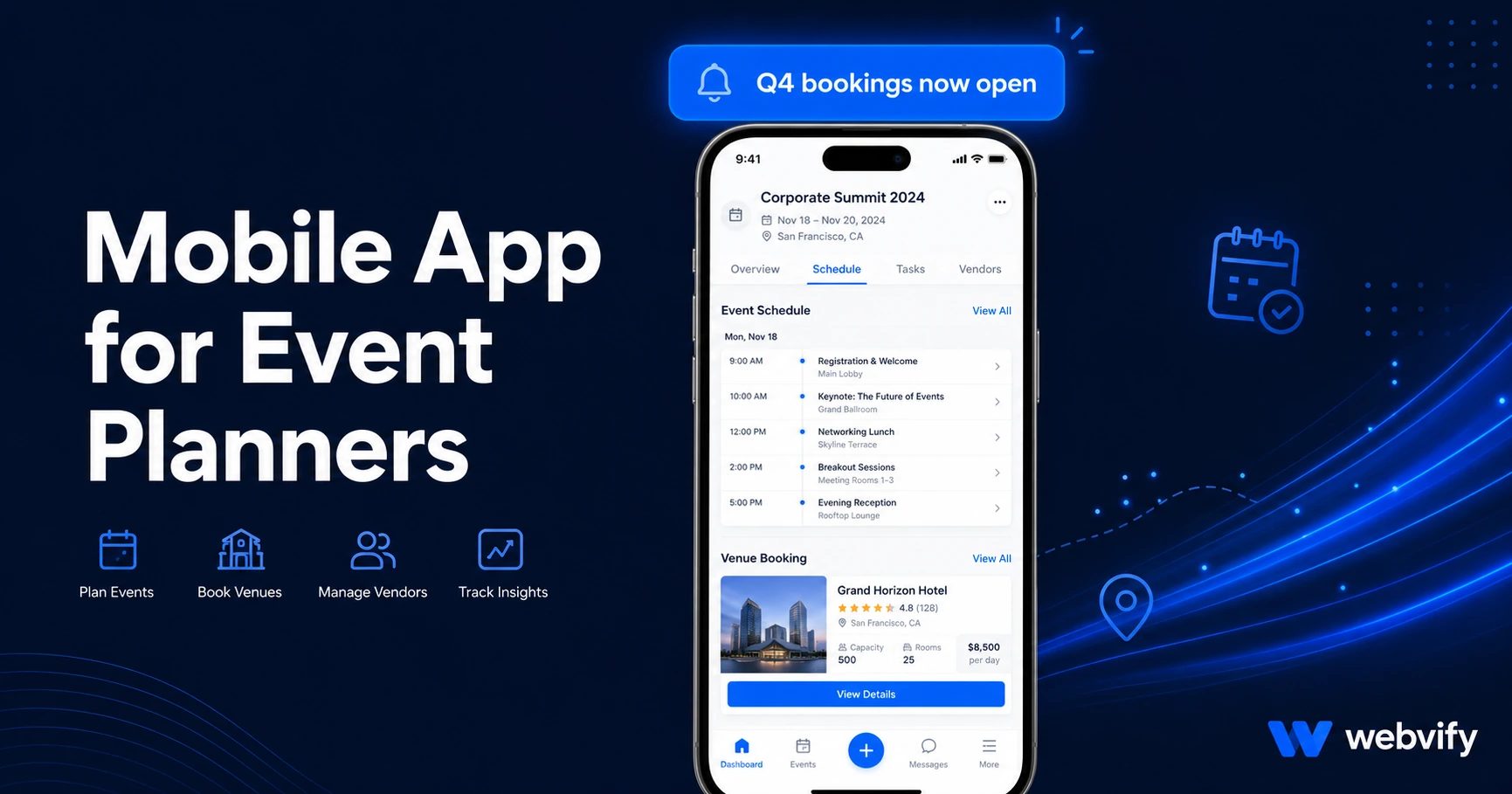
Want a mobile app for your event planning business? Here's what it costs, what to include, and how to get it live on the App Store in days — no developer needed.
Inside this article
- How to Get a Mobile App for Your Event Planning Business (Without Hiring a Developer)
- Why Event Planners Need a Mobile App
- What a Mobile App for Event Planners Can Actually Do
- How Push Notifications Fill the Visibility Gap Between Bookings
- Getting Your Event Planning Mobile App on the App Store
- What to Look for in an Event Planner App Service
- Frequently Asked Questions
- Get Your Event Planning App Live
How to Get a Mobile App for Your Event Planning Business (Without Hiring a Developer)
Most event planning clients go quiet between bookings — not because they stopped needing events, but because nothing keeps your business in front of them. A branded mobile app changes that.
Event planners live on referrals and repeat business, but both depend on staying memorable. A website is passive — it waits for someone to search. A mobile app sits on the home screen, sends notifications, and shows up the moment a client starts thinking about their next corporate dinner, wedding, or product launch. This guide covers what a mobile app for event planners actually does, what it costs, and how to get one live without touching a line of code.
Why Event Planners Need a Mobile App
The gap between bookings is the biggest threat to event planning revenue. A corporate client books you for their annual gala. The event goes perfectly. And then twelve months pass with no contact — until they start Googling event planners again, and your competitor comes up first.
The problem is not the quality of your work. The problem is visibility. Research consistently shows that push notifications sent through a branded app have open rates of 60–90%, compared to 20–30% for email. That means a single well-timed push notification ("We're now booking Q4 events — want to lock in your date?") reaches a past client on their lock screen at a fraction of the cost of any other marketing channel.
Beyond notifications, there is the credibility signal. Being on the App Store — with your logo, your name, and your branding — carries weight with corporate clients evaluating multiple vendors. It signals that you are an established business, not a freelancer with a website.
What a Mobile App for Event Planners Can Actually Do
A mobile app for an event planning business does not need to be built from scratch. If you already have a website — with your portfolio, inquiry form, service packages, and contact details — a WebView app wraps that existing website into a native app shell and publishes it on the App Store and Google Play under your name.
Here is what that looks like in practice:
Push notifications. Send updates to all past clients at once. Announce new packages, seasonal availability, early-bird pricing, or venue partnerships. One notification reaches everyone who has the app installed.
Home screen presence. Your logo lives on the client's phone. When they start planning their next event, your app is the first thing they see — before they open a browser.
Portfolio and gallery access. Your existing website content — event photos, testimonials, case studies — is immediately accessible from the app. No rebuilding, no duplicate content management.
Inquiry and booking flow. Any contact form or booking system on your website works inside the app. Clients can submit event briefs or request consultations without switching to a browser.
If you want to understand more about the mechanics of converting your website content into a working app, this guide on the benefits of converting your website to a mobile app covers how the WebView approach works and why it makes sense for service businesses.
How Push Notifications Fill the Visibility Gap Between Bookings
The average event planning client books once every 12–18 months. That is a long window during which competitors can establish themselves through consistent visibility. Push notifications are the only channel that works at that scale without a significant advertising budget.
Here are three notification campaigns that work specifically for event planners:
The seasonal availability nudge. Send in January and September — the two periods when corporate clients and individuals start planning events for the next quarter. Message: "We're now accepting bookings for [season]. Limited dates available — [link to inquiry form]."
The anniversary reminder. If you have a past client's event date on record, send a push notification roughly 60 days before the anniversary. "It's almost been a year since [event name] — already thinking about the next one?"
The new services alert. When you add a venue partner, a new package tier, or a specialized service, notify your entire installed base at once. This works better than an email newsletter for re-engagement because it reaches the lock screen rather than a filtered inbox.
None of this requires custom app development. The notification system is built into the app infrastructure — you manage it from an admin panel, not a developer console.
Getting Your Event Planning Mobile App on the App Store
Publishing to the App Store and Google Play is the step that stops most non-technical business owners. You need an Apple Developer account ($99/year), a Google Play Developer account ($25 one-time), and a correctly packaged app binary that passes review.
Apple's review process typically takes 24–48 hours. The most common rejection reasons for service business apps are Guideline 4.2 (Minimum Functionality — the app must do more than just show a website) and Guideline 2.1 (App Completeness — all linked pages must work). Both are avoidable with the right setup.
For event planners specifically, the common submission issues are:
Booking or payment flows: If your site uses a third-party payment processor for deposits or contracts, Apple's Guideline 3.1.1 applies. Digital services purchased through the app must use Apple's In-App Purchase system — or the payment screen must open in an external browser. Most event planners handle this by routing payment links to a browser redirect, which is a clean and approved approach.
Portfolio pages with embedded video: Make sure any video embeds (Vimeo, YouTube, Wistia) load correctly in a WebView environment. Test before submission.
Login-gated client portals: If you have a client portal where past clients access event files or proposals, it needs to work with cookie-based session persistence in the WebView — this is standard but worth confirming.
If you are also handling appointment booking or consultation scheduling through the app, this appointment booking mobile app guide covers the specific WebView compatibility points for booking systems.
Services like Webvify handle the full submission process end-to-end — building the app, setting up the developer accounts, packaging it for both stores, and submitting it under your name. You do not touch Xcode or Android Studio.
What to Look for in an Event Planner App Service
Not all web-to-app services are the same. Here is what matters when evaluating options:
Do they handle App Store submission? Many tools give you the app file but leave submission to you. The submission process — especially Apple's review requirements — is where most business owners get stuck. Look for a service that handles it end-to-end.
Do you own the developer accounts? Your app should be published under your name, not the vendor's. If the vendor cancels your subscription, your app should stay live. Confirm this before signing up.
Is there an admin panel for post-launch management? After launch, you need to be able to send push notifications without logging a support ticket. A self-managed dashboard is a basic requirement.
Does it wrap your existing website or require rebuilding? Services that require you to rebuild your content in a proprietary editor create a second system to maintain. Your website is already built — the app should use it.
Frequently Asked Questions
How much does a mobile app for an event planning business cost?
A custom-built native app can cost $50,000–$150,000+ and take 6–12 months. A WebView app service that wraps your existing website typically costs a fraction of that — usually a one-time project fee plus an optional monthly admin panel subscription. The App Store developer accounts cost $99/year (Apple) and $25 one-time (Google).
How long does it take to get an event planner app live on the App Store?
With a done-for-you service, most apps are submitted within a few days of kickoff. Apple's review takes 24–48 hours in most cases. Google Play review is typically faster. From first contact to live app: expect 1–2 weeks including back-and-forth on branding.
Do I need a developer to update the app after launch?
No. Because the app wraps your existing website, any update you make to your website — new portfolio photos, updated packages, new contact details — is automatically reflected in the app. You do not need a developer for ongoing content changes.
Get Your Event Planning App Live
Your competitors are on the App Store. Your past clients are carrying smartphones. The gap between bookings does not have to mean lost revenue — it can be a window for staying visible.
Webvify converts your existing event planning website into a fully branded mobile app and handles everything from build to App Store submission. No developer required, no rebuilding your website from scratch — your business on the home screen of every client you've ever worked with.