

How to Get a Mobile App for Your Barbershop (Without Hiring a Developer)
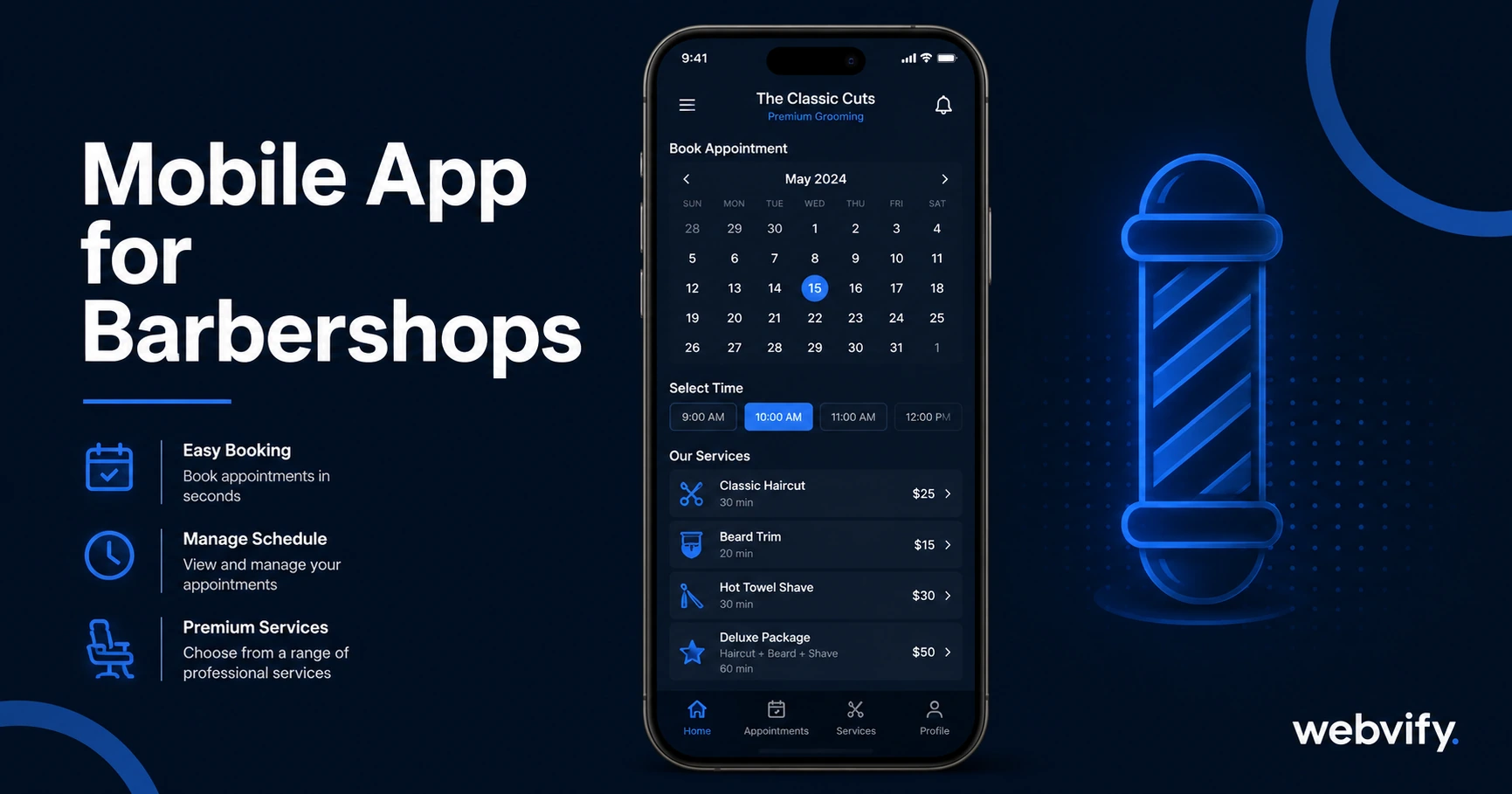
Get a mobile app for your barbershop without a developer. Push notifications, App Store presence, and booking — done in days, not months.
Inside this article
Most barbershop clients come back every 3–4 weeks — until something interrupts the habit. A new shop opens nearby, a friend recommends someone else, or they just forget to rebook. The shops that hold onto those clients aren't necessarily the best barbers; they're the ones that stay visible between visits.
A mobile app for your barbershop is the most direct way to maintain that visibility. It puts your brand on every client's home screen, lets you send push notifications when you have an open slot or a promotion, and gives your shop an App Store listing that builds trust with new customers. Here's how to get one without hiring a developer or learning to code.
Why Barbershops Lose Clients Between Visits
The 3–4 week gap between appointments is where most client drift happens. Email open rates for local services average 20–25%. Text message campaigns require opt-ins and feel intrusive when used too frequently. Social media algorithms decide whether your post reaches your followers — often it doesn't.
A mobile app bypasses all of that. Push notifications sent through your app appear directly on a client's lock screen. Open rates for push notifications are consistently 60–90%, compared to 20–25% for email. That single gap in attention — the week before a client is due for a cut — is exactly where a push notification keeps your shop top of mind and a competitor doesn't get the chance to.
Home screen presence matters too. When your app icon sits on a client's phone, your shop stays visible every time they unlock it. That kind of passive brand exposure is something a website or social media page can't replicate.
What a Mobile App for Your Barbershop Actually Does
A barbershop app built with a WebView wrapper converts your existing website into a native-feeling mobile app — no rebuild required. Whatever booking system, portfolio, or service menu you already have on your site becomes the core of the app. The wrapper packages it for the App Store and Google Play.
Beyond the booking experience, the app adds capabilities your website alone can't offer:
Push notifications — Send timed reminders, slot filler alerts ("we have two openings this Saturday"), and seasonal promotions directly to client lock screens.
Home screen presence — Your branded app icon sits alongside clients' most-used apps, not buried in a browser bookmark they never visit.
App Store listing — Your shop appears in App Store and Google Play search results, which adds credibility and creates a new discovery channel for new customers searching for barbershops in their area.
Loyalty and rebooking prompts — A well-timed push notification three weeks after a client's last visit can drive rebookings before the drift window opens.
If your barbershop already has a website with a booking page — Vagaro, Square Appointments, Booksy, or even a simple contact form — your app is essentially ready. The website becomes the app.
How Push Notifications Keep Clients Coming Back
The most practical use of a barbershop app is a simple rebooking reminder campaign. Here's a three-notification sequence that works for service businesses:
Day 21 after last visit: "Hey, it's been three weeks — ready for a fresh cut? Book your slot here." This catches clients at the natural end of their cycle before they've started looking elsewhere.
Day 28 (if no rebooking): "We have a few spots open this week. Same barber, same time as last time." Familiarity plus urgency.
Seasonal or event-based: "Father's Day weekend is filling up fast — grab your spot before it's gone." These one-off campaigns are where push notifications outperform email most clearly, because they feel immediate rather than like a newsletter.
Services like Webvify handle the full setup — building the app, configuring push notifications, and submitting to both stores — so you don't need to manage any of the technical side. You get access to an admin panel where you can send notifications directly, no developer required after launch.
Getting Your Barbershop App on the App Store
The App Store submission process is the step that stops most small business owners. Apple's review guidelines, developer account setup, and the binary packaging process are not designed for non-technical users.
There are two paths: do it yourself or use a managed service.
If you go the DIY route, you'll need to enroll in the Apple Developer Program ($99/year), produce an AAB file for Google Play, configure your app's privacy policy, complete Google Play's Data Safety form, and navigate Apple's Guideline 4.2 (Minimum Functionality) — the most common rejection reason for WebView apps. For most barbershop owners, this process takes weeks and often requires at least one paid consultation with a developer.
The managed service path hands all of that to a team that handles submissions regularly. For a barbershop, the submission itself is straightforward — no in-app purchases, no digital subscriptions, no complex data flows. A clean booking page wraps well and typically sails through review.
If you want a step-by-step breakdown of the App Store submission process itself, the App Store submission guide here covers the full checklist. For push notification strategy that applies across service businesses, the appointment booking mobile app guide covers the retention mechanics in more depth.
What a Barbershop Mobile App Costs
Custom native app development for a barbershop runs $15,000–$60,000 and takes 3–6 months. That's before ongoing maintenance costs.
A WebView wrapper approach using a managed service costs a fraction of that — typically a one-time build fee plus an annual or monthly admin plan. You get the same App Store listing, the same push notification capability, and the same home screen presence. The difference is the underlying build method: your website becomes the app instead of building a separate codebase from scratch.
For most barbershops, the WebView approach delivers everything a client-facing app needs without the custom development overhead.
Frequently Asked Questions
How long does it take to get a barbershop app live on the App Store?
Apple's review process typically takes 24–72 hours once your app is submitted. The setup and submission process — building the WebView wrapper, configuring push notifications, preparing the App Store listing — usually takes 3–7 business days with a managed service. The total time from start to live app is under two weeks in most cases.
Do I need to update my barbershop app separately from my website?
No. Because the app is a WebView wrapper of your existing website, any update you make to your website automatically appears in the app. You don't maintain two separate systems. The only app-specific management is sending push notifications and monitoring your App Store listing, both handled through an admin panel.
Can I send push notifications without a separate app?
Browser push notifications exist but have a critical limitation: iOS Safari does not support web push notifications the same way Android does. If a significant portion of your clients use iPhones — which is typical in the US — browser push notifications won't reach them. A native app submitted to the App Store is the only reliable way to send push notifications to iOS users.
A mobile app won't replace the quality of your work or the relationship you build in the chair. But it does solve the one problem most barbershops face: staying visible during the three-week window when clients might go somewhere else.
If you're ready to get your barbershop on the App Store without building from scratch, Webvify handles the full process — from wrapping your existing site to submitting to both stores and setting up your push notification admin panel.