

Mobile App for Accountants: Keep Clients Year-Round, Not Just at Tax Time
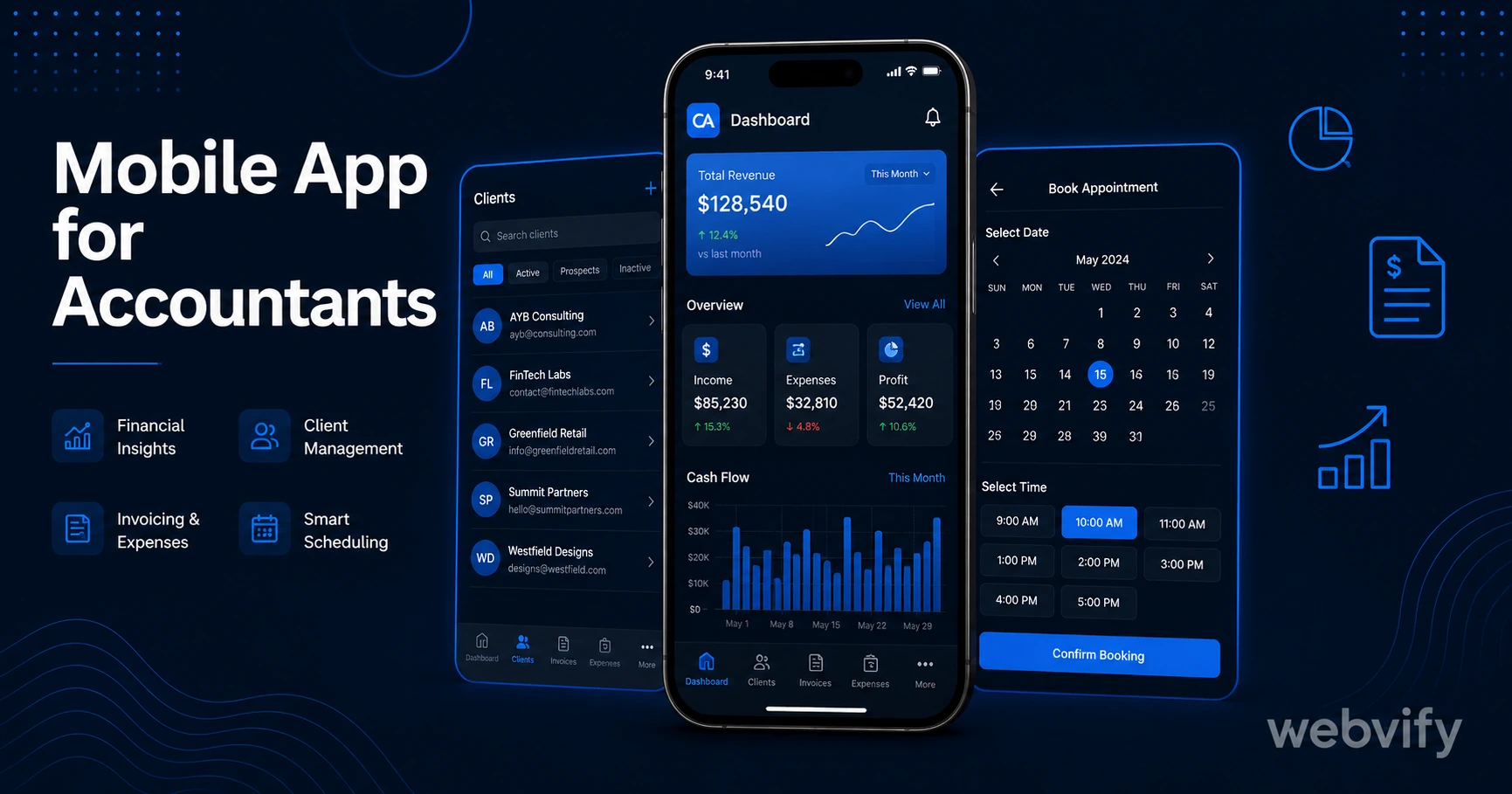
Most accounting clients only call at tax time. A mobile app changes that — push notifications, year-round touchpoints, and App Store credibility without a developer.
Inside this article
- Mobile App for Accountants: Keep Clients Year-Round, Not Just at Tax Time
- Why Accountants Lose Clients Between Tax Seasons
- What a Mobile App for Accountants Actually Does
- App Store Credibility in a Trust-Sensitive Profession
- The Retention Gap: Three Push Campaigns That Work for Accountants
- How to Get a Mobile App for Your Accounting Firm
- FAQ
- Get Your Accounting Firm's App Live
Mobile App for Accountants: Keep Clients Year-Round, Not Just at Tax Time
The average accounting client contacts their accountant once a year — at tax time. For the other 51 weeks, they're completely silent, and so are you.
That silence is where clients drift. Not because your work was bad. Because another accountant sent a helpful newsletter, ran a financial planning webinar, or simply had an app icon sitting on the client's home screen when the quarter-end crunch hit.
A branded mobile app changes the dynamic. This guide explains what a mobile app for accountants actually does, what to send, and how to get one live without hiring a developer.
Why Accountants Lose Clients Between Tax Seasons
The accounting client lifecycle has a structural problem: engagement is clustered at the worst possible time. Tax season is when you're already at capacity — and that's the only window most firms use to strengthen the relationship.
The gap between January and the following January is where clients quietly start evaluating alternatives. They see a LinkedIn post from a competitor, get a referral from a friend, or simply assume they'd get better service somewhere else. You didn't do anything wrong. You just weren't visible.
Email newsletters help, but open rates in professional services average 20–28%. That means roughly 3 in 4 clients never read your update. Push notifications from a mobile app reach the lock screen directly — with open rates of 60–90%. That's not a small difference. That's the difference between staying top-of-mind and being forgotten.
What a Mobile App for Accountants Actually Does
A mobile app for an accounting firm isn't a custom-built tool with a client portal and bank-grade encryption. For most small to mid-sized accounting practices, it's a wrapped version of your existing website — your blog, your contact form, your booking tool, your resources page — packaged as a native iOS and Android app and listed in the App Store under your firm's name.
What makes it valuable isn't the app itself. It's the push notification channel it gives you.
With a branded app, you can send push notifications directly to every client who has downloaded it:
- Q4 planning reminder (October): "Year-end is 10 weeks away. Book your planning session now."
- Tax deadline nudge (late January): "Document collection is open. Upload your records here."
- Mid-year check-in (July): "Thinking about making a large purchase? Let's run the tax impact first."
- Regulatory update alert (any time): "New HMRC/IRS guidance affects limited company directors — here's what you need to know."
Each of these touchpoints replaces a cold email that probably went unread. And each one keeps your firm's name on the client's home screen — not buried in an inbox.
App Store Credibility in a Trust-Sensitive Profession
Accountants handle sensitive financial data. Clients are inherently cautious about who they trust with tax returns, company accounts, and financial planning. In a profession where credentials matter, App Store presence is a credibility signal that works silently.
When a prospective client searches "accountants near me" and two firms come up, the one with an app in the App Store looks more established — even if both were founded the same year. An app listing under your firm's name, with your branding, signals that you run a professional operation.
Services like Webvify convert your existing accounting firm website into a fully branded iOS and Android app and handle the entire App Store and Google Play submission process. You don't need an Apple Developer account, Xcode, or a mobile developer — just your existing website.
This is also relevant for firms with compliance messaging. If you're regularly communicating regulatory updates (VAT changes, R&D tax credit adjustments, Making Tax Digital requirements), having those updates delivered via push notification — rather than email or LinkedIn — means clients actually receive them.
The Retention Gap: Three Push Campaigns That Work for Accountants
The most effective way to use a mobile app isn't to replicate your newsletter. It's to deliver short, timely, high-value messages at moments when clients need you.
Here are three campaigns accounting firms use to close the retention gap:
1. Quarterly nudge sequence Send one push notification per quarter, each tied to a financial calendar trigger: Q1 self-assessment filing (UK) or estimated tax deadline (US), Q2 mid-year review prompt, Q3 pension/retirement contribution window, Q4 year-end planning session.
2. The "don't leave money on the table" alert Tax reliefs and allowances have deadlines. Send a single push when a relevant deadline approaches — ISA allowance, capital allowances, R&D credit windows. This positions you as proactively adding value, not just reacting to client requests.
3. The reactivation campaign for dormant clients Clients who haven't contacted you in 14+ months are at risk of churning. A single well-timed push ("We're heading into self-assessment season — book your slot early") often reactivates clients who were planning to switch but hadn't got around to it.
If you're also using push notifications for other parts of your business, the principles from our push notifications retention guide apply directly here — the timing logic and sequence structure work across professional services.
How to Get a Mobile App for Your Accounting Firm
The process is simpler than most accountants expect, because you're not building a new system — you're packaging the one you already have.
Step 1: Make sure your website is mobile-responsive. If your site already looks good on a smartphone browser, it will look good in a WebView app. Most modern accounting firm websites (built on WordPress, Squarespace, or a similar platform) meet this requirement out of the box.
Step 2: Choose an app-building service that handles submission. This is the part most firms underestimate. Getting your app listed on the App Store and Google Play requires an Apple Developer account ($99/year), a Google Play account ($25 one-time), compliance with each store's review guidelines, and an app binary that passes technical review. A service that handles this end-to-end — building the app, submitting it, and managing the process — saves 20–40 hours of back-and-forth with Apple's review team.
Step 3: Set up your push notification campaigns before launch. Don't launch with a blank slate. Have at least three push notifications scheduled: a welcome message, a first quarterly nudge, and a seasonal prompt. Clients who install the app and never receive a notification will delete it within 30 days.
For a look at the full process of converting a professional services website into a mobile app, the guide on how to convert your website to an iOS app covers the submission steps in detail.
FAQ
How much does a mobile app for an accounting firm cost?
A WebView-based app — which wraps your existing website — typically costs between $500 and $2,000 as a one-time build fee, depending on the provider. This is a fraction of custom development, which runs $30,000–$150,000+ for a native app built from scratch. Annual App Store developer account fees ($99 for Apple, $25 for Google Play) apply separately. Some services include submission and admin panel access in the build fee; others charge separately.
Do accountants need a special compliance review for their app?
No special regulatory review applies to an accounting firm's client-facing app, as long as the app doesn't process financial transactions directly. If your app links to a secure client portal or a document upload system hosted on your website, those systems need to comply with data protection regulations (GDPR, CCPA) — but that compliance is on the website side, not the app itself. Apple and Google review apps for store policy compliance (minimum functionality, no misleading claims), not professional regulatory compliance.
Can I send push notifications to all my clients, or just app users?
Push notifications go only to clients who have downloaded and installed your app — and only to those who have granted notification permission on their device (which the app prompts at first launch). This is actually an advantage: people who install your app and grant permissions are your most engaged clients. Push notification permission rates for professional services apps typically run 60–75%, and open rates are 60–90%, making this a much higher-quality channel than email for reaching your active client base.
Get Your Accounting Firm's App Live
Most accounting firms wait until they're losing clients to act. The retention gap is working against you silently — between January and the next January, your clients are seeing competitors, getting referrals, and slowly drifting.
A branded mobile app on the App Store puts your firm on every client's home screen and gives you a direct push notification channel to stay relevant year-round — not just at tax time.
Webvify converts your existing accounting firm website into a fully branded iOS and Android app and handles the full App Store and Google Play submission process. No developer needed, no rebuild of your existing system.
Visit webvify.app to see how it works.